RIGOL
2-66 © Copyright RIGOL Technologies, Inc. 2007.
User’s Guide for DS1000 Series
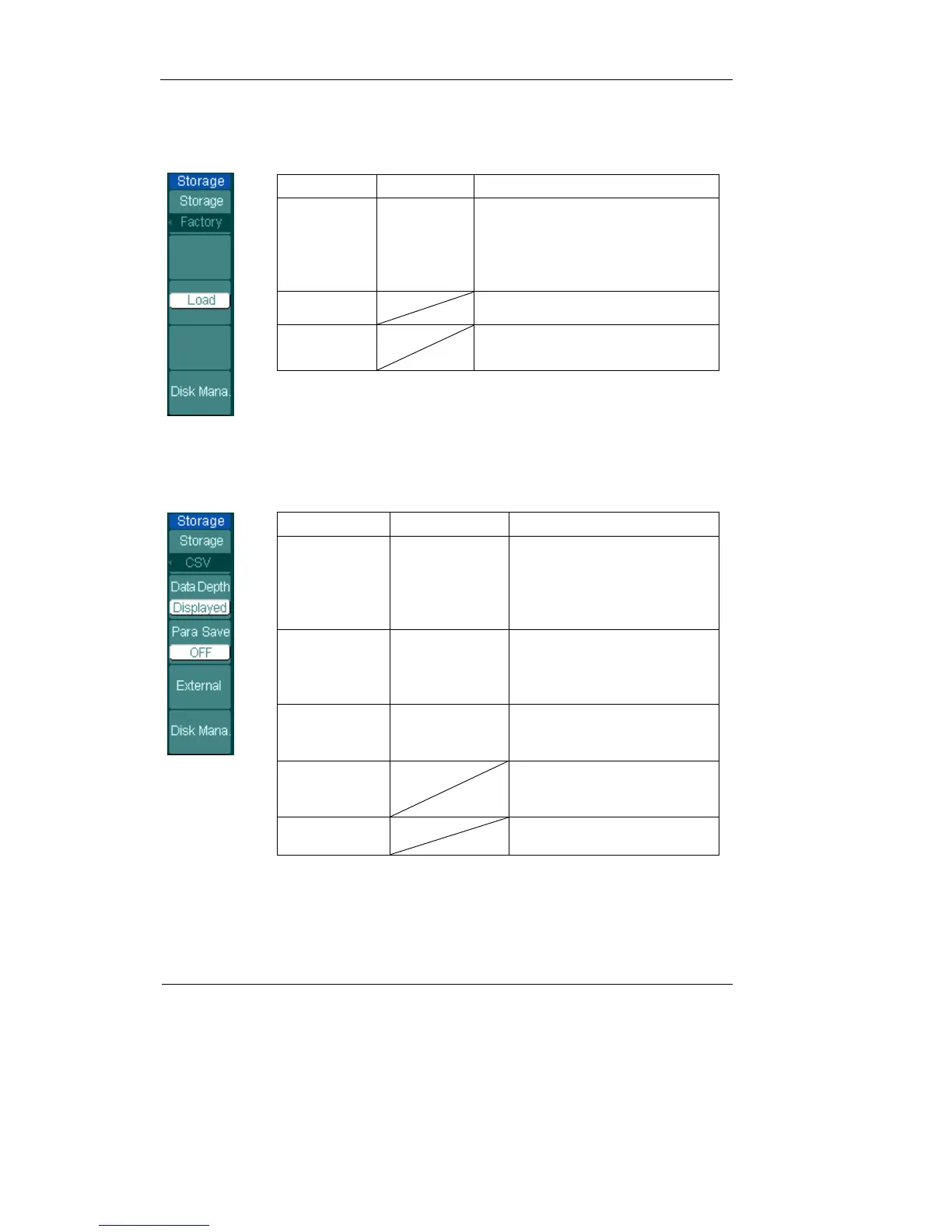
For factory default setups, the menu as following:
Figure 2-76 Table 2-45
Menu Settings Comments
Storage
Waveform
Setups
Bit map
CSV
Factory
Store or recall waveform
Store or recall instrument setups
Create or delete bit map files
Create or delete CSV files
Recall factory setups
Load Recall factory setups or files
Disk Mana.
Go to disk manage menu (see
table 2-50)
For CSV, the menu as following:
Figure 2-77 Table 2-46
Menu
Settings Comments
Storage
Waveform
Setups
Bitmap
CSV
Factory
Store or recall waveform
Store or recall setups
Create or delete bit map files
Create or delete CSV files
Recall factory setups
Data Depth
Displayed
Maximum
Save currently displayed
waveform data to CSV file
Save the whole waveform
data in memory to CSV file
Para Save
On
Off
Save the current oscilloscope
settings in different format
with the same file name
External
Go to menu for external
memory operation (see table
2-49)
Disk Mana.
Go to disk manage menu
(see table 2-50)












 To Next Page