97
UNDOK Settings
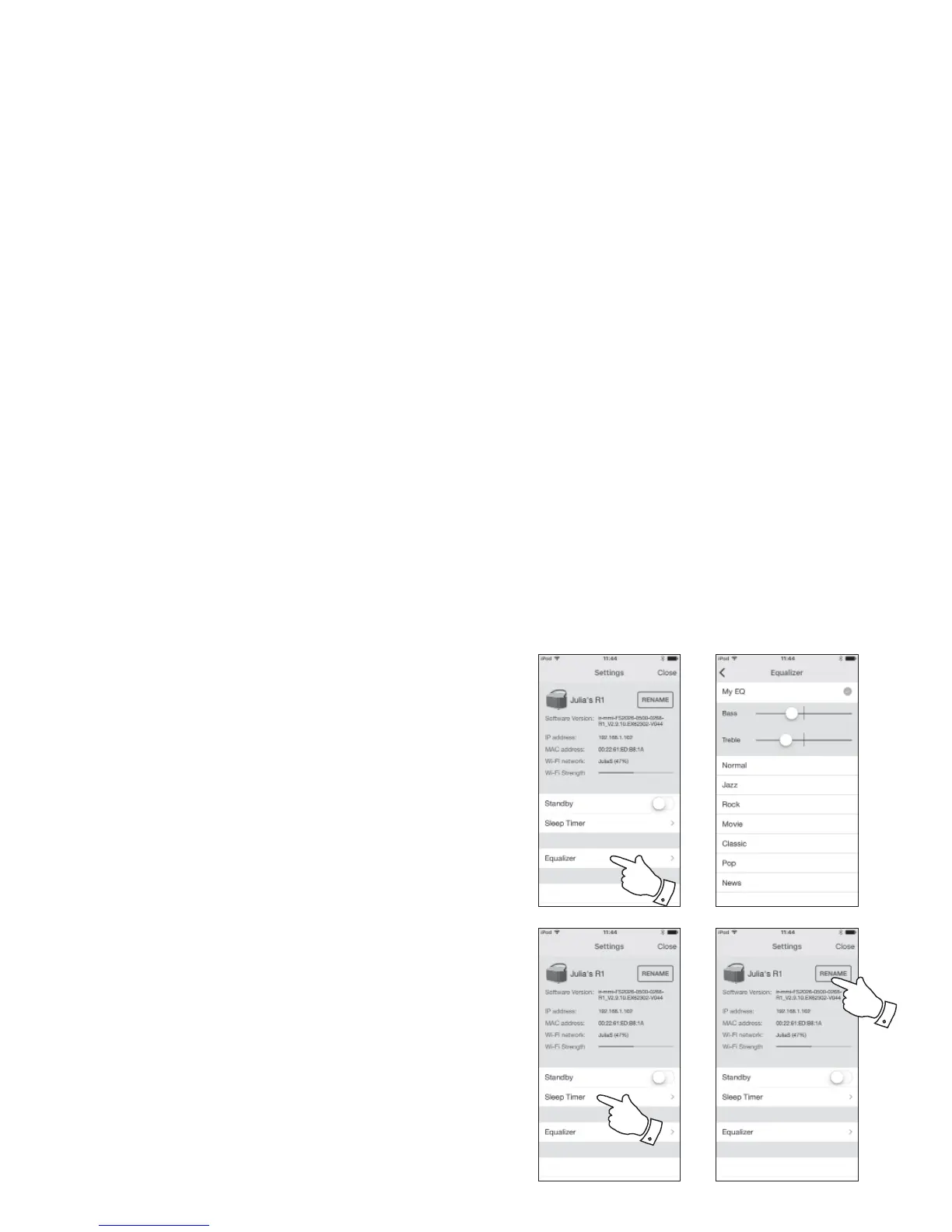
Equaliser function
The sound on your radio can be adjusted to suit your personal taste for the
material that you are listening to. The R100 has a range of equaliser modes.
Alternatively you may set the treble and bass levels to your own preferences.
1. Select the 'Settings' screen and then select 'Equaliser' in UNDOK.
2. Choose the desired equaliser setting or select the 'My EQ' option to adjust
the treble and bass setting.
Sleep timer
Your radio can be set to turn off after a preset time has elapsed. The sleep
setting can be adjusted as follows.
1. Set the sleep timer using the UNDOK app.
2. Your radio will switch off after the preset sleep timer has elapsed.
Friendly name
Your radio is identifi ed within the UNDOK app using its Friendly Name. By
default, your radio's name will be shown as "Roberts R100" followed by a 12
digit alphanumeric code which is the network MAC address that is unique to
your radio. Use the radio's settings in UNDOK to change its friendly name.



 To Next Page