37
Selecting a DAB radio station
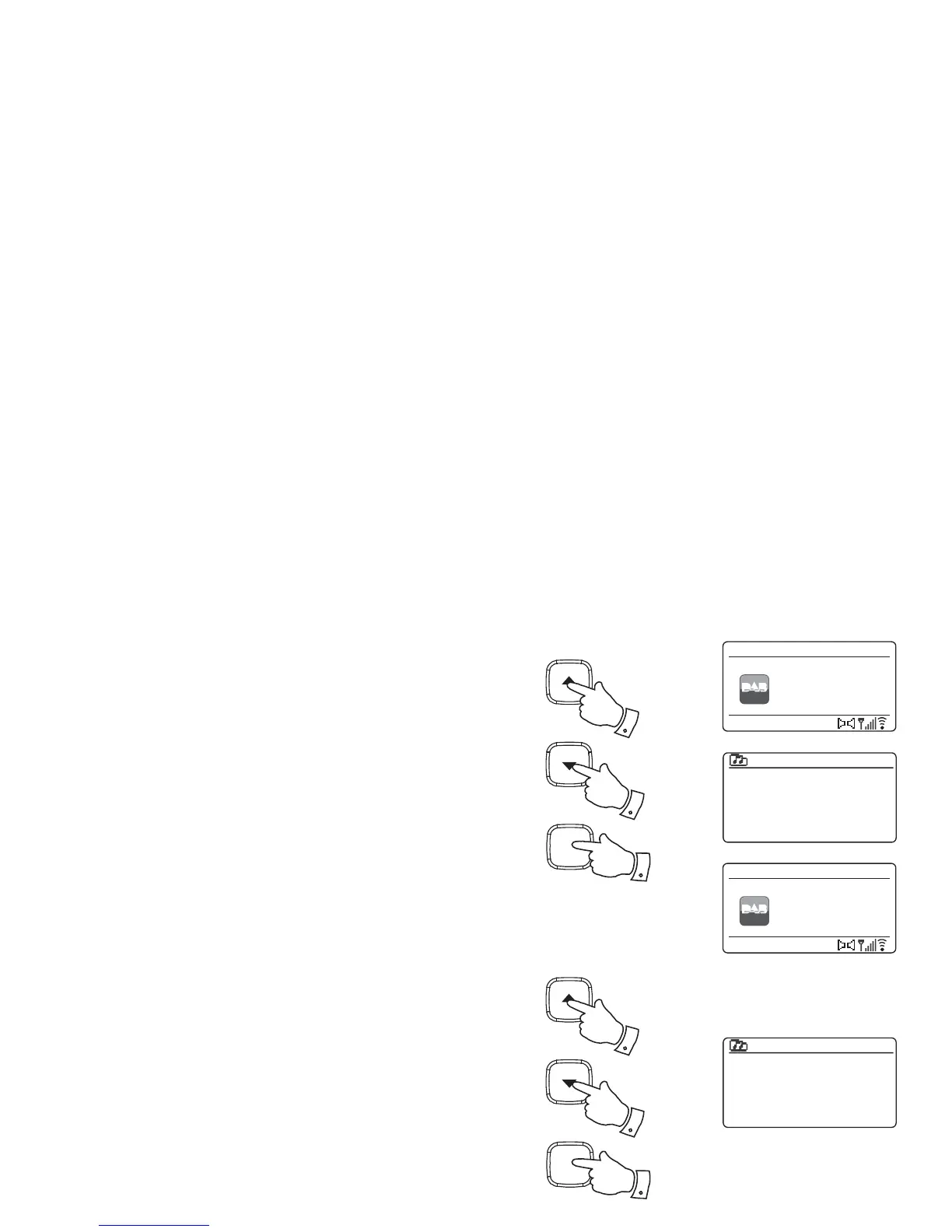
1. When playing a DAB radio station, the display normally shows the
name of the current station with other related information.
2. Press the Tuning Up or Down buttons to access the radio station list
and to scroll through the available stations.
3. Press the Select button to select the highlighted station. The display
may show 'Connecting...' while the radio re-tunes.
4. Use the Volume buttons to set the sound level as needed.
Note: If the display shows 'Station Not Available' it may be necessary to
relocate your radio to a position giving better reception.
A question-mark in front of the station name merely indicates that the
station has not recently been detected by the radio. It may still be available.
The use of the radio station presets is described on page 50.
Secondary services
Some DAB radio stations can have one or more secondary stations
associated with them. Typically these are not broadcast continually. If a
station has a secondary station available then the secondary will appear in
the list of station names beneath the main (or primary) station. Examples
are the programmes 'Daily Service' and 'Parliament' on BBC Radio 4.
1. To listen to a secondary service, use the Tuning Up or Down buttons
to scroll to the chosen station, and press the Select button to tune to
the station.
If the secondary service is not available (off-air) then the primary
service will be selected.
Heart
Heat
Kerrang
Kiss
LBC
Planet Rock
Station list
Connecting...
DAB
12:34
LBC
DAB Radio
BBC Radio 2
BBC Radio 3
BBC Radio 4
Daily Service
?Parliament
BBC Radio 5 Live
Station list
Heart - More
Music Variety
DAB
12:34
Heart
DAB Radio
2
2
Select
i /
3
1
1
Select
i /
1



 To Next Page