84
1
07:30
2
08:30
When the alarm sounds cont.
1. During an alarm, the alarm icon will fl ash at the bottom of the playing mode displays.
The radio will automatically revert to standby mode after 60 minutes.
2. To cancel an alarm, press the On/Standby button to return to Standby mode.
Note: If the radio is switched on because of an alarm you can control basic functions such
as volume and selecting presets. You cannot perform operations which involve the Select
button since this also acts as the Snooze button (see below).
Snooze timer
1. The buzzer or radio alarm can be silenced for 5 minutes by pressing the Select button.
Should you wish for a longer snooze duration this can be extended. Pressing the button
again while the radio is snoozed will set the available snooze time to 5, 10, 15 or 30
minutes.
2. While the snooze timer is active the remaining snooze time is shown next to the fl ashing
alarm icon on the clock display.
3. In order to cancel the Snooze timer while the alarm is suspended, press the On/Standby
button. The display will briefl y show an 'Alarm Off' message.
Disabling alarms
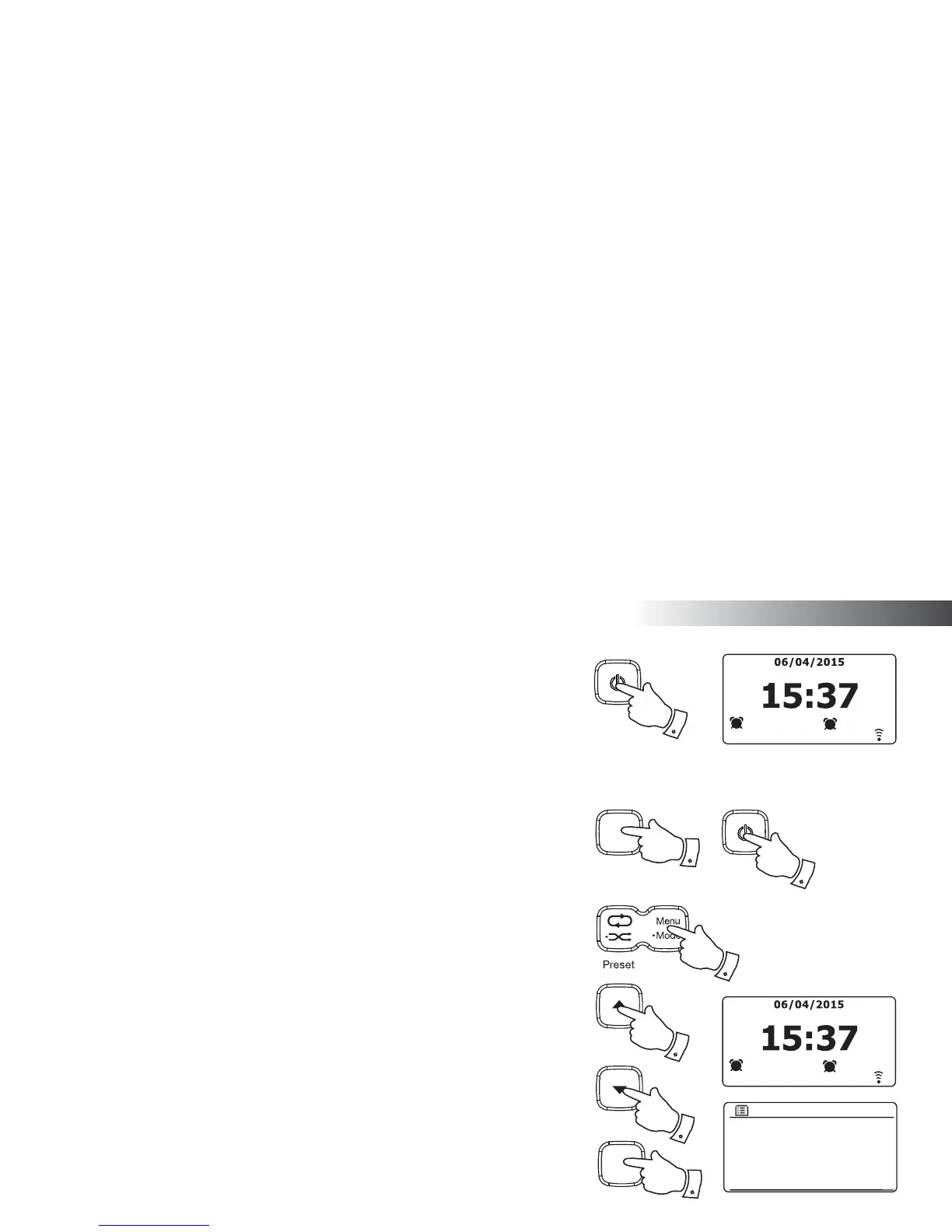
1. To disable an alarm while the radio is playing enter the Alarms menu (see page 81, steps
3 and 4) and press the Tuning Up or Down buttons until the desired alarm is highlighted
on the display. Press the Select button.
2. Press the Tuning Up or Down buttons until the 'Enable:' option is highlighted on the
display. Press the Select button.
3. Press the Tuning Up or Down buttons to highlight 'Off' and press the Select button.
4. Press the Tuning Up or Down buttons until the 'Save' option is highlighted on the display
then press the Select button to save the new setting.
The chosen alarm will now be disabled.
Enable: Off
Time: 07:30
Mode: Buzzer
Volume: 20
Save
Alarm 1
1
07:30
2
08:30
2
Select
i /
1
3
1-4
1-4
Select
i /
1-4
1
Clock and Alarms



 To Next Page