103
Information
Factory reset
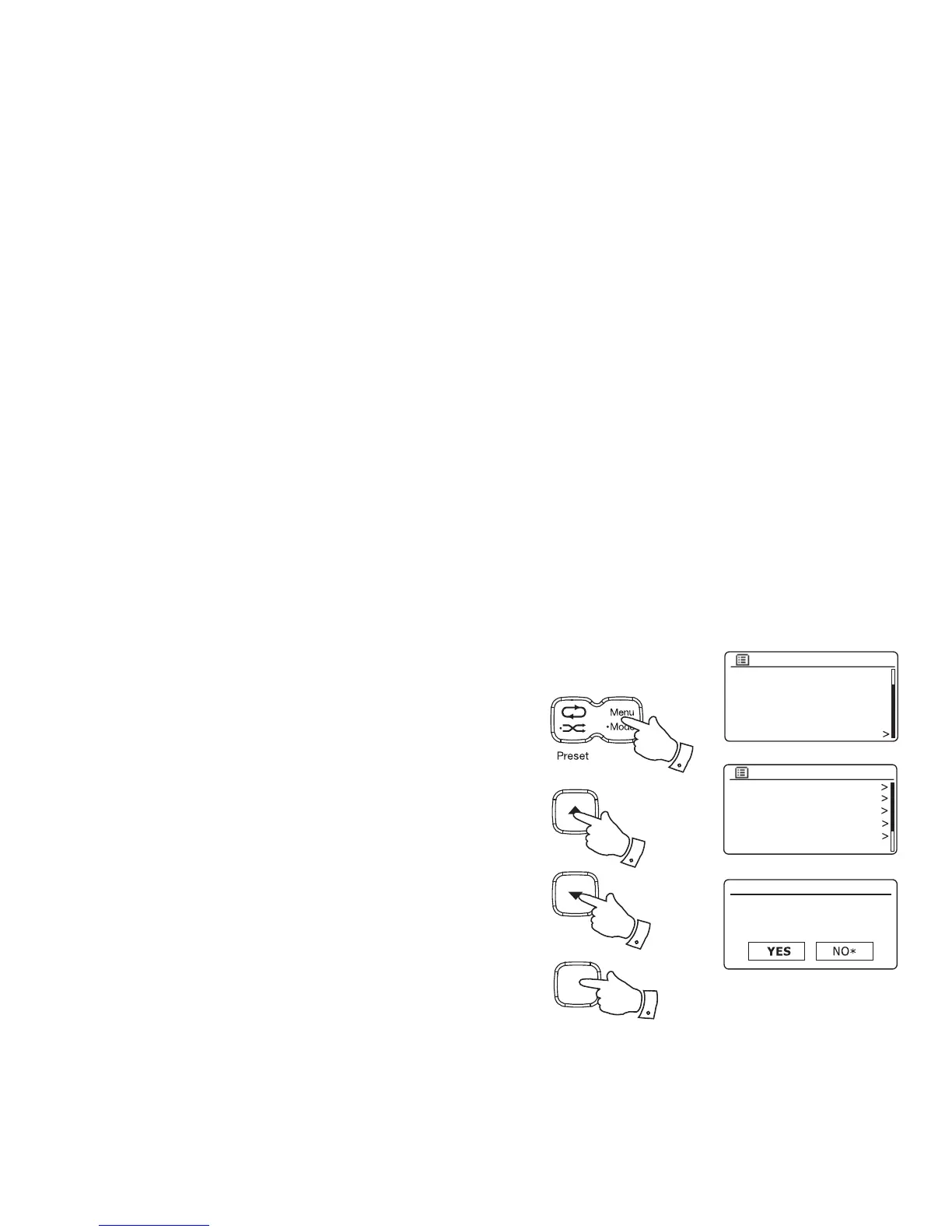
If you wish to completely reset your radio to its initial state this may be performed
by following this procedure. By performing a factory reset, all user entered settings
will be erased.
1. Access the menu for the current mode by pressing the Menu button. Press the
Tuning Up or Down buttons to highlight the 'Main menu' option, then press
the Select button.
2. Press the Tuning Up or Down buttons until 'System settings' is highlighted
and then press the Select button.
3. Press the Tuning Up or Down buttons until 'Factory reset' is highlighted and
then press the Select button. Press the Tuning Up or Down buttons and
highlight 'YES' to proceed.
If you do not wish to carry out a system reset, highlight 'NO' and then press
the Select button. The display will revert to the previous menu.
4. With 'YES' highlighted, press the Select button. A full reset will be performed
and the radio will restart as if fi rst plugged in. The DAB stations list together
with any preset stations will be erased and your wireless network connection
details will be lost. All confi guration settings will be restored to their defaults,
the clock and alarms will be reset.
Factory reset
Proceed?
FM
Bluetooth
AUX in
Sleep
Alarms
System settings
Main menu
Equaliser
Network
Time/Date
Brightness
Language
Factory reset
System settings
In case of malfunction for any reason, reset the product as described above to resume normal operation. It
may be necessary in some cases to disconnect the mains power, then reconnect power after 10 seconds.
In case of malfunction due to electrical fast transient (burst), reset the product as above (reconnection of the
power source may be required) to resume normal operation.
When connecting the radio to a router with an Ethernet cable, shielded cable is highly recommended. The
communication could be interrupted temporarily or noise may occur if using un-shielded cable and under
strong local interference. Normal communication will resume automatically when the interference signal is
removed. FM radio reception may also benefi t from the use of a shielded cable.
1
1-3
1-3
Select
i /
1-4


 To Next Page
 Loading...



