83
Setting the alarm clock - cont.
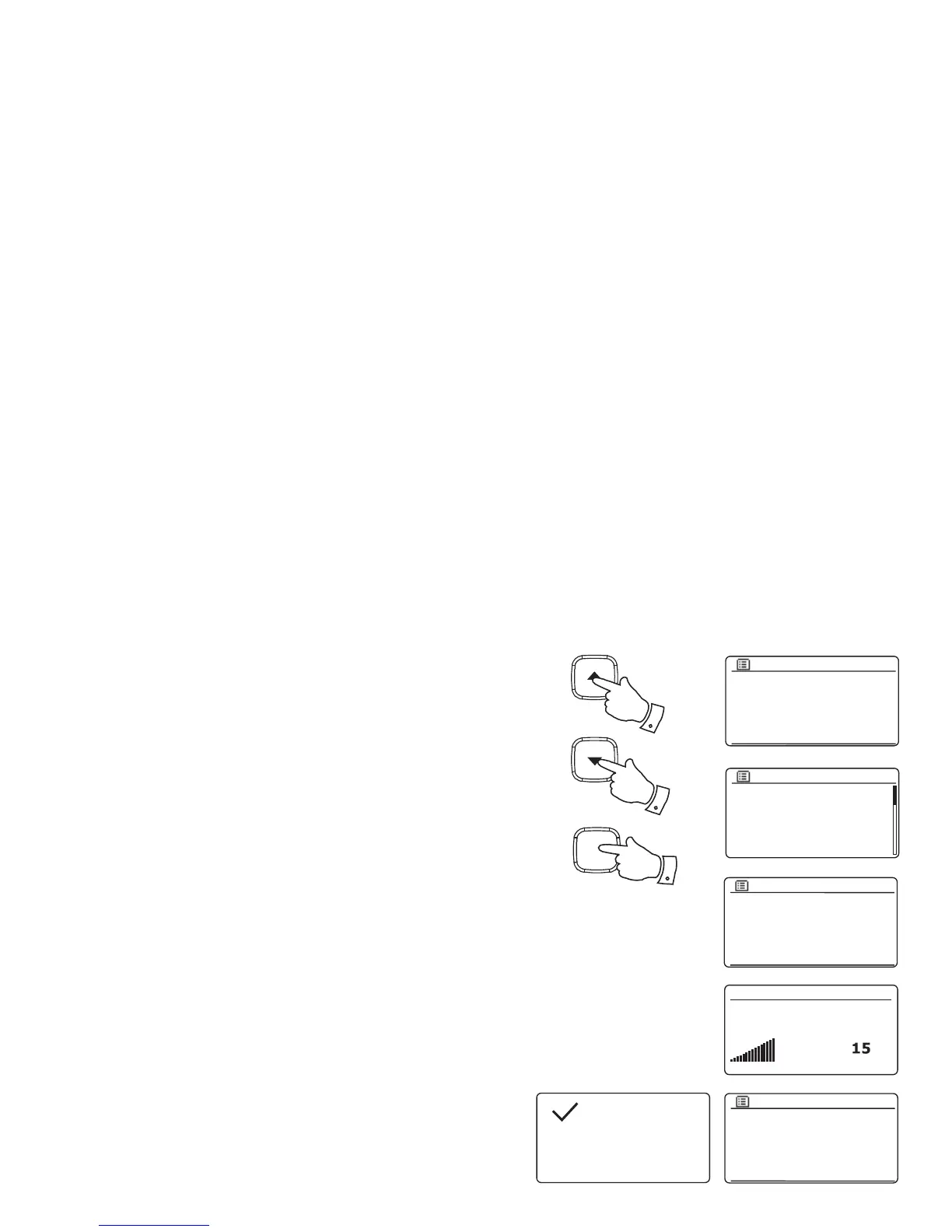
11. If setting the alarm to a radio option, press the Tuning Up or Down buttons
to highlight the 'Preset:' option then press the Select button if you wish to
change it.
Choose from either the radio station 'Last listened' to, or from the presets
1 - 40. Scroll to the chosen option and press the Select button to confi rm the
selection. Note that the alarm may only use a preset which has already been
stored.
12. Press the Tuning Up or Down buttons until the 'Volume:' option is highlighted
on the display and press the Select button if you wish to change it. The radio
uses the saved volume setting for each alarm when it sounds.
Press the Tuning Up or Down buttons to set the required volume and then
press the Select button to confi rm the setting.
13. In order to store the alarm settings press the Tuning Up or Down buttons
until 'Save' is highlighted. Press the Select button to store the alarm settings.
Your radio will show 'Alarm saved' and will then go back to the list of alarms
with the new alarm setting shown in the display.
If you decide not to save the settings, press the Back button. The display will
show 'Save changes' with a 'YES' or 'NO' option. Press the Tuning Up or
Down buttons to choose 'NO' and then press the Select button. 'Alarm not
saved' will show on the display.
Active alarms are shown using small alarm indicators at the bottom of the
playing displays and on the clock display when in Standby.
Note: If you make a mistake at any point while setting the alarms, use the Back
button to go back to the previous screen.
When the alarm sounds
The buzzer or radio alarm will sound at the selected times for up to 60 minutes
unless cancelled. The volume used for the alarm will be as specifi ed during the
alarm setting procedure. If the radio cannot connect to the specifi ed radio station,
the buzzer alarm will be used instead.
Alarm 1 volume
Alarm
Saved
Alarm 1: On [07:30]
Alarm 2: Off [00:00]
Alarms
Enable: Once
Time: 07:30
Mode: DAB
Preset: Last listened
Volume: 20
Save
Alarm 1
Enable: Once
Time: 07:30
Mode: DAB
Preset: Last listened
Volume: 20
Save
Alarm 1
Last listened
1. BBC Radio 2
2. Rock Antenne
3. Absolute Radio
4. [Not set]
5. [Not set]
Alarm 1 preset
11-13
11-13
Select
i /
11-13



 To Next Page