23
Searching for a radio station by name
There may be occasions when you know the name of a radio station but
you do not know the location or genre. This facility allows you to search
for the station using a part (or parts) of the radio station name.
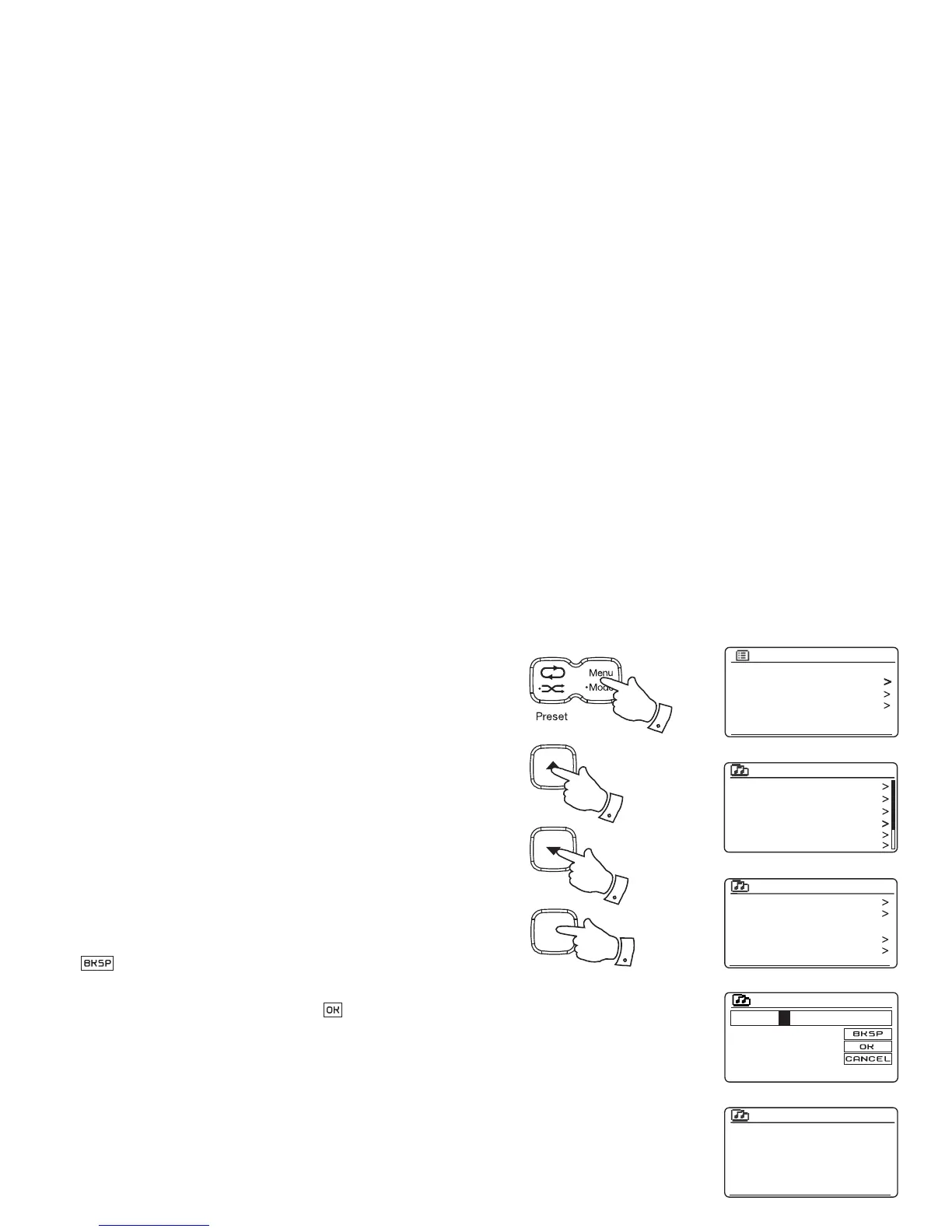
1. Press the Menu button to enter the main Internet Radio menu. Press
the Tuning Up or Down buttons until 'Station list' is highlighted on
the display and then press the Select button.
2. Press the Tuning Up or Down buttons until 'Stations' is highlighted
on the display and then press the Select button.
3. Press the Tuning Up or Down buttons until 'Search stations' is
highlighted on the display and then press the Select button.
4. To enter the search word(s) press the Tuning Up or Down buttons
to highlight each character for the search in turn, and press the
Select button to enter. If you make an error press the Tuning Up or
Down buttons or use the Back button to access the delete character
' ' on the screen and then press the Select button. Press Back
again to go back to the character selection. After the fi nal character
of the search has been entered, use the Back button and then the
Tuning Up or Down buttons to highlight the ' ' symbol on the screen
and then press the Select button to fi nish.
5. The radio will search for radio stations that match your search data.
If you include a space between two search items the radio will look
for station names which include both items. Thus a search for 'ROCK
100' could fi nd a station called '100 Classic Rock Hits' as well as a
station called '100.FM Rocks'
6. Press the Tuning Up or Down buttons to highlight the station that you
wish to listen to and press the Select button to confi rm your choice.
The display will show 'Connecting...' while it fi nds a new station.
Last listened
Station list
System settings
Main menu
Internet radio



 To Next Page