25
Selecting a podcast
Radio broadcasters and individuals may make programmes which are
intended normally to be downloaded into a computer or copied onto a
portable media player. These are commonly known as Podcasts.
Podcasts are also accessible using the Podcasts option on the Stations
menu (see page 20-21).
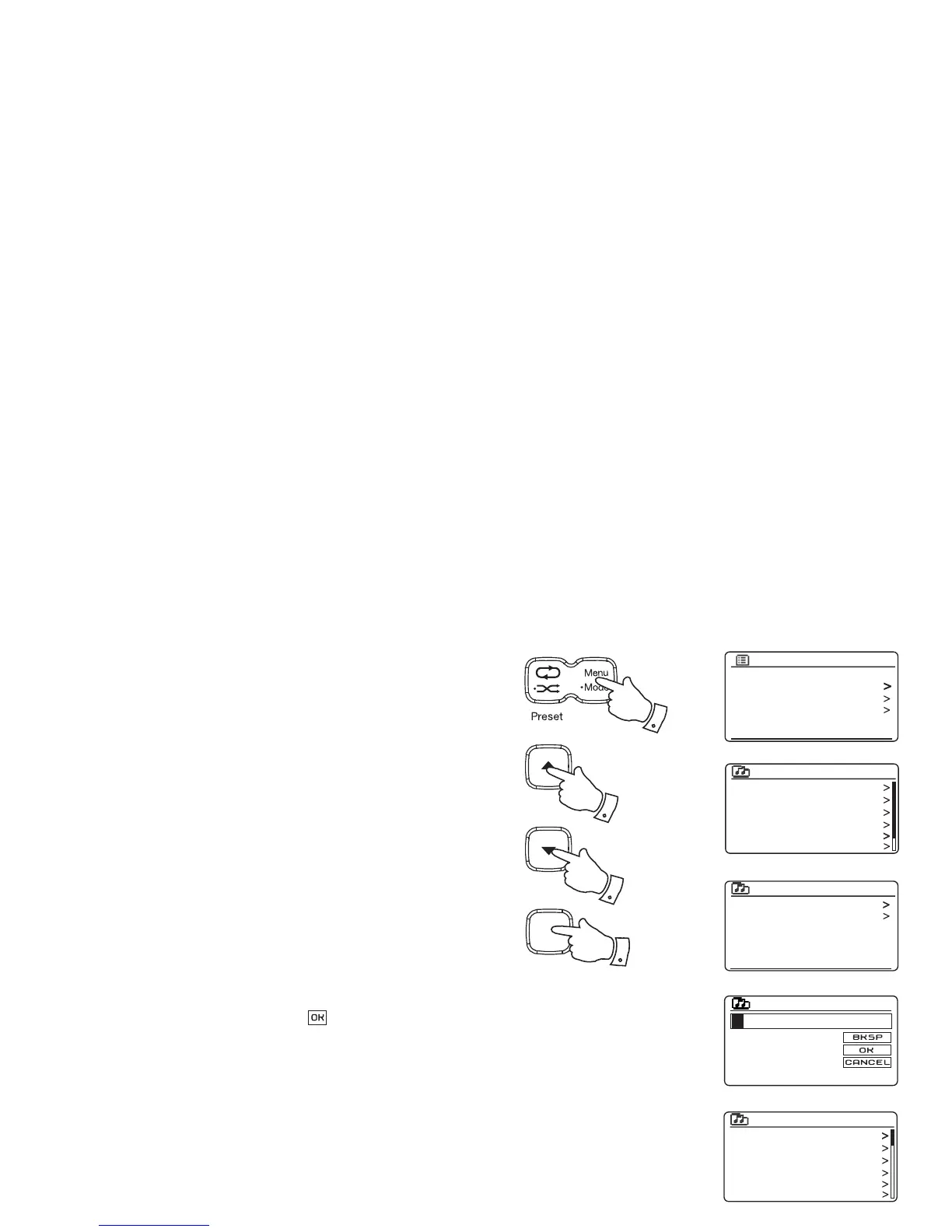
1. Press the Menu button to enter the main Internet Radio menu. Press
the Tuning Up or Down buttons until 'Station list' is highlighted on
the display and then press the Select button.
2. Press the Tuning Up or Down buttons until 'Podcasts' is highlighted
on the display and then press the Select button.
3. You may then search by location, genre, or using part of the name of
the podcast. The searches operate in exactly the same way as when
searching for a conventional radio station.
Searching by location is done fi rst by continent, then by country. You
may then list 'All shows' or search within a country by genre.
Searching by genre is more direct, since once the genre is chosen
the next menu display shows a list of available podcasts.
Searching by name operates in the same way as when searching
for a named radio station, selecting the ' ' symbol when you have
entered the text. You may enter one or more pieces of text which will
be used for the search.
4. Press the Tuning Up or Down buttons and then press the Select button
to confi rm your chosen podcast. The display will show 'Connecting...'
while it fi nds the new programme.
Last listened
Station list
System settings
Main menu
Internet radio
My Favourites
Local United Kingdom
BBC
Stations
Podcasts
My Added Stations
Internet radio
Location
Genre
Search podcasts
Podcasts
Arts, Drama, Readings
Breakfast show
Gardening tips
Rock show
Theatre news
Show time
Podcasts
Podcasts
0 1 2 3 4 5 6
7 8 9
A
B
C
D
E
F
G
H
I
J
K
L
M
N
O
P
Q
R
S
T
U
V
W
X
1
1-4
1-4
Select
i /
1-4



 To Next Page