Network Video Recorder User Manual
9
Connect to USB mouse, mobile hard drives, etc.
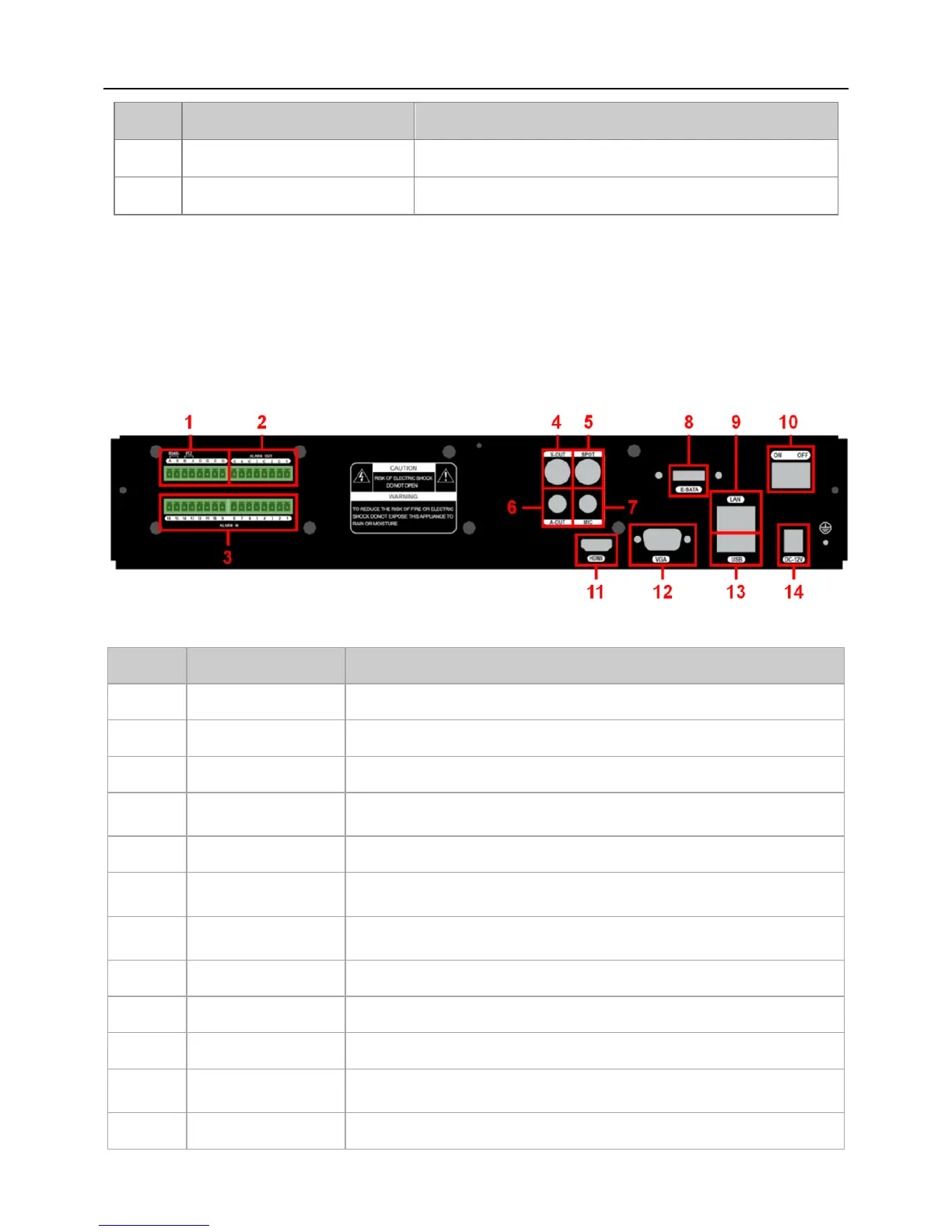
2.4 Rear Panel Description
Note: The rear panel descriptions are only for reference; please regard the actual product
as the truth.
Fig 2-3
Connect to keyboard / PTZ.
4ch alarm output: connect to external alarm output device.
16ch alarm input: connect to external alarm sensor.
CVBS video signal output: connect to monitor with BNC
interface.
Audio output: connect to sound box and other audio
output equipment.
Audio input: connect to microphone and other audio
collecting equipment.
Connect to external SATA HDD.
HD 1080P video signal output: connect to high-definition
display.
VGA output: connect to monitor.


 To Next Page