Network Video Recorder User Manual
46
pop-up message box to unlock this file.
Delete: Select an unlocked file and click “Delete” button, then click OK button in the
pop-up message box to delete this file.
Tick off “All”, user can lock/unlock or delete all files.
Step4: Double click a file to playback. Click the relevant buttons on the screen to
control playback.
Note: When the resolution of monitor is VGA800*600, the time search interface
will appear a hide button, click it to expand the whole interface.
4.2 Backup
NVR support backing up the data files by USB disk and remote backup over the
network.
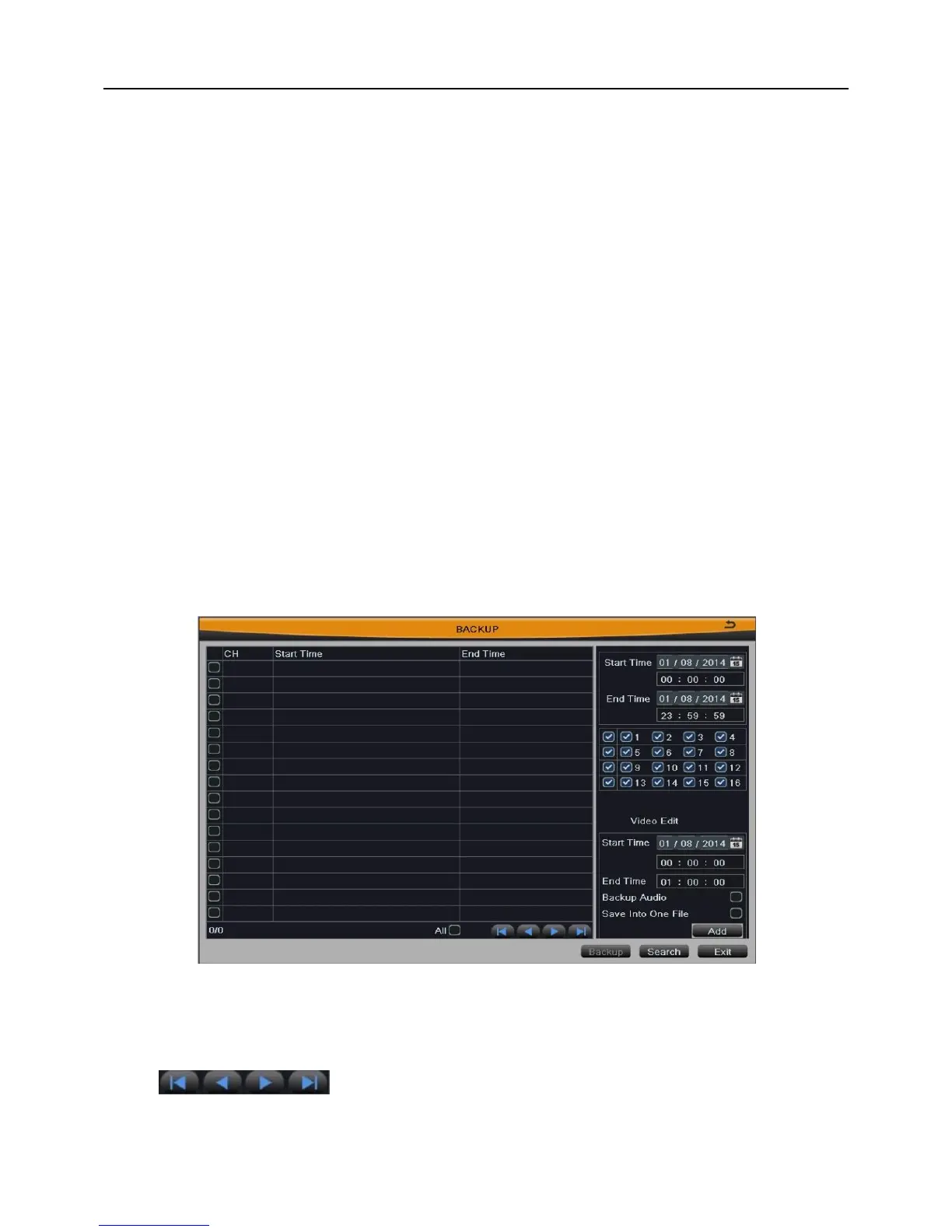
Step1: Insert a USB disk on the NVR. Enter into Main MenuBackup. As shown in
Fig 4-5:
Fig 4-5
Step2: Select the start & end time and channels which need to backup data.
Step3: Press Search button, the searched data information will be displayed in the list.
Click buttons to turn the page.
Step4: Set the start time & end time of Video Edit according to the data info, choose
whether to back up audio, and click “Add” button.



 To Next Page