6.3.3 Add Device
If this is the first time to use ISS MOBILE app, you need to put in all the information
needed. Steps as below:
Click “ ” to access “Device List” interface, the list is blank as this time.
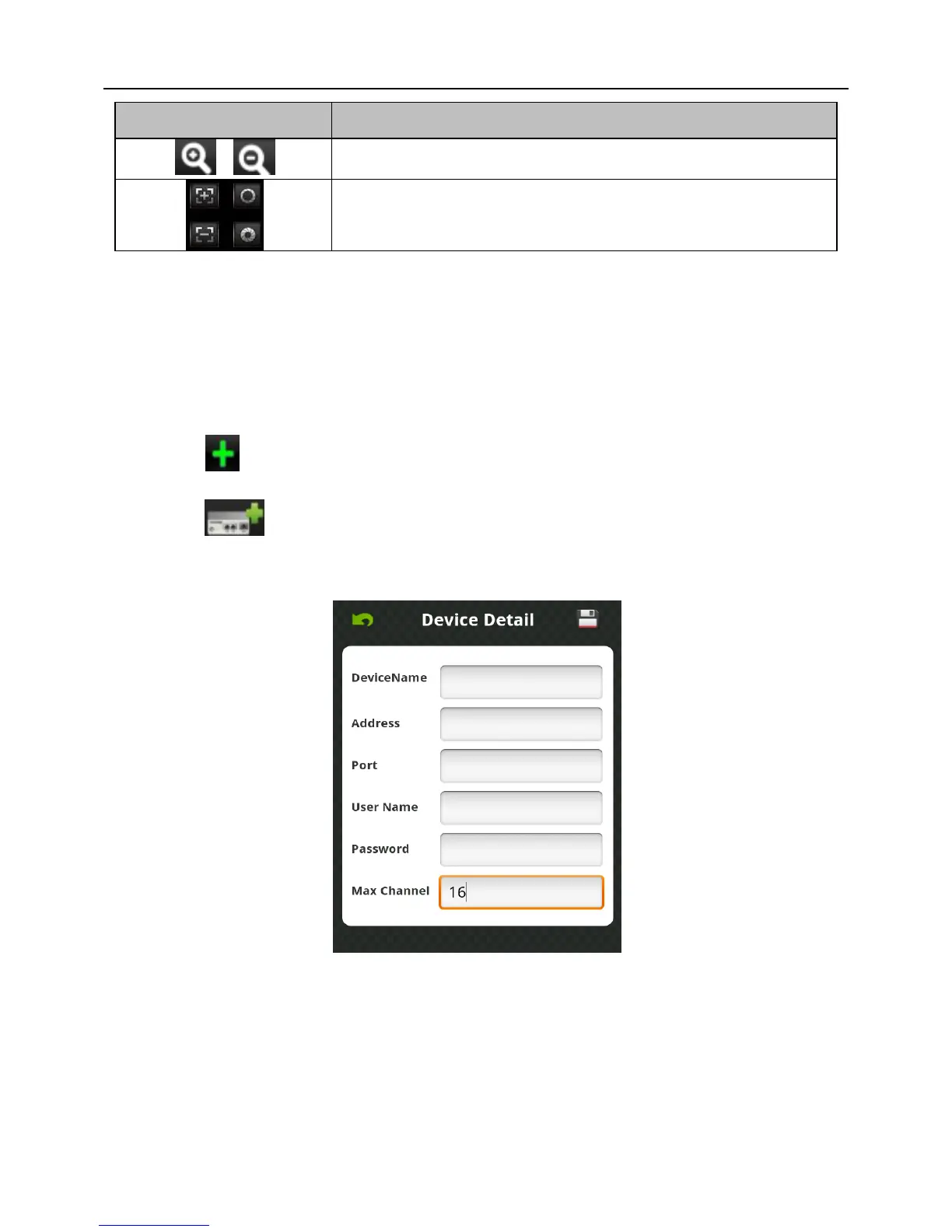
Click “ ” on “Device List” on bottom left to access “Detail” interface, like Fig 6-7
as below:
Fig 6-7
Device Name: The names of equipment, which can help you identify different devices,
for examples, you can type the names based on the location of the equipment. The name
will be showed on the topside title bar of display interface.
Address: NVR IP address (must be an Internet address) or DDNS.
Port: It means mobile phone port, and you can acquire port number in the setting



 To Next Page