Network Video Recorder User Manual
63
(4) Channel Status: Display the status of main stream, sub-stream and local video state.
(5) Remote Manual Recording
(6) Snap Picture
(7) Talkback Switch
(8) Client Record: Record current video, and save them in user’s PC.
(9) PTZ Control
5.2.1 PTZ Control
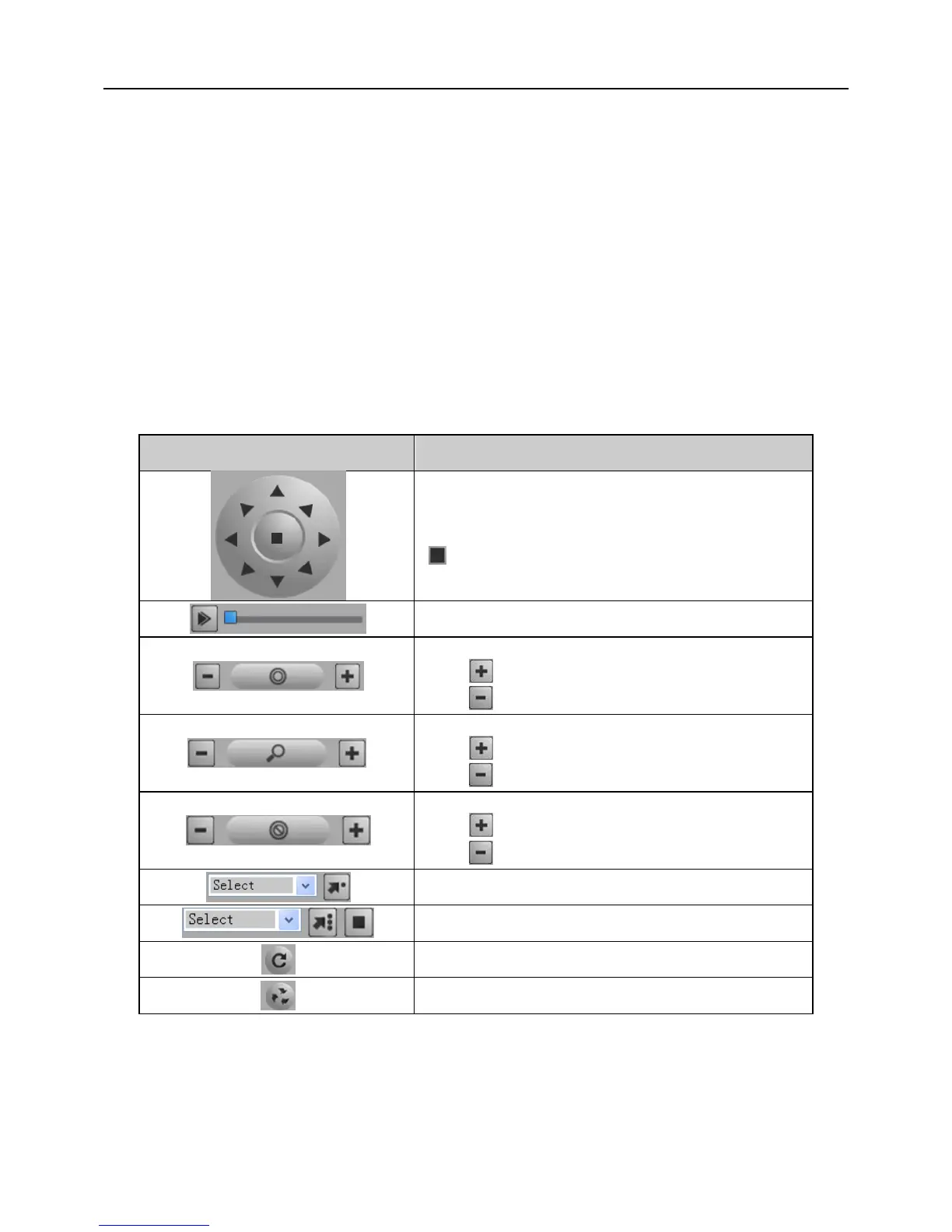
The description of remote PTZ operation panel follows below:
Click direction buttons to control the direction
of rotation;
: stop rotating.
Drag the slider to adjust the rotate speed.
'Iris' button.
Click button to increase lighting.
Click button to decrease lighting.
'Zoom' button.
Click button to zoom in the live picture.
Click button to zoom out the live picture.
'Focus' button.
Click button to lengthen focal length.
Click button to shorten focal length.
5.2.2 Preview Control
Click the right mouse on the live preview interface to pop up a pull-down menu, as



 To Next Page