Network Video Recorder User Manual
77
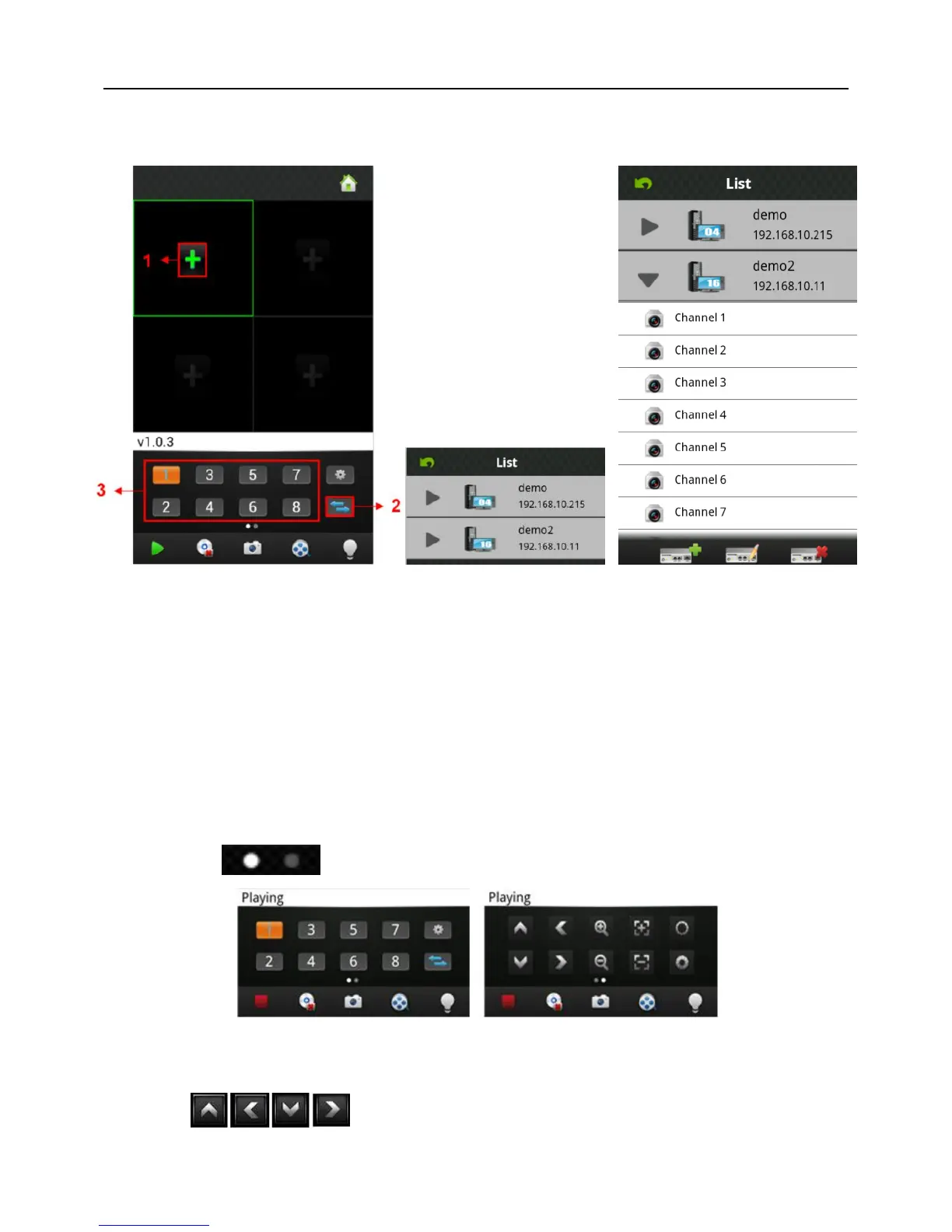
2) Click “+” on display interface, like Area 1 in Fig 6-10, then access device list interface,
like Fig 6-11:
Fig 6-10 Fig 6-11 Fig 6-12
3) Select the device which switched to, will show the channel list of this device, like Fig
6-12 as below:
4) Select the channels in the channel list of this device, turn back to display interface to
view the Camera of this channel.
6.3.5 PTZ Control
Left slip “ ” to “PTZ Control”, like Fig 6-13 as below:
Fig 6-13
Function keys of PTZ control as below:
:Control PTZ direction;



 To Next Page