Network Video Recorder User Manual
51
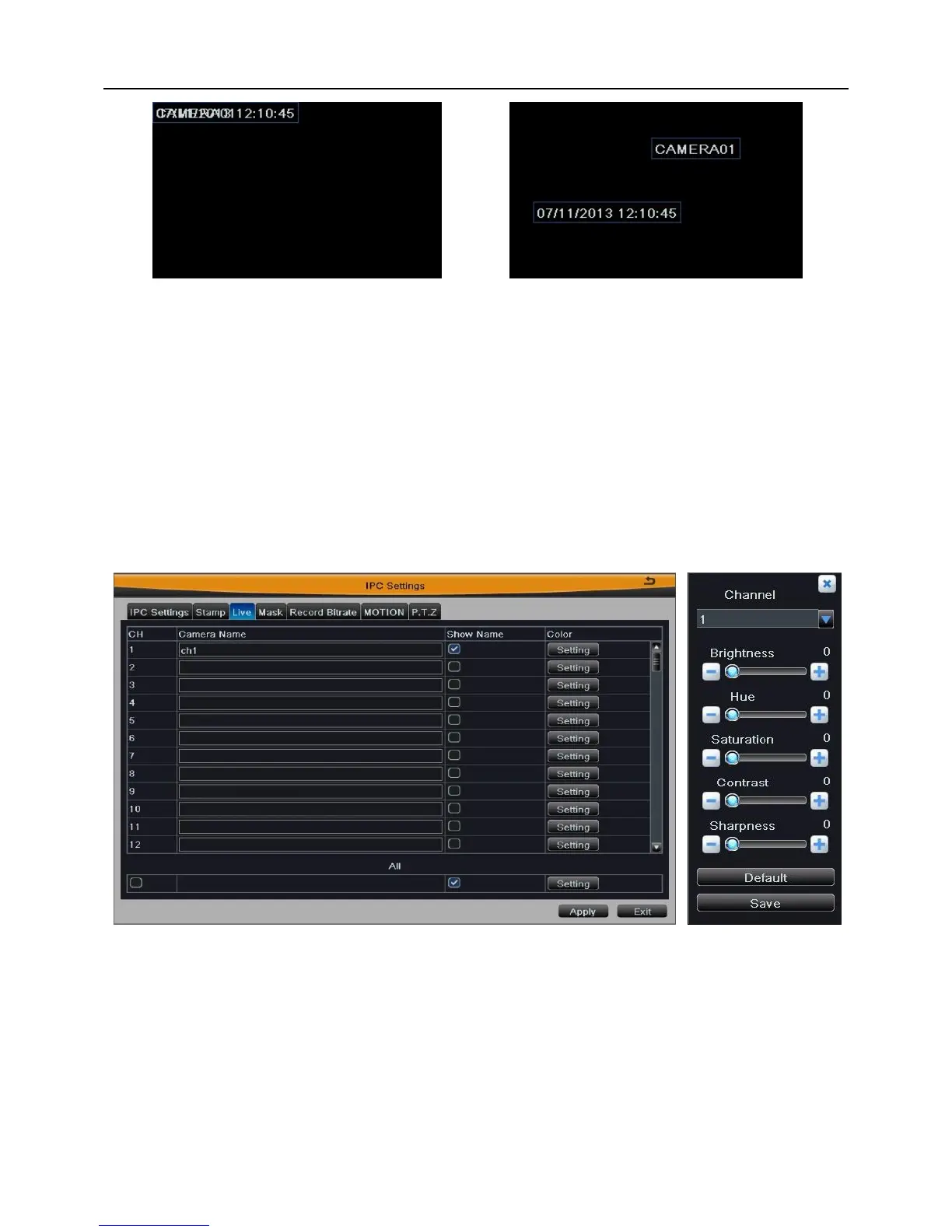
Fig 4-9(a) Before drag Fig 4-9(b) After drag
Tick off “all” and then do relevant setup, user can set all channels with same
parameters.
Click “Apply” button to save the setting; click “Exit” button to exit current interface.
4.5.3 Live
Enter into Main MenuIPC SettingsLive; as shown in Fig 4-10.
Fig 4-10 Fig 4-11
[Camera Name]: User can self-define the channel name. Click camera name to pop up a
soft keyboard, click Shift key to switch the input state.
[Show Name]: Display the channel name in the live preview screen.
[Color]: Click “Setting” button to enter the color adjustment window; as shown in Fig 4-11.
User can adjust the brightness, hue, saturation, contrast and sharpness of channel video,
click “Default” button to resort default setting; click “Save” button to save the setting.



 To Next Page