Network Video Recorder User Manual
21
system time with NTP server (optional); or manually set the system time of NVR and click
“Save Now” button.
Note: Time zone is GMT by default; please select your local time zone in the
drop-down box, such as GMT+8:00.
Click “Default” button to restore the default setting; click “Apply” button to save the
setting; click “Exit” button to exit current interface.
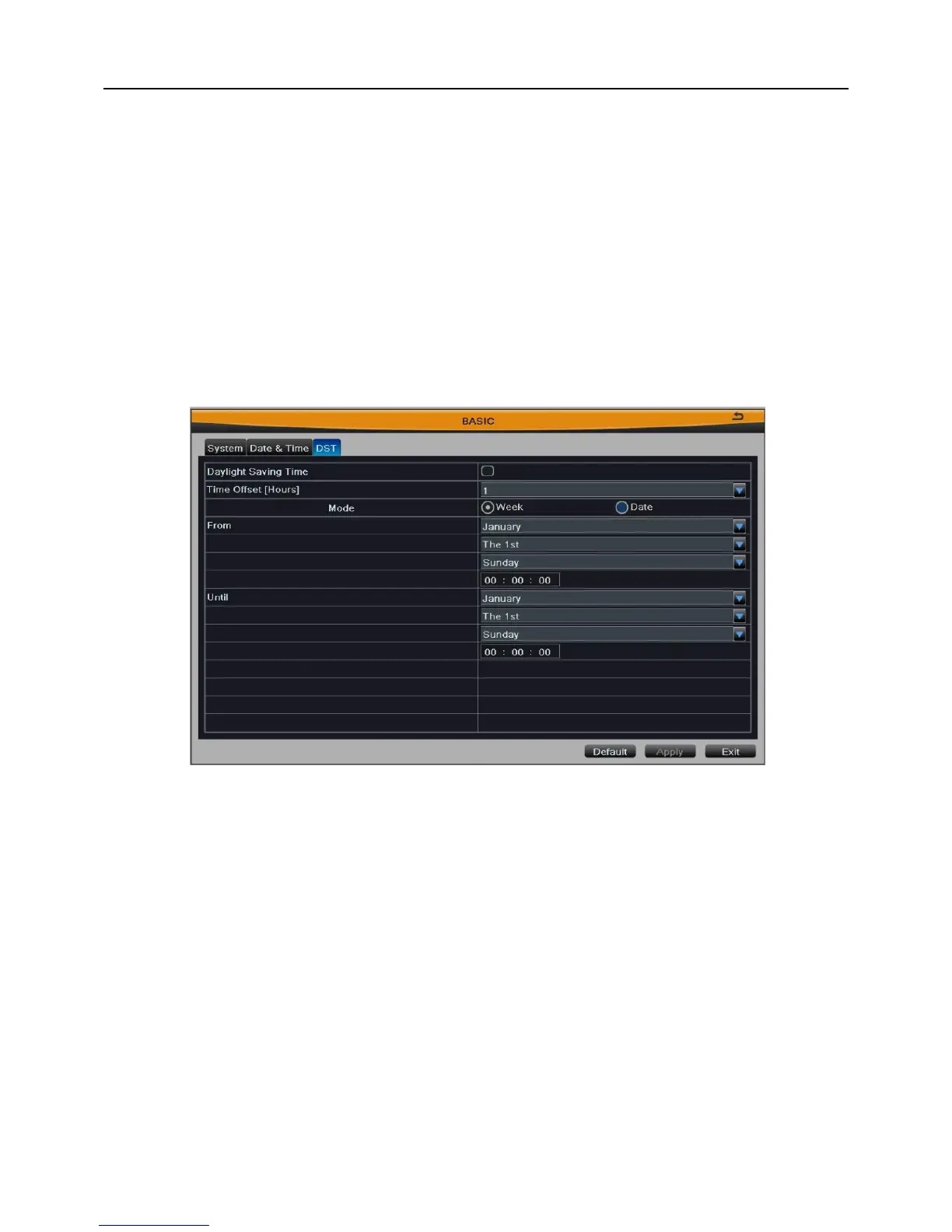
3.2.1.3 DST
User can enable “Daylight Saving Time” function, and set time offset, mode, start &
end time. As shown in Fig 3-9:
Fig 3-9
Click “Default” button to restore the default setting; click “Apply” button to save the
setting; click “Exit” button to exit current interface.
3.2.2 Live Configuration
Enter into Main MenuSetupLive.
Live configuration includes three submenus: main monitor, spot and preview the
permissions.
3.2.2.1 Main Monitor
User can set the channel combination for dwell. Select the display mode and channel



 To Next Page