Network Video Recorder User Manual
30
[Buzzer]: After selecting buzzer alarm, the buzzer will buzz when alarm is triggered.
[Show Full Screen]: Pop up the full screen of channel video (optional) when alarm is
triggered.
[To Alarm Out]: Linkage specified alarm output with built-in relay when alarm is triggered.
[Email]: Enable this function, the information of sensor alarm will be sent to mailbox.
[To Record]: Linkage specified channel to record the video when alarm is triggered.
Click OK button to save the setting; click Exit button to exit the current interface.
Step3: Tick off “all” and then do relevant setup, user can set all channels with same
parameters.
Step4: Click “Default” button to restore the default setting; click “Apply” button to save
the setting; click “Exit” button to exit current interface.
3. Schedule
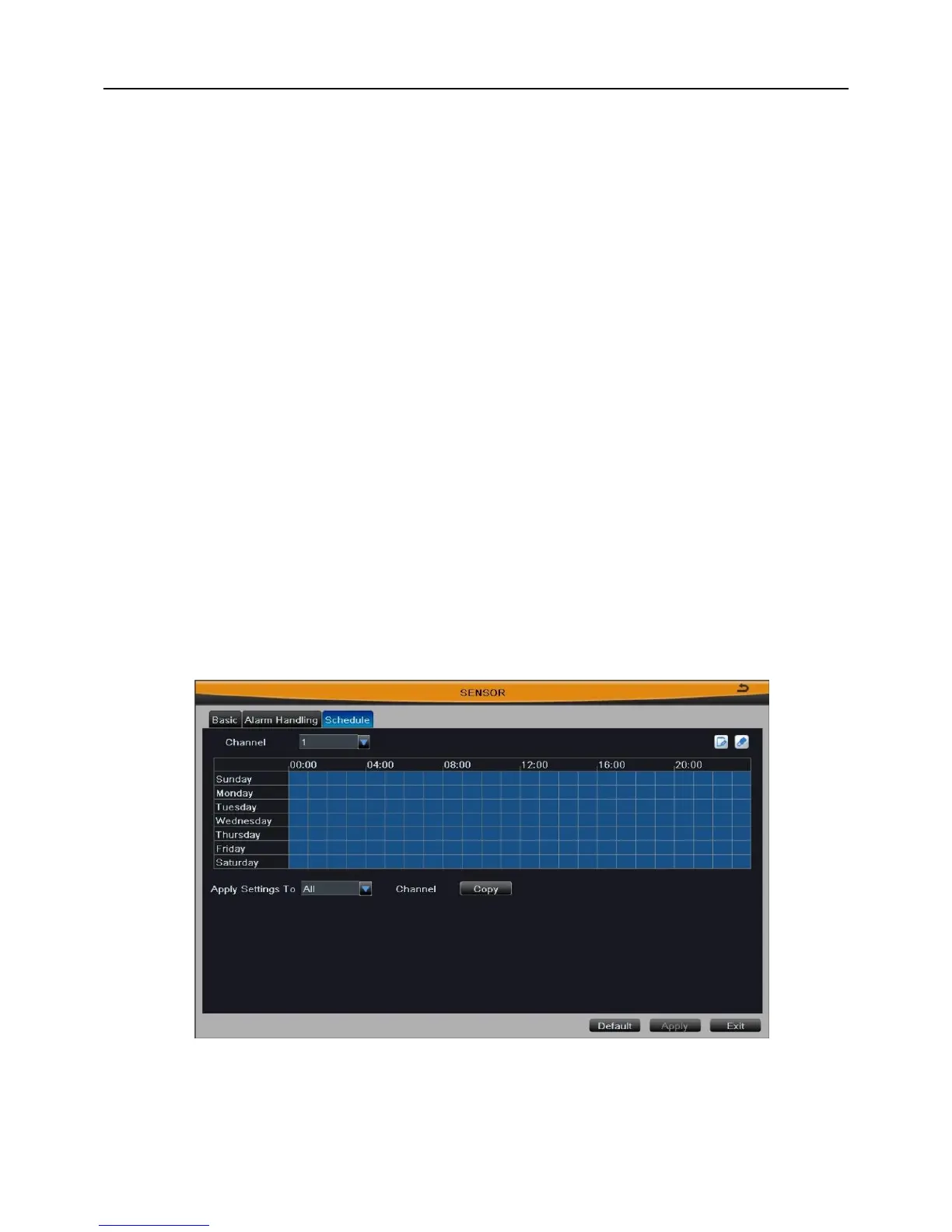
The detecting schedule of sensor alarm is shown in Fig 3-23. The setup steps of
detecting schedule are familiar with schedule; user can refer to Chapter 3.2.4.1 Schedule
for details.
Note: The default schedule of sensor alarm is full-selected, that is, the color of
schedule setting interface is blue.
Fig 3-23
3.2.5.2 Motion
Motion includes two submenus: motion and schedule.



 To Next Page