Network Video Recorder User Manual
29
As shown in Fig 3-20, user can enable sensor alarm of alarm input, select the alarm
type according to alarm trigger type: N.O. (normally open) and N.C. (normally closed), and
self-define the alarm device’s name.
Tick off “all” and then do relevant setup, user can set all channels with same
parameters.
Click “Default” button to restore the default setting; click “Apply” button to save the
setting; click “Exit” button to exit current interface.
2. Alarm Handling
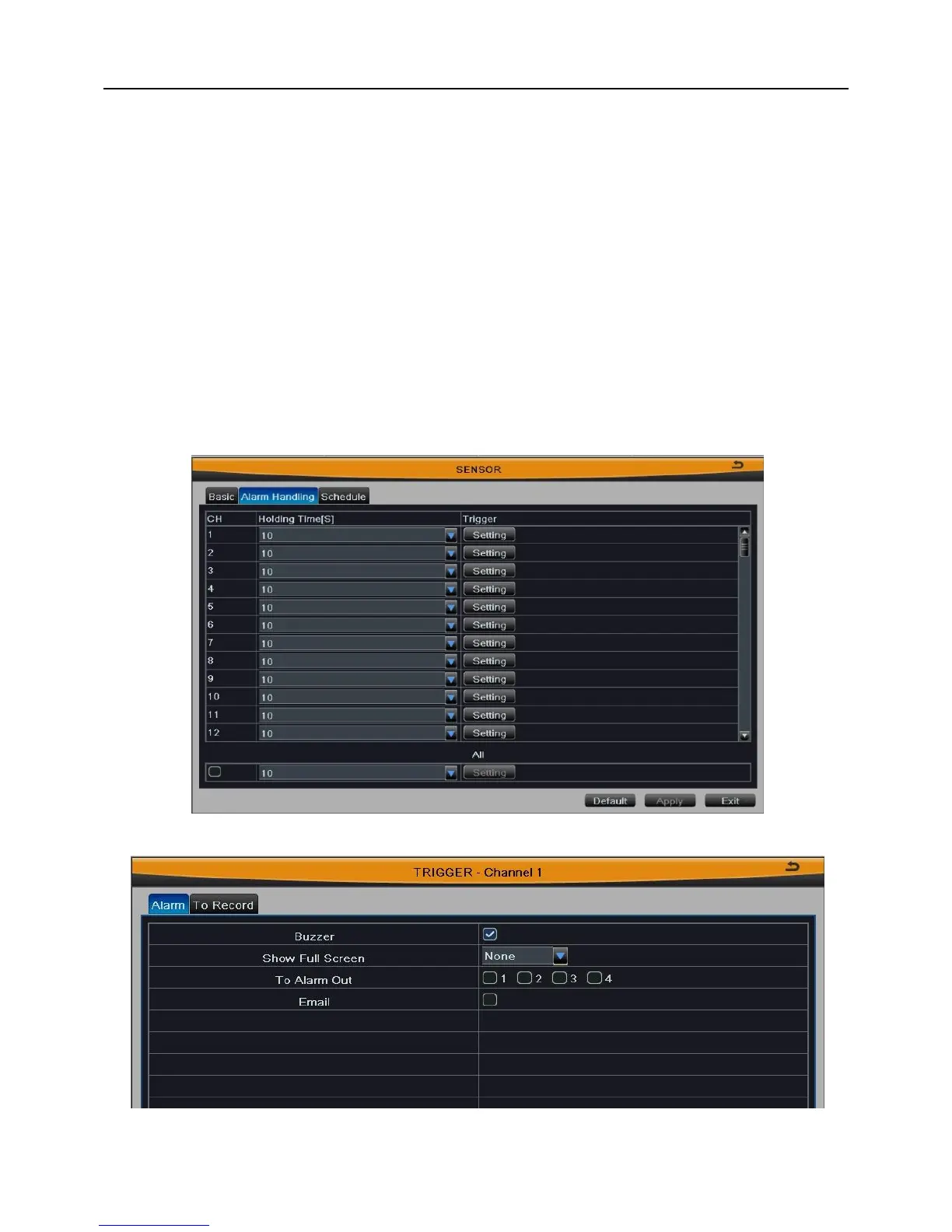
Step1: Select the holding time of sensor alarm, as shown in Fig 3-21:
Step2: Click “Setting” button to pop up a window, as shown in Fig 3-22:
Fig 3-21
Fig 3-22



 To Next Page