Network Video Recorder User Manual
38
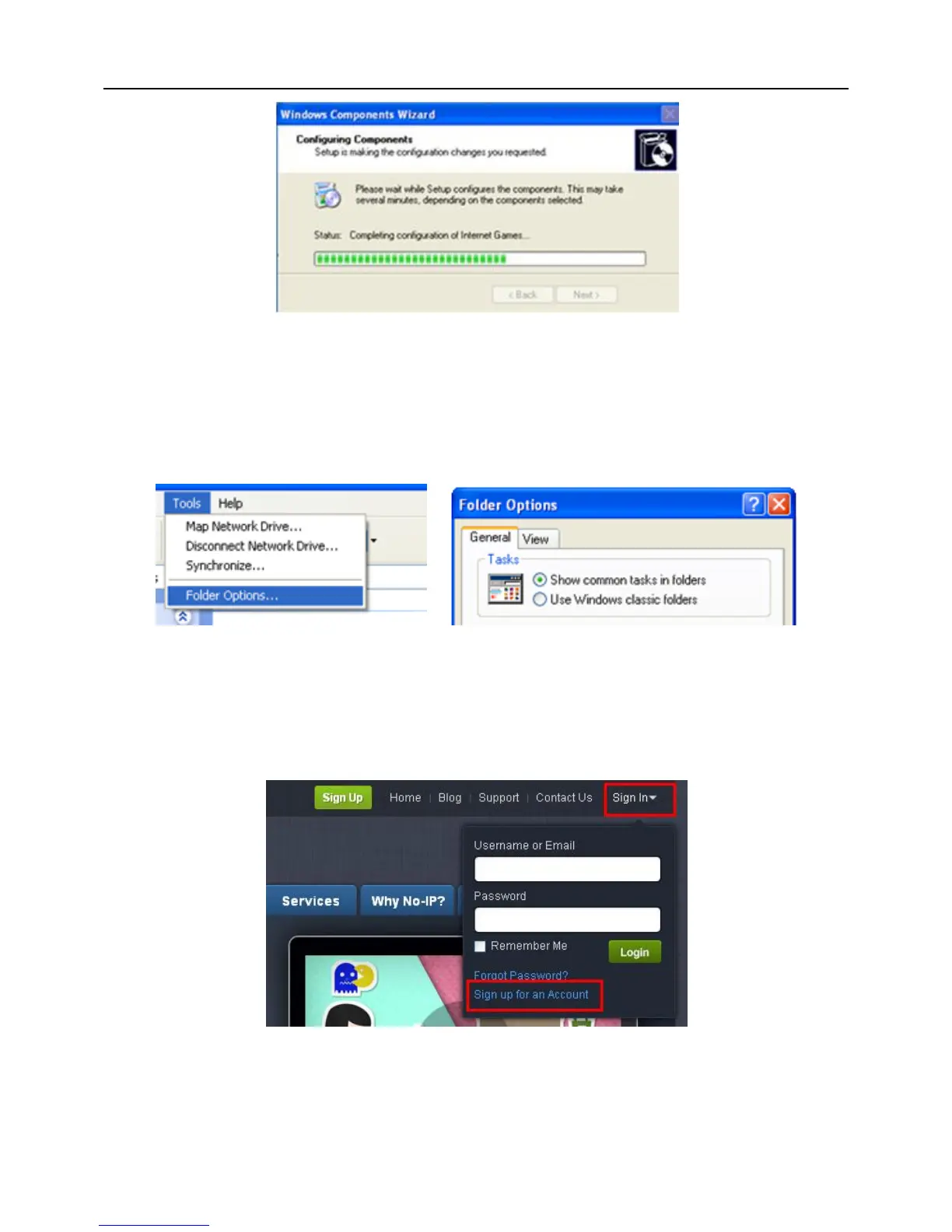
If “Show icons for networked UPnP devices” can’t display in the “Network Tasks” list
box, please operate as follows:
Click “Tools”-- “Folder options”;
Select the “Show common tasks in folders” in the “Tasks” check box to display
the UPnP icon.
2. Domain Name Service (Take www.no-ip.com for example)
Open the web browser (Internet Explorer by default) and enter http://www.no-ip.com
in the address bar.
Step1: Create an account
Click the “Sign-up for an Account” link at drop-down menu of “Sign In”.
Select the type of registration according to the features introduced. In this paper, we
take “FREE DNS” for example. Click “SIGN UP>” button below the “FREE DNS”.
Fill in the required fields on the new account form.



 To Next Page