Network Video Recorder User Manual
40
Note: For more detailed guide of No-ip service, please visit http://support.no-ip.com/
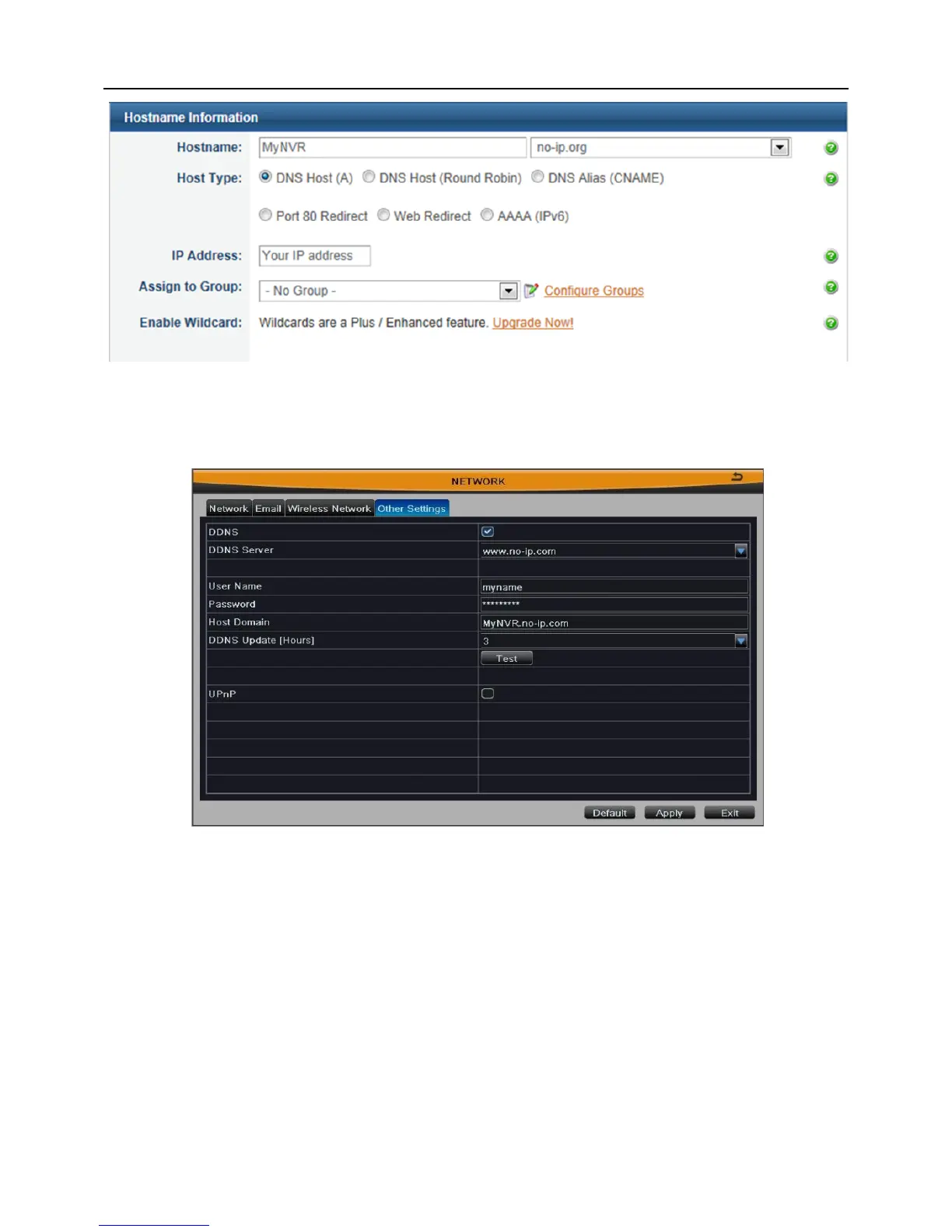
Step5: Enable DDNS on the NVR
Enter into Main MenuSetupNetworkOther Settings.
Fig 3-33
[DDNS]: Tick off;
[DDNS Server]: Choose www.no-ip.com;
[User Name]: The account you created at no-ip.com;
[Password]: The password of your account at no-ip.com.
[Host Domain]: The host name you created at no-ip.com;
[DDNS Update]: Choose the DDNS update interval.
Click Apply button to save the setting.
Access your router by entering the gateway address, and map the server port and IP
address (if user enables UPnP function of device and router, you can skip this step).



 To Next Page