Network Video Recorder User Manual
82
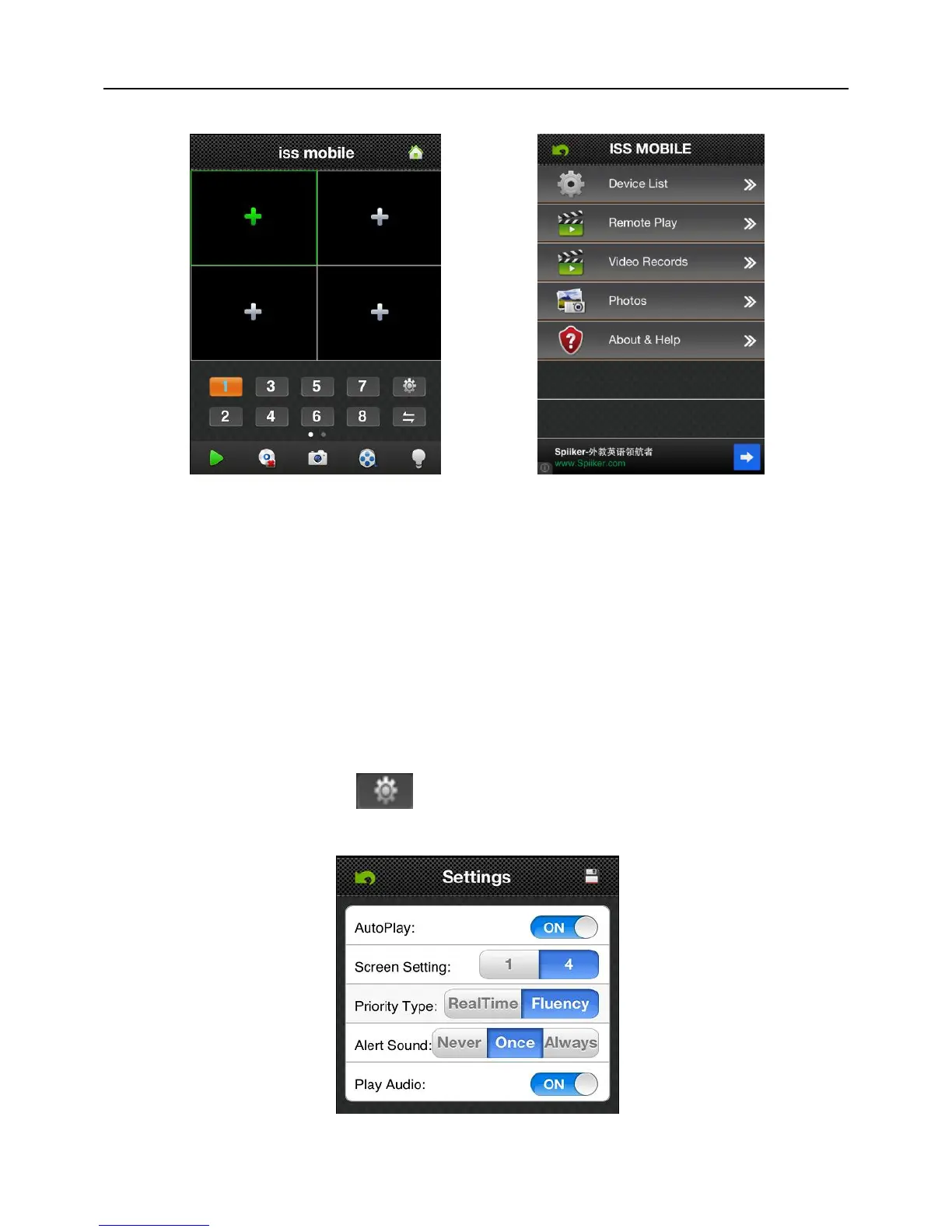
etc; refer to Fig 6-22:
Fig 6-21 Fig 6-22
Device List: Add a new device, or modify the device settings.
Remote Play: Access the device recorded clips and view the video.
Video Records: If ISS MOBILE has record function, after clicking video records, you
will see the details of the records. The name of the record file will be generated by system
default according to recording time.
Photos: Save the snapshot on the phone when viewing the Cameras through the
phone; after clicking it, you will see the photos as thumbnail. Enlarge the photos by
clicking it.
Settings: After clicking “ ”, you can set Auto play, screen, priority type, etc;
refer to Fig 6-23:
Fig 6-23



 To Next Page