2 Safety
202208081959/V0.1
6 xMate ER7Hardware Installation Manual
button
2.3.2 Enabling switch
2.3.2.1 Enabling device
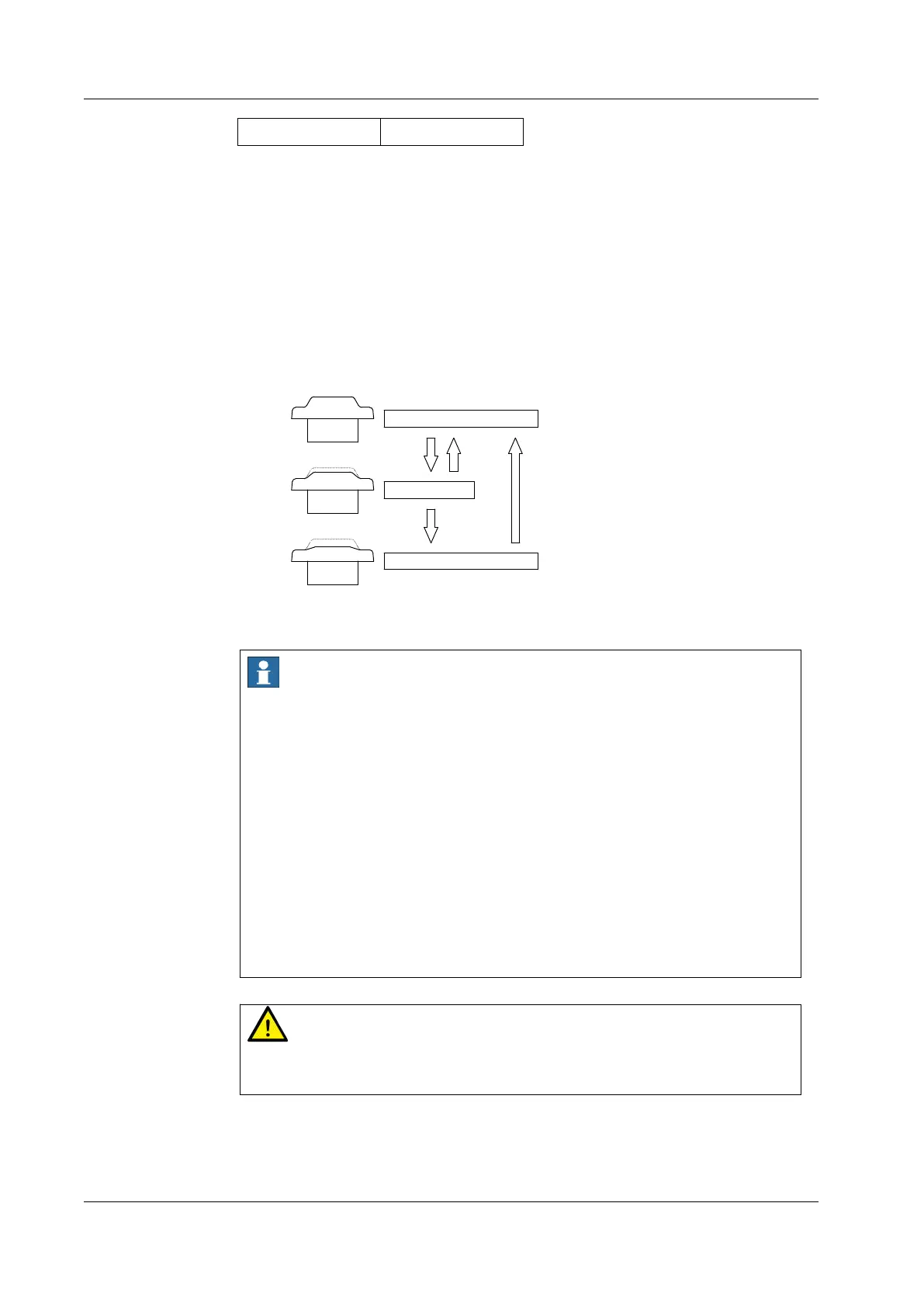
The enabling device is a special switch with two contacts and three positions, and is also
called a three-position enabling switch (hereinafter referred to as "enabling switch"). It is
used to power on/off the joints in Manual mode to enable robot motions.
The robot will be powered on and able to move only after the enabling switch is pressed
and held in the middle position. Releasing or pressing the switch all the way down will cut
the power off.
P o sition 1
P o sition 2
P osition 3
OFF
OFF
ON
P ress lig h tly R elease
P ress tightly
R elease
Figure 2. Positions of the enabling switch
Notes
When the enabling switch is pressed and held in the middle position in Manual mode,
the robot will be powered on, the system will enter the Motor On state, and you can jog
the robot or execute a program. The robot will be powered off and the system will
return to the Motor Off state when the switch is released or pressed all the way down.
To ensure safe use of the robot, the following requirements must be observed:
Make sure the enabling switch functions properly in any circumstances.
Release the enabling switch immediately when no robot motion is required
during programming or debugging.
Any person who enters the robot's working space must carry a handheld enabling
device to prevent others from starting the robot without the knowledge of the
involved personnel.
Warning
It is strictly prohibited to use external devices to hold the enabling switch in the middle
position.
2.4 Emergency stop types
Position 1



 To Next Page