202208081959/V0.1
5 Unpacking and Installation
xMate ER7Hardware Installation Manual 19
5.4 Unpacking and hardware installation
5.4.1 Unpack
Preparation for unpacking
Prepare necessary tools for unpacking according to the table below.
No. Tool Quantity
1 Utility knife/scissors 1
2 M8 hex wrench 1
3 Protective gloves 1
Unpacking procedures:
1
Step 1: Open the packaging box
Wear protective gloves and cut open the sealed package with scissors or a utility knife.
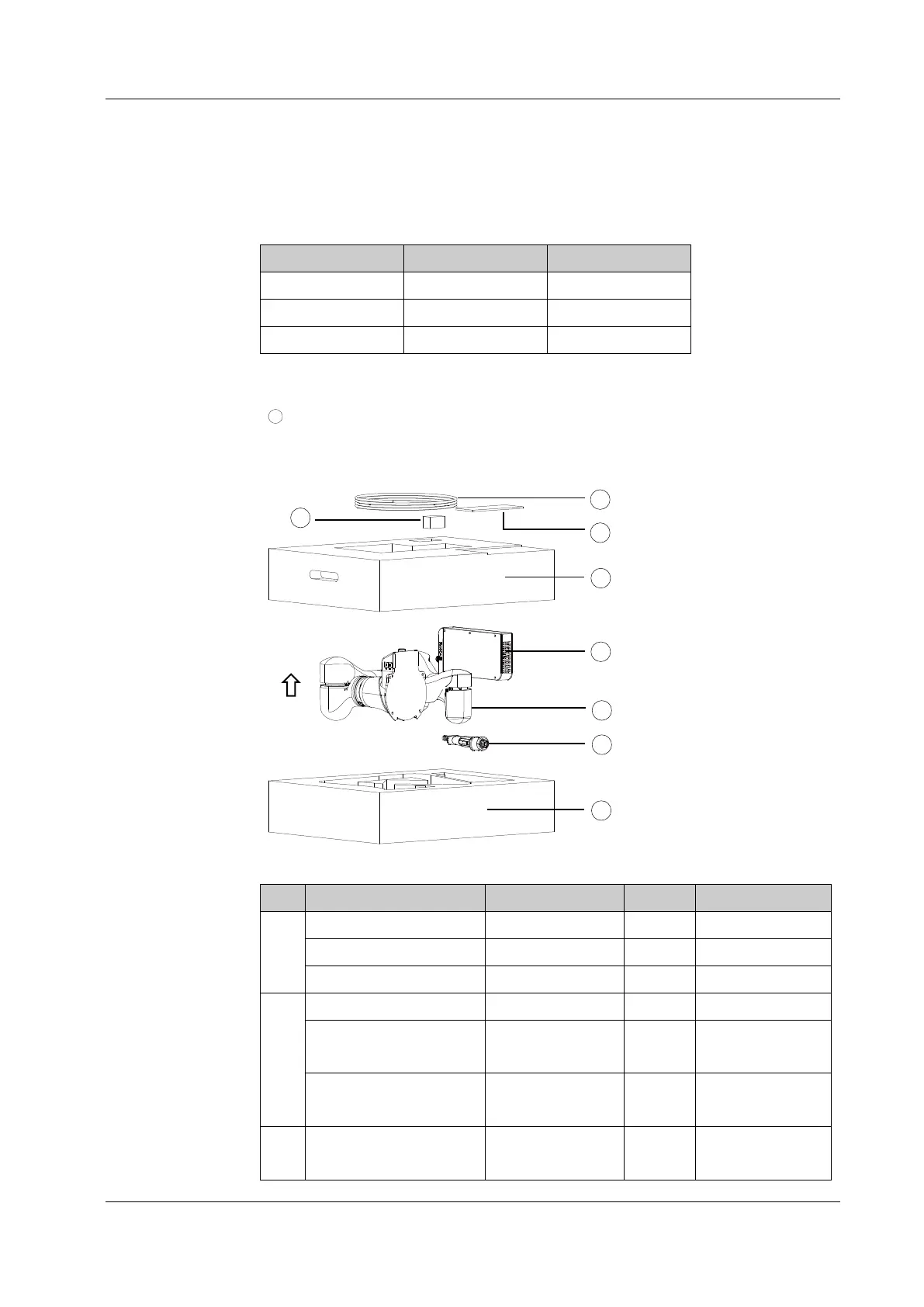
You will find the following items in the box:
Figure 9. Unpacking
No. Item Model Quantity Remarks
1 Power cord AC 220V 2M 1
Power cord DC 48V 5M 1
Servo debug cable LS18E2-A01-225 1
2 USB drive Rokae 32G 1
Mechanical zero
calibration block
xMate ER7
calibration block
1
Interface adapter 9992250008 M8 1 With wrist flange
interface
3 xMate ER7 Hardware
Installation Manual
1 Electronic
documents are



 To Next Page