18
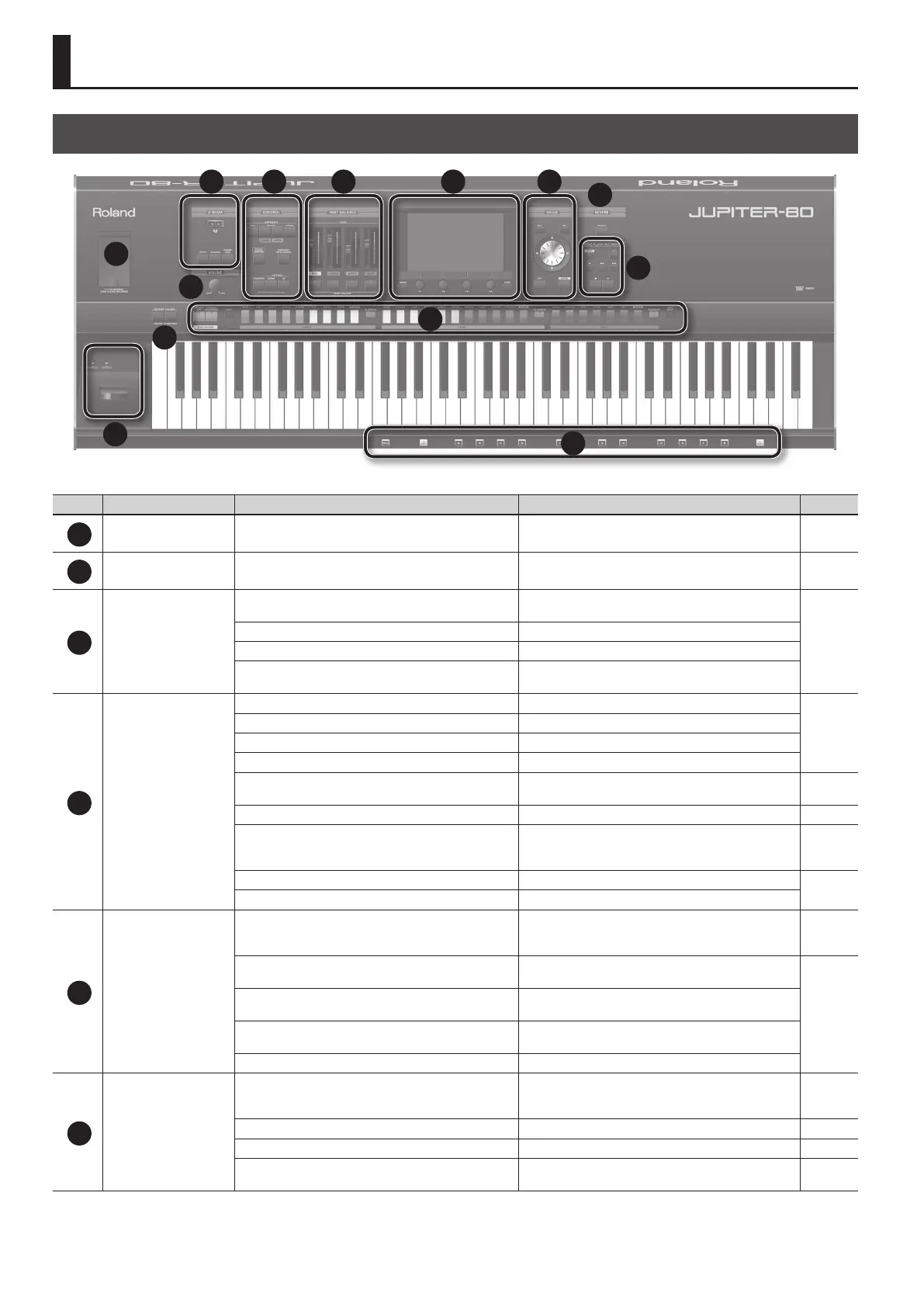
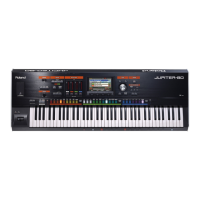
Top Panel
1
3
12
10
11
13
9
8
4 75 6
2
Number Area Name Explanation Page
1
USB MEMORY USB MEMORY connector Connect USB ash memory (available separately) here. p. 17
2
VOLUME [VOLUME] knob Adjusts the overall volume of the JUPITER-80. p. 23
3
D BEAM
D Beam controller
By moving your hand above the D Beam you can apply
various eects to the sound.
p. 47
[PITCH] button If this is on, the D Beam controller will control the pitch.
[VOLUME] button If this is on, the D Beam controller will control the volume.
[ASSIGNABLE] button
If this is on, the D Beam controller will control the function
you’ve assigned.
4
CONTROL
[HOLD] button Turns the arpeggiator Hold function on/o.
p. 43
ARPEGGIO [LOWER ON/OFF] button If this is on, the arpeggiator will apply to the Lower Part.
ARPEGGIO [UPPER ON/OFF] button If this is on, the arpeggiator will apply to the Upper Part.
[TEMPO] button Accesses the tempo screen.
[VISUAL CONTROL] button
Turns MIDI Visual Control on/o. When you press this button
to turn it on, the setting screen will appear.
p. 95
[HARMONY INTELLIGENCE] button Turns the Harmony Intelligence function on/o. p. 46
[TRANSPOSE] button
By holding down the [TRANSPOSE] button and using the
[-] [+] buttons, you can transpose the keyboard in semitone
steps.
p. 50
OCTAVE [DOWN] button Lowers the key range in steps of one octave.
p. 50
OCTAVE [UP] button Raises the key range in steps of one octave.
5
PART BALANCE
[LEVEL] slider
Adjust the volume of each Part, or the volume of each layer
in the Live Set. For a SuperNATURAL Synth Tone, these adjust
the AMP level of each Partial.
p. 37, p. 58,
p. 67
PART [PERC] button
Turns the Percussion Part, the Live Set layer 1, or a
SuperNATURAL Synth Tone’s Partial 1 on/o.
p. 37, p. 58,
p. 67
PART [LOWER] button
Turns the Lower Part, the Live Set layer 2, or a SuperNATU-
RAL Synth Tone’s Partial 2 on/o.
PART [UPPER] button
Turns the Upper Part, the Live Set layer 3, or a SuperNATU-
RAL Synth Tone’s Partial 3 on/o.
PART [SOLO] button Turns the Solo Part or Live Set layer 4 on/o.
6
Display
Touch screen
Shows various information for the operation you’re
performing, and allows you to control parameters by directly
touching the screen.
p. 27, p. 30–
[MENU] button Accesses the MENU screen. p. 29
[E1]–[E4] knobs Edit the values of the parameters shown in the display. p. 26
[SHIFT] button
This is used in conjunction with other buttons to access
setting screens related to those buttons.
p. 28
Panel Descriptions


 To Next Page