Editing a Live Set
65
Introduction Playing Sounds Editing Sounds
Other Convenient
Functions
Connecting Other
Equipment
Appendix
Copying a Layer
Here’s how to copy a layer to a dierent layer.
This is a convenient way to create a variation based on an edited
layer.
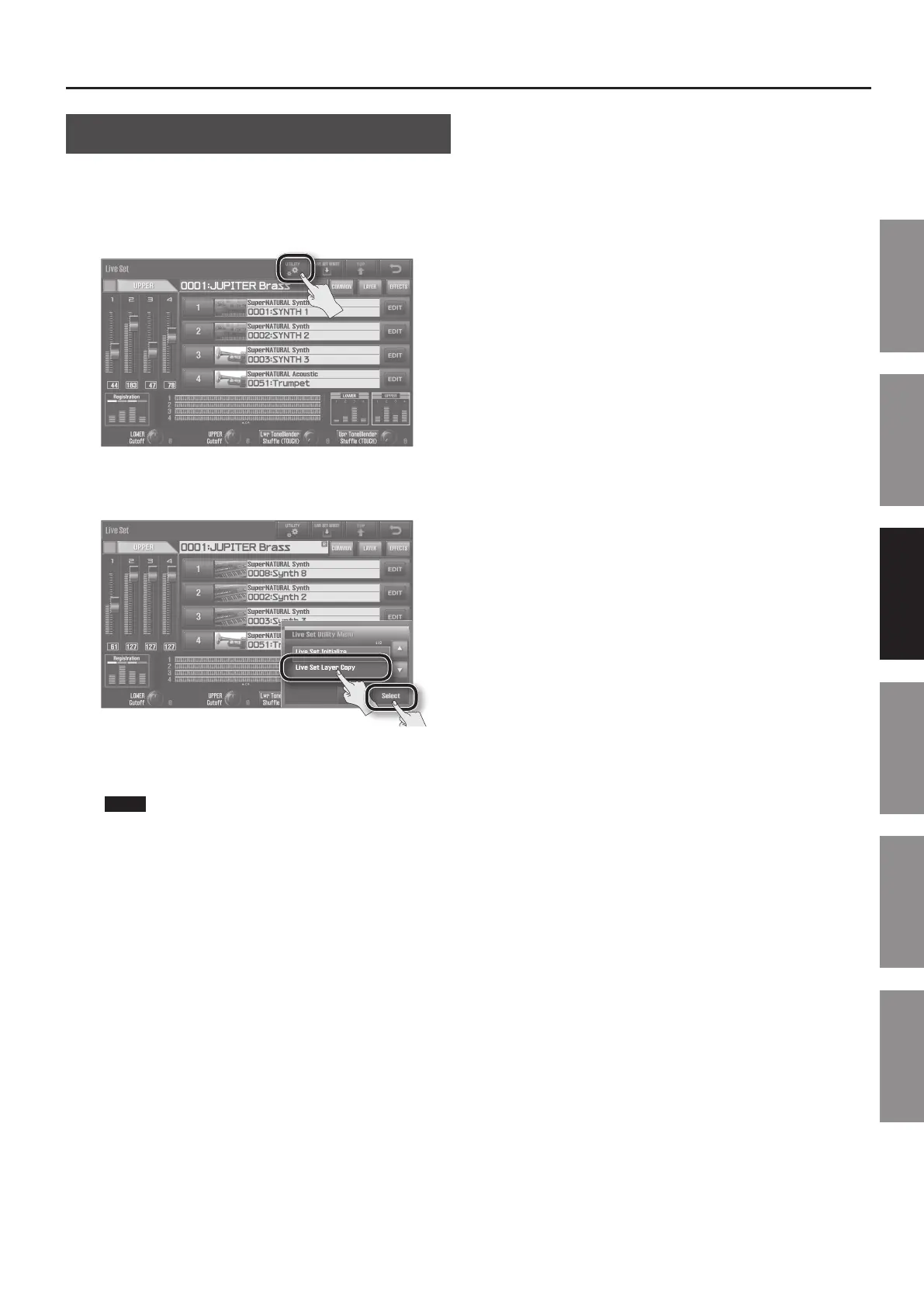
1. In the Live set screen (p. 32), touch <UTILITY>.
The Live Set Utility Menu screen will appear.
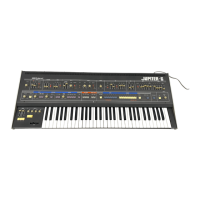
2. Touch <Live Set Layer Copy>, and then touch <Select>.
3. As the Source, specify the copy-source layer. As the
Destination, specify the copy-destination layer.
NOTE
When you copy a layer, the sound of the specied Destination
layer will be lost, and overwritten by the sound of the specied
Source layer.
4. Touch <Execute>.
A message will ask “Are you sure?”
5. Touch <OK>.
The sound of the specied Source layer will be copied to the
specied Destination layer.


 To Next Page