Reference Manual
00809-0100-4738, Rev DA
May 2006
4-19
Rosemount 3095FB
Sensor Trim Procedure (Field Calibration)
To correct mounting position effects, field calibrate the 3095FB after
installation.
1. Perform a DP Offset (zero)
a. Select DP from the Sensor Selection heading, and click Offset
Trim.
b. Enter the Offset Trim Point, and click Trim.
c. Wait for the measured value to stabilize, and click OK.
2. (Optional) If a barometer that is at least 3 times as accurate as the
3095FB AP sensor is available, perform an SP Offset (zero).
a. Select SP from the Sensor Selection heading, and click Offset
Trim.
b. Enter the Offset Trim Point, and click Trim.
c. Wait for the measured value to stabilize, and click OK.
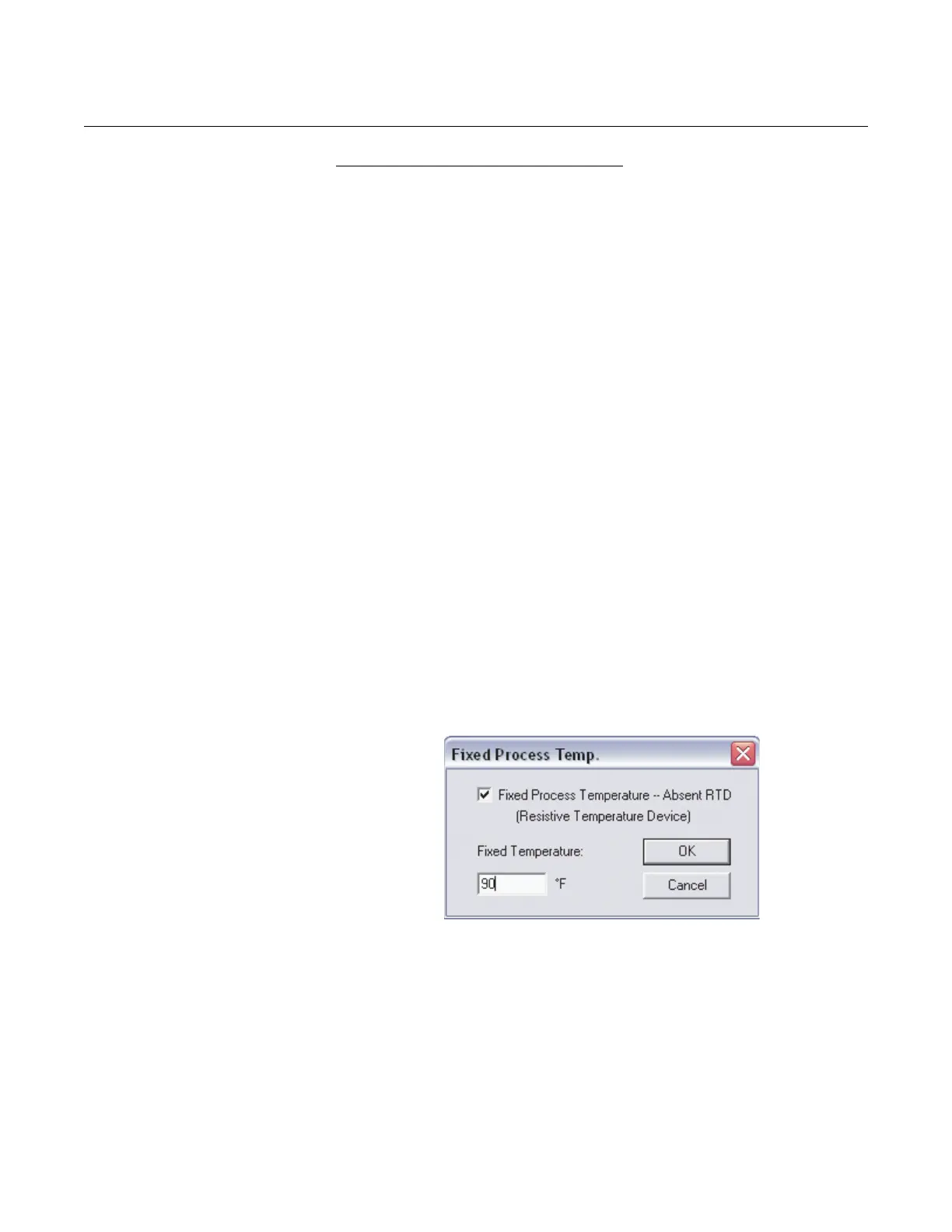
Maintenance > Fixed Process Temp…
This selection allows enabling or disabling the process temperature input from
the RTD. To disable the process temperature input:
1. Select Fixed Process Temperature – Absent RTD so that an “x”
appears in the box.
2. Enter the desired fixed temperature (between -40 and 1200 °F), then
click OK.
To enable the process temperature input from the RTD, simply deselect the
Fixed Process Temperature – Absent RTD box.
Figure 4-17. Fixed Process Temperature Screen
The 3095FB can be configured so that a user-selected temperature will be
used as the process temperature measurement if an RTD failure occurs.
1. Select Fixed Process Temperature – Absent RTD so that an “x”
appears in the box.
2. Enter the desired fixed temperature, and click OK.
3. Reopen the fixed process temperature screen by selecting
Maintenance > Fixed Process Temp…
4. Deselect the Fixed Process Temperature box so that the box is
empty, and click OK.











 To Next Page