Reference Manual
00809-0100-4738, Rev DA
May 2006
4-3
Rosemount 3095FB
1. Power the device as detailed in Section 2.
2. Connect the 9-pin RS232-485 converter to the 9-pin serial
communications port on the PC.
3. Remove the cover of the transmitter above the side marked “Field
Terminals.”
4. Connect the red mini-grabber connector to the “A” terminal and the
black mini-grabber connector to the “B” terminal.
5. Launch the 3095FB User Interface Software.
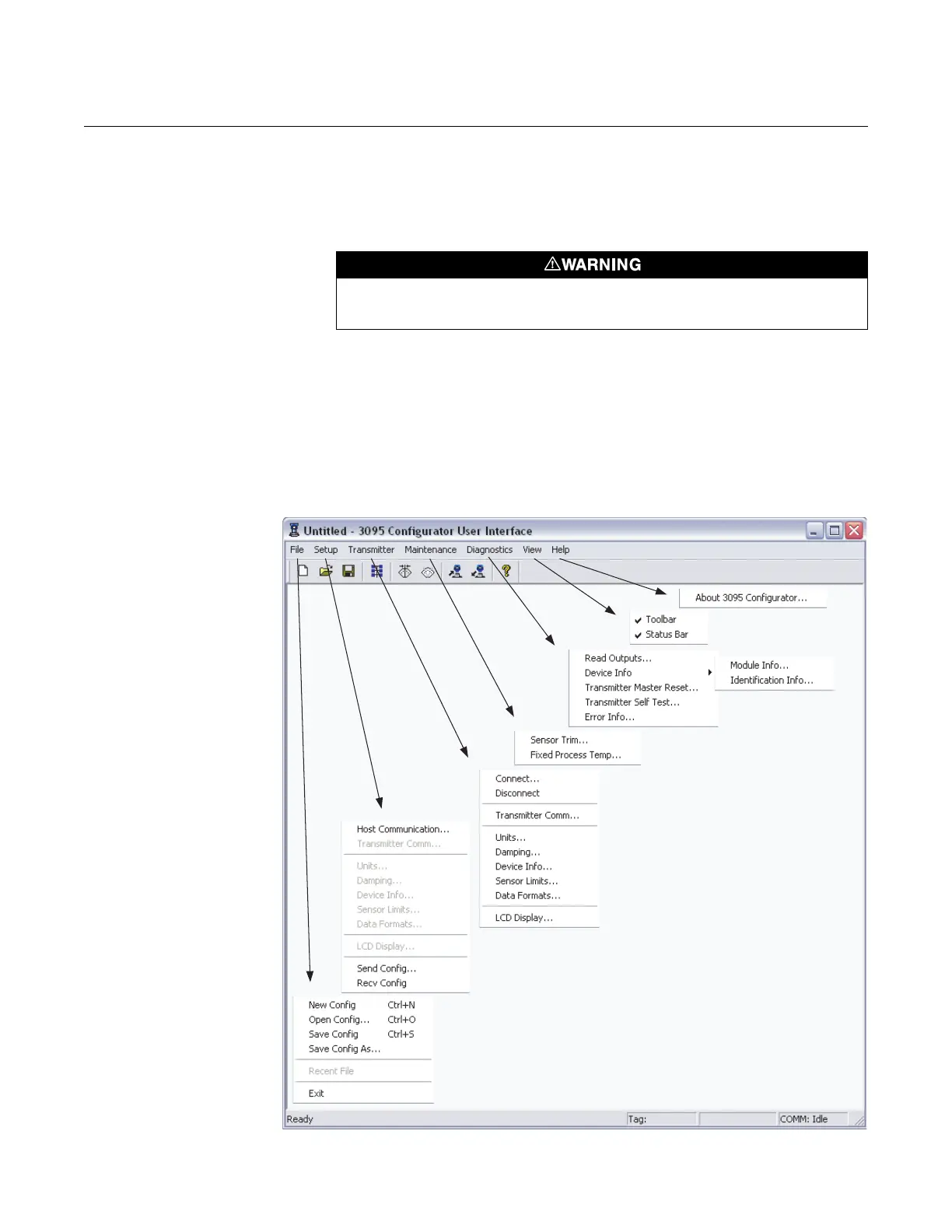
NAVIGATION & USE Figure 4-2 shows the main screen that appears when a valid connection is
established between the PC and the 3095FB transmitter.
Figure 4-2. 3095FB User Interface Software - Main Screen
Explosions can cause death or serious injury. Do not remove the instrument cover in
explosive atmospheres when the circuit is live.











 To Next Page