Reference Manual
00809-0100-4738, Rev DA
May 2006
Rosemount 3095FB
4-2
1. Insert the 3095FB UI CD in the CD-ROM drive.
2. On MS Windows, click Start > Run.
3. Type D:\setup.exe in the prompt window and click OK.
NOTE
If your CD-ROM is located at a drive letter other than “D”, type that letter
instead of “D” in step 3 above (ex. E:\setup.exe).
4. Follow the onscreen instructions provided by installation wizard.
Connecting to a Personal Computer
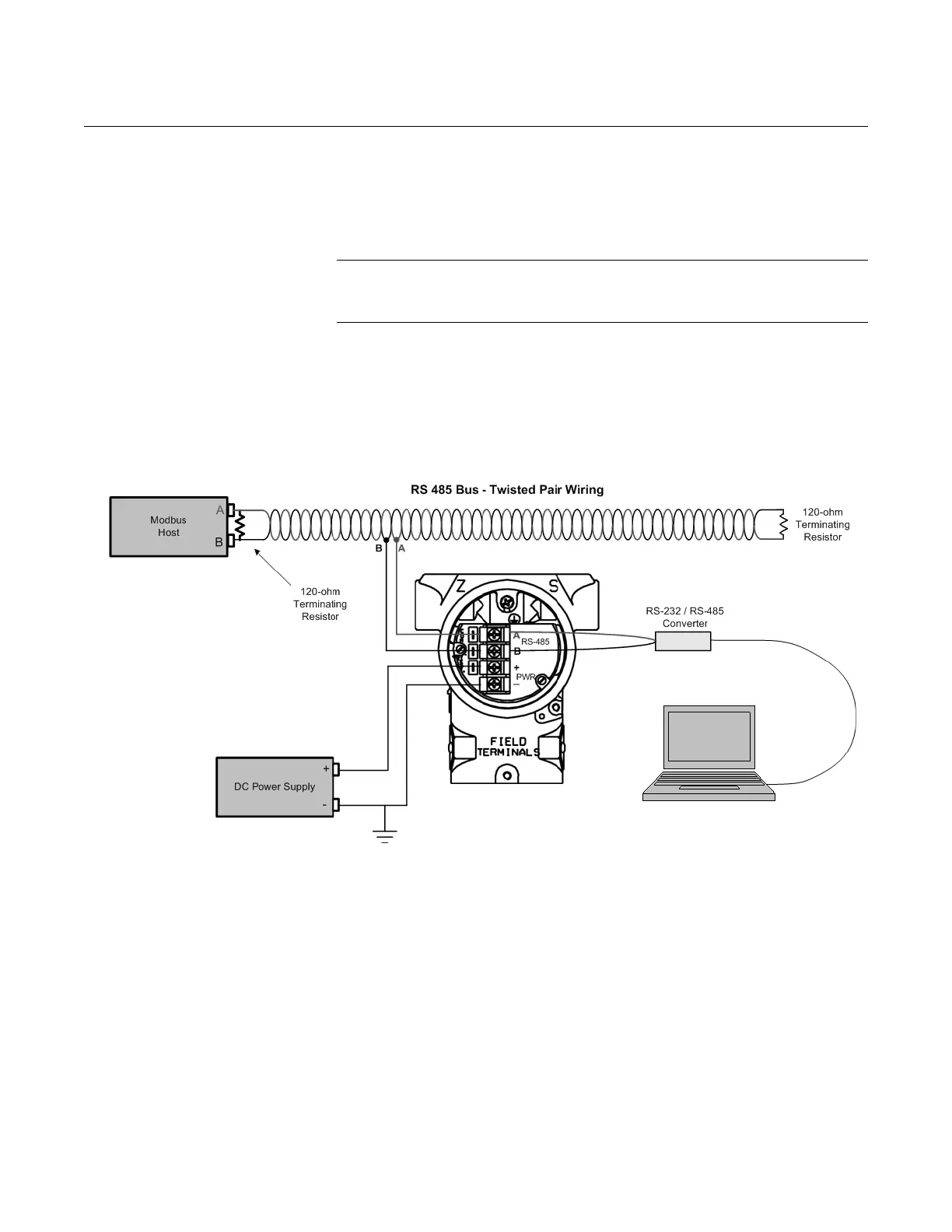
Figure 4-1 shows how to interface a computer and 3095FB.
Figure 4-1. Connecting a Personal Computer to a Rosemount 3095FB
NOTE
The converter cables may be connected directly to the RS-485 bus
or the transmitter terminals. Be sure to observe proper polarity.











 To Next Page