pag. 21
Push buttons and displays
ST2 User’s Manual
TV Mode
continuation: DIGITAL TV SIGNAL MEASUREMENTS: MEAS
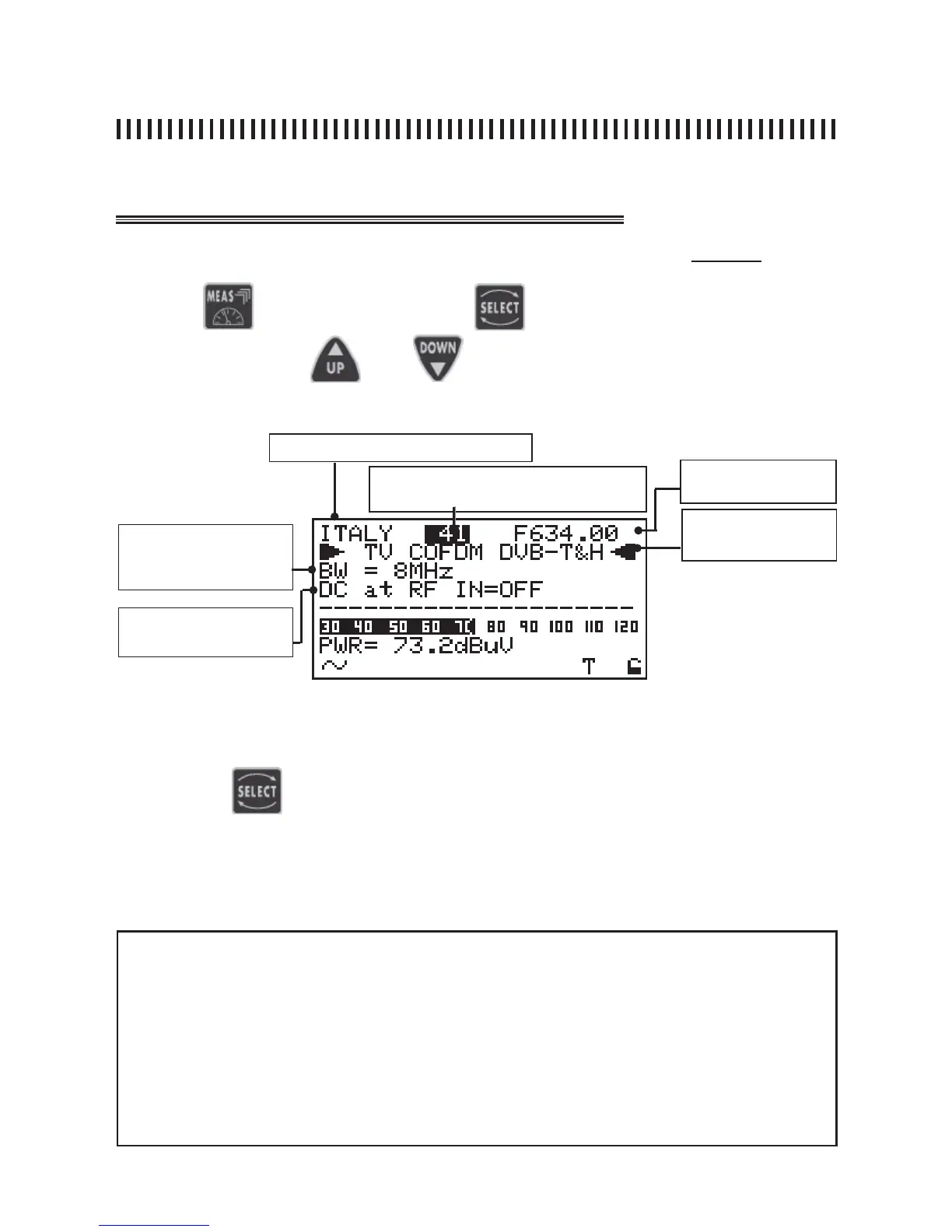
Fig. 4.1 Digital signals fi rst measurement level.
Press the
key and use the
key to choose the fi eld to be
modifi ed. Press keys and to modify the displayed value.
4.1 COFDM Digital multiplex Power Measurement COFDM (Level 1)
Memory plan (See section 1.0)
Channel frequency
Channel (See section 1.0)
Channel band width (i.e. PAL
BG: 7 MHz in VHF and 8
MHz in UHF band).
DC at RF IN
NOTE
• If there is no signal or if the signal level is below the meter’s measurement dynamic range, the
string PWR_TOO_LOW (power too low) is shown,
• The meter always shows a graphic bar proportional to the signal level or power measurement,
• The graphic bar memorises the peak signal level or power value. This is represented by a vertical
line on the display,
• To display all the signal’s available measurements, the MEAS key has to be pressed repeatedly
(see next paragraphs in this section for more details),
• If you press the “POWER ON” key [14] the meter automatically returns to the fi rst measurement
level shown in Fig. 4.1, regardless of the previous measurement level.
Analogue or digital
measurement: COFDM
(DVB-T/H), FM Radio
Fig. 4.1 Digital signals fi rst measurement level.
Pressing the key it is possible to select the channel and the power at the
RF input.
Only on the user generated memory plans it is possible to Select and Change
the fi elds mentioned in Paragraph 4.0.



 To Next Page