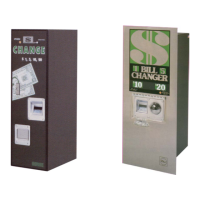
BC-3500 Bill and Coin Changer
2-8 25238801
13. Perform this step only if you set the stacker mode to “SEP” in the above step. To assign the bills to the upper
or lower bill box, press the VALUE button to go through each denomination you have set to “YES” for
acceptance, and push either the
or
button to stack these bills in either the “UPPER” or “LOWER” bill boxes.
14. Press the FUNCTION button once and the display will show “BILL B CHECK ON” or “OFF”. Use the
or
button to select either ON or OFF. This is a security check made during the bill validation process. Rowe
recommends the “
ON” setting for all but the most extreme circumstances where a very high percentage of bills
are rejected with Code “B” (see Section 4).
15. Press the
FUNCTION button once and the display will show “BILL TEST OFF”. Use the
or
button to select
OFF.
16. Setup is complete! Place the PROGRAMMING switch back down to the “NORMAL” mode. The display will
show “STORING NEW DATA”, and then the “walking dash” will appear. Fill the hoppers with quarters, do
a test vend from each of the test switches: left, center, and right (located on the power control center), and the
job is completed.
Normal Setup
This procedure follows the “beginning-to-end” setup sequence. You should follow this procedure and use it until
you are familiar with the ten groups of setup options. Once you are familiar with these options, you can easily skip
over the options that you do not wish to change or display.
Key Information
In the step-by-step procedure that follows, key setup information follows many of the numbered steps. This
information will be very helpful, but it can be skipped. Key information paragraphs are indicated by a small to
the left of the key paragraph.
Turning the Power On
1. Be sure the PROGRAMMING/NORMAL switch on the CCC is in the NORMAL position, then turn the power
switch ON. Three of the four voltage LED’s on the power control center should now be ON. The +40 VDC
LED will be OFF. The OUT OF SERVICE light will be lit.
2. The message “ROWE FAST PAY” will be followed by “VERSION XX” on the display. XX is the version
number and should match the version number on the EPROM label, which is visible through the cover of
the CCC.
3. The message “CHECKSUM XXXX” will briefly appear on the display. XXXX is the 16-bit EPROM checksum.
4. Next, the “RAM TEST PASSED” (or “FAILED”) message will briefly display. If the word FAILED appears, the
changer will remain in the OUT OF SERVICE mode.
5. When the “RAM TEST PASSED” message disappears, the CHECKING SYSTEM/SYSTEM CHECK OK
“walking dash” will appear. The +40 VDC LED will light and the OUT OF SERVICE light will turn OFF.


 To Next Page