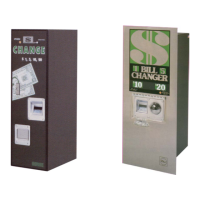
BC-3500 Bill and Coin Changer
4-20 25238801
Transport Errors
Transport errors are considered to be recoverable errors. That is, if the source of the error goes away, the machine
will return to the normal
STANDBY mode all by itself. Transport errors are shown on the status display while they
are present. Occasionally after resetting a shutdown error or on power up, a transport error will briefly appear. This
is normal and should not be a concern. A list of transport errors follows with an explanation for each and hints on
where to look for trouble.
CLEARING ERRORS
Transport errors are self-clearing. When the trouble has been repaired, the error will go away on its own.
Bill changer errors are stored in the CCC and must be cleared. To clear an error displayed on the readout, push
the FUNCTION button on the CCC while the CCC is in the NORMAL mode. If the situation that caused the error
is repaired, the error will be cleared. Multiple errors will be stored in the CCC. Press the FUNCTION button to clear
each error as it is displayed on the CCC readout (referred to as the “display”). When all errors are cleared, the
changer will return to STANDBY.
CK TRANSPORT MAG
Symptom:
The Mag. amp output idle voltage is not within limits (0.24 to 1.60 volts).
Corrective Action:
1. Check the wires and connectors in the Mag. amp and transport harness.
2. Replace the Mag. amp circuit board.
3. Replace the transport.
4. Replace the CCC.
CK TRANSPORT VI
Symptom:
The transport inlet cell voltage is not within limits (0 to 4.10 volts).
Corrective Action:
1. Check the Yellow wire and connectors in the transport harness for an open/short back to the CCC P4 pin 14.
2. Check the VI cell for proper voltage and switching (refer to Section 3).
3. Replace the inlet cell.
4. Replace the transport.
5. Replace the CCC.


 To Next Page