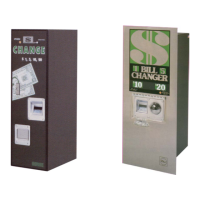
BC-3500 Bill and Coin Changer
4-22 25238801
Machine Errors
There are two types of machine errors — SHUTDOWN and NON-SHUTDOWN. Shutdown errors are errors which
could cause damage to the machine or incorrect payouts.
NON-SHUTDOWN errors are errors involving coin
switches, test switches and the bill return switch.
When a NON-SHUTDOWN error occurs, the switch or switches involved will be locked out of operation. Bill
acceptance will not be affected. All machine errors are stored in the CCC and displayed on the status display during
STANDBY. NON-SHUTDOWN errors are displayed steady without blinking. All SHUTDOWN errors are displayed
as blinking messages with the out of service lamp lit. The CCC can remember up to five errors, however, there will
never be more than one shutdown error, as this will cause the machine to go out of service. All faults or malfunctions
that cause errors must be repaired and the errors cleared from the CCC before the machine can go back to service.
Clearing Machine Errors
Clearing machine errors is done by simply pushing the FUNCTION button while the error is displayed. As each error
is cleared, any previous errors will be displayed on the CCC. Press the FUNCTION button to clear each error. After
all errors are cleared and no faults or malfunctions are left in the machine, it will return to the STANDBY state.
Changer Errors (Non-Shutdown)
None of these errors cause the bill changer to shut down. While the bill changer is in STANDBY, the last error will
remain on the display.
CK LEFT TEST SW
Symptom:
The left TEST switch was closed longer than three seconds.
Corrective Action:
The LEFT TEST switch input is (or was) showing an incorrect signal.
In order to prevent spurious payouts, the CCC immediately locks out all TEST switch inputs if it receives an incorrect
signal from one of the TEST switches. Thereafter, the bill changer will still accept bills but will not respond to the TEST
switches.
Press the FUNCTION button. If the message does not reappear, check the wiring to the TEST switches for intermittent
short to Ground. If the wiring is OK, the problem may be an intermittent condition in the CCC.
For a more complete troubleshooting sequence, refer to Troubleshooting Chart 010 at the end of the TEST
SWITCH troubleshooting.


 To Next Page