Chapter 10: Troubleshooting
102 Alpha 600/601 User’s Guide
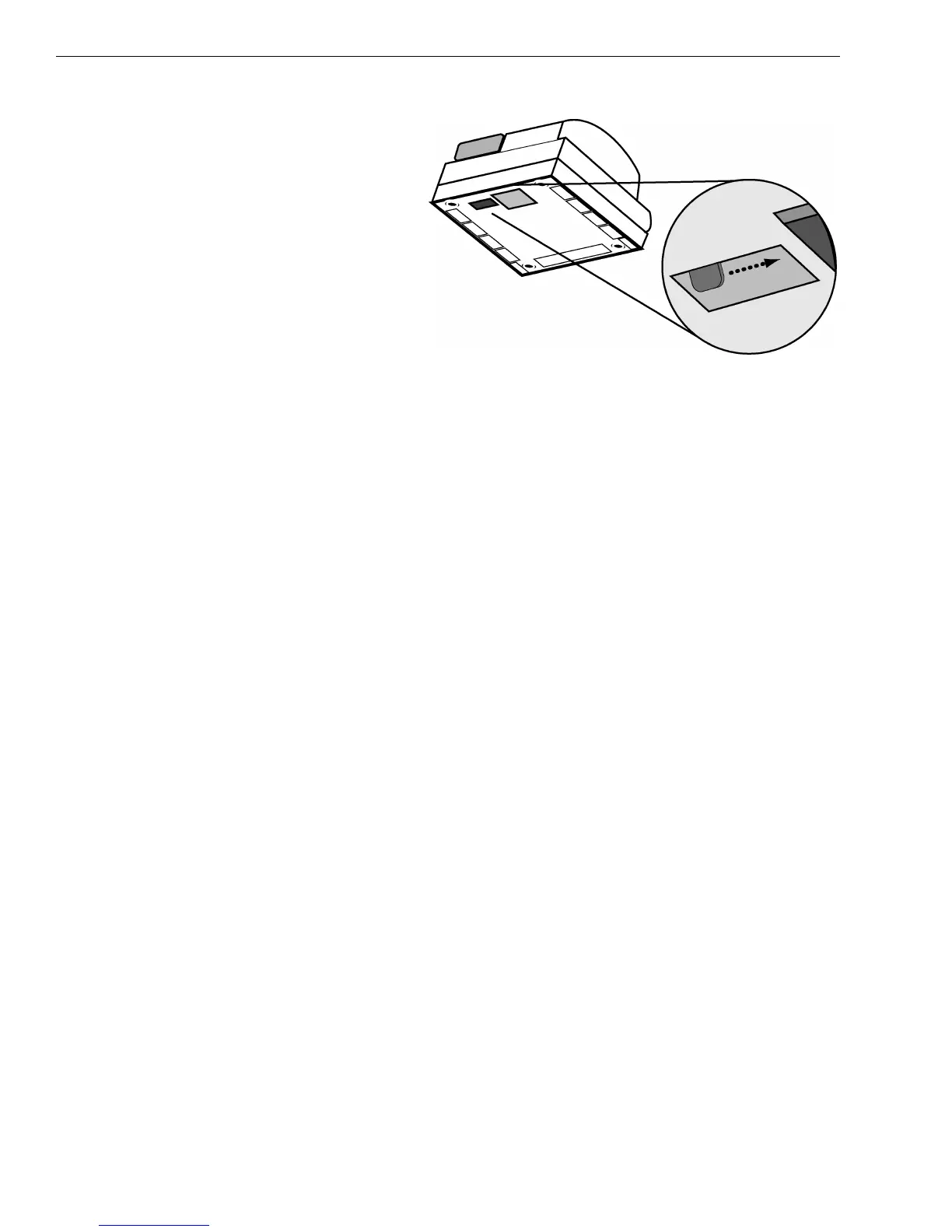
1 With your hands on
the cash drawer,
carefully tip the
front of the register
up. Underneath the
cash register, toward
the back of the
register, you see a
small lever.
2 Push the lever in the
only direction it will
move. The cash
drawer opens.
Half System Clear
If you cannot get the cash register to respond, try a half system clear.
To do a half system clear
1 Turn the Mode key to the OFF position.
2 Unplug the cash register from the power source.
3 Wait 30 seconds.
4 Plug the cash register in again.
5 Continue with normal operations.
Partial Reset
If the cash register did not respond to the Half System Clear, try a Partial
Reset. This procedure requires both your hands or a friend to help.
To do a partial reset
1 Turn the Mode key to the OFF position.
2 Unplug the cash register from the power source.
3 Using the round Number keys, press and hold the 3 key and the 7 key at
the same time. Continue to hold these keys down.
4 While you still hold down the 3 and 7 keys. plug the cash register back
into the power source.
5 Release the 3 and 7 keys.
6 Continue with normal operations.



 To Next Page