Chapter 11: Examples
118 Alpha 600/601 User’s Guide
Split Tendering Sale
Example 52: Ring up a $15.00 item in Department 1, split the total of the sale
between $5.00 in cash payment and $10.90 in charge payment.
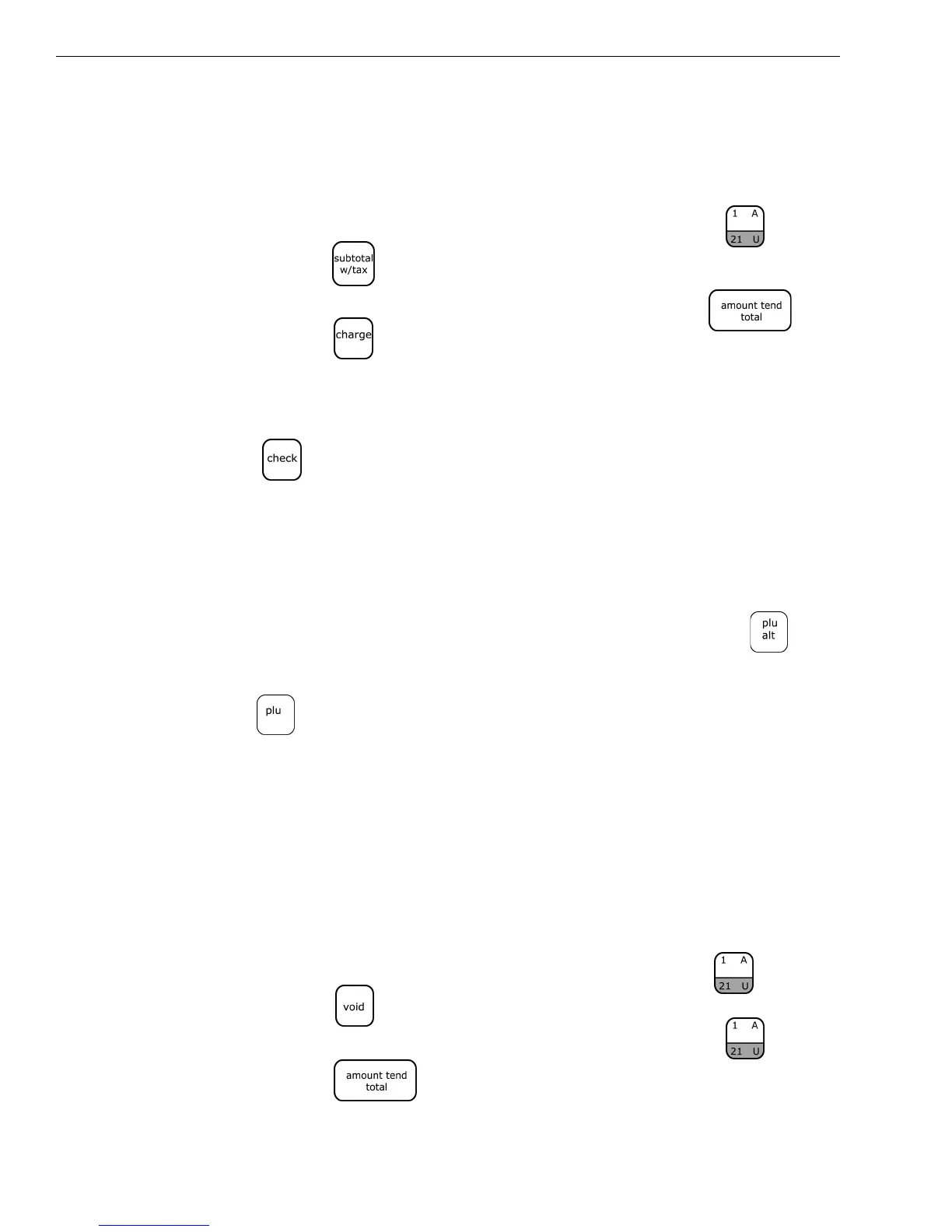
To ring up a Split Tendering sale
1 In the Number keys area, press 1500, and then press the key.
2 Press the key.
3 In the Number keys area, press 500,and then press the key.
4 Press the key.
Note
When using the Split Tendering function, the amount in cash must always
be entered first. The sale can also be finalized with the Check key. Substitute
the key in Step 4 of the example above.
Temporarily Overriding a PLU Price
Example 53: If you want to enter a different price than what is programmed
into a PLU number.
To override a PLU price
1 In the Number keys area, type the price you want, press the key.
2 In the Number keys area, type the PLU number and then press the
key.
The word *PRICE* appears above the PLU description to indicate the
overriding of a PLU price.
Use the Error-Correct /Void Key
Example 54: Corrects the last entry run up during a sale. Ring up a $1.00 item
in Department 1, then use the [VOID] key to cancel this entry and ring up a
$10.00 in Department 1 to register a new entry.
To use the error-correct/void key
1 In the Number keys area, press 100, and then press the key.
2 Press the key.
1 In the Number keys area, press 1000, and then press the key.
2 Press the key.



 To Next Page