Chapter 11: Examples
120 Alpha 600/601 User’s Guide
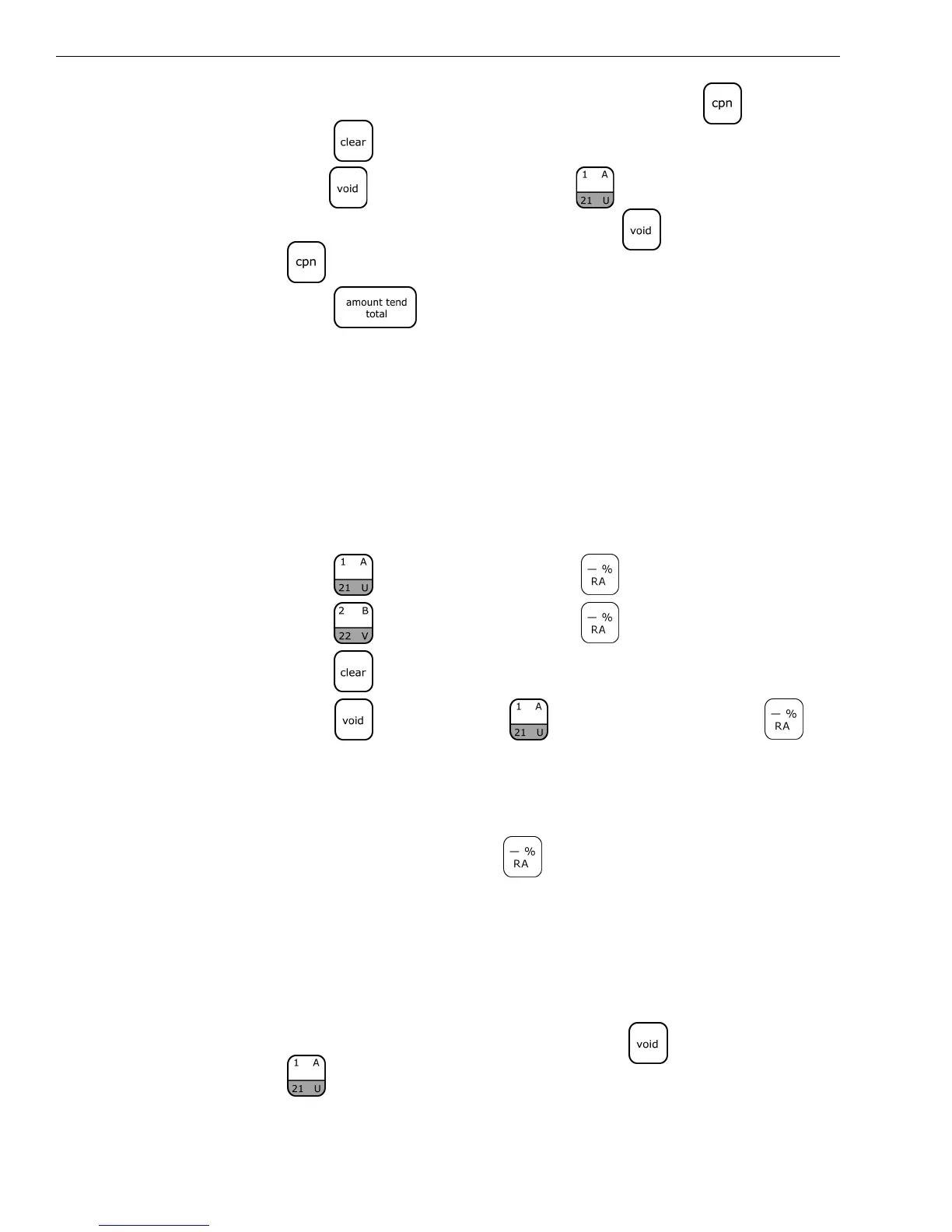
4 In the Number keys area, press 20, and then press the key.
5 Press the key.
6 Press the key and then press the key.
7 In the Number keys area, press 20, press the key, and then press
the key.
8 Press the key.
Voiding a Department Preset with a Minus Percentage
Discount
Example 58: Assume Department 1 is programmed for $1.00, Department 2 is
programmed for $2.00, and the [-%/RA] key is pre-programmed for 10%. Ring
up Department 1 and deduct 10%, ring up Department 2 and deduct 10%, then
void the Department 1 entry with the 10% discount.
To void a department preset with a minus percentage discount
1 Press the key and then press the key.
2 Press the key and then press the key.
3 Press the key.
4 Press the key, press the key, and then press the
key.
Note
If the Minus Percentage Discount Rate is not pre-programmed, type in the
discount rate before pressing the key.
Voiding A Minus Percentage Discount Sale
Example 59: Void a $1.00 item in Department 1 and void a pre-programmed
Minus Percentage Discount Rate of 10%.
To void a minus percentage discount sale
1 In the Number keys area, press 100, press the key, and then press
the key.


 To Next Page