Alpha 600/601 User’s Guide 47
Programming Department Keys
Note
Only capital letters of the alphabet are on the
Alphanumeric Keyboard. You can also use lower
case letters and numbers, certain symbols, and
international characters. See Alphanumeric Code
Chart on page 47.
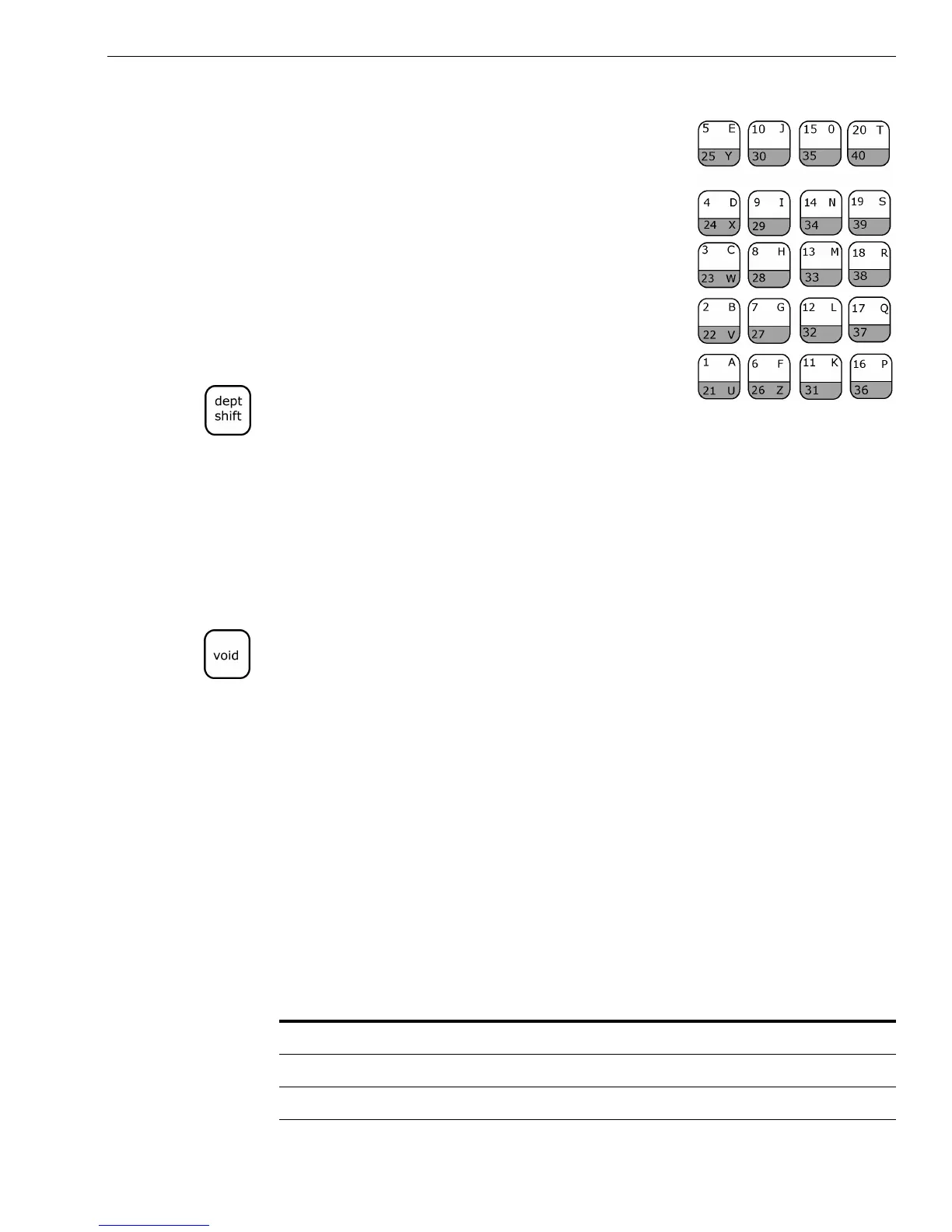
The department keys are clearly labeled with all
the letters you need to program these
descriptions. When you are programming
alphanumeric descriptions, use the department
keys to spell out the words you want.
You can use the letters in the lower green area
of the keys by pressing the Dept Shift key and
then pressing the key with the letter you want.
You might need certain symbols, numbers, international characters or
lower case characters that are not found on the Alphanumeric Keyboard.
For example, if you require a space between words, or if you need the /
symbol, or -, you use the round Number keys to type the correct
alphanumeric code. See the Alphanumeric Code Chart shown in the next
section.
Important
If you enter the wrong character, press the Void key to backspace and delete
that character. Now you can continue.
Alphanumeric Code Chart
Many characters are also available. Use the tables in this section to help
you find the ones you need.
Use the following table for lower case letters and numbers. If you want to
use double width characters, press 01 before each character.
For example, to program Y E S, type 01 Department Shift key Y
01 E 01 S. For more information, see Using Double Wide Characters
on page 27.
Table 13 Letters and numbers
Character
Code
Number Character
Code
Number
Space 00 s 20
Wide Character 01 t 21
a 02 u 22



 To Next Page