1313
initial configuration
before the unit is used operationally the following minimum configuration is required
symbol description
n Set the unit’s time and date
n Connect TM3 to Laptop
n Congure the GSM settings
n Congure the Ethernet/network
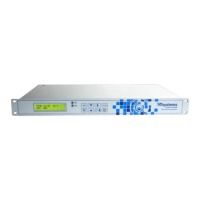
Power up the unit and wait ± 1 minute before starting with initial conguration. An “I” in the right hand corner of the LCD indicates the
unit is busy initialising. “I” will only disappear when the GSM conguration is complete. The default display is displayed on the LCD. The
data available on the default display is the Time, Day and Temperature value of Temperature Sensor 1.
set the time and date
To set the unit’s time and date press the “Left/Clock Key” on the front panel of the unit. The data available for conguration is the Time,
Day of week and Date. Use the Right and Left keys to move the cursor to the data eld which has to be adjusted. By pressing the Up or
Down key the data eld will be incremented or decremented. After all data elds have been adjusted to the correct values, press the
Enter key to store the data.


 To Next Page