© Safe Fleet | 2020 | All rights reserved | Part #: 700-1213 R1
DH4C Installation Guide
p. 38
DH4C Advanced Conguration
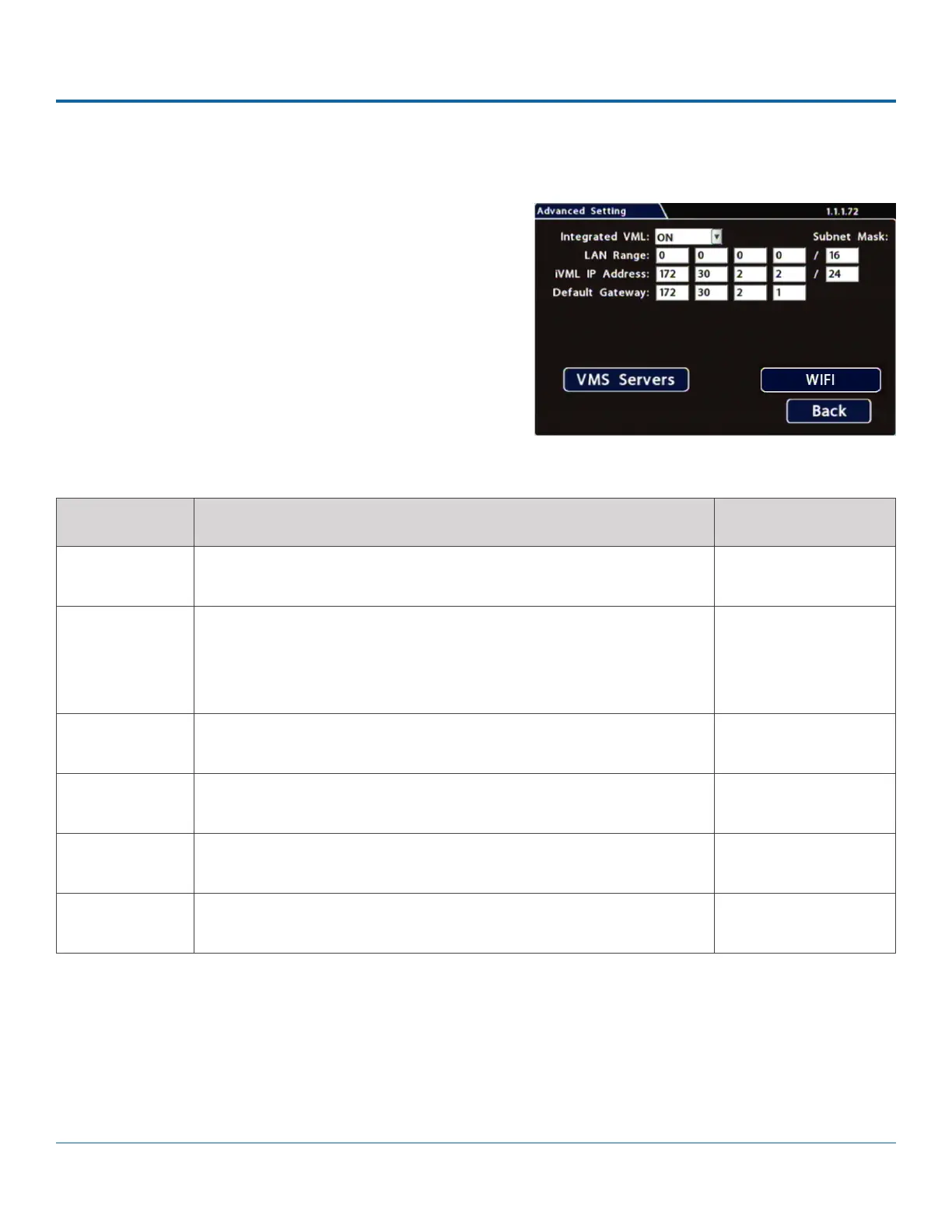
To congure Advanced Settings:
1. Select Network Advanced to open the tab.
2. Congure settings as required. For details, see Menu
Options, below.
3. Click Back to save settings, then click Back again to return to
the Conguration menu.
ITEM DESCRIPTION VALUE [DEFAULT]
Integrated VML
(vMax Live)
Set ON to enable the integrated VML feature. OFF disables the integrated
VML feature.
[OFF], ON
LAN Range If the customer network is outside of the DVR network: set the customer
network’s LAN range as determined by a qualied network expert.
Note: There must be a value in this eld. If not used, enter a dummy IP
address such as 10.10.0.0.
[0.0.0.0]
LAN Subnet
Mask
Set the LAN subnet mask used for the LAN Gateway Destination range as
determined by a qualied network expert. Use a value between 0 and 32.
[16]
iVML IP
Address
Enter the iVML IP Address as determined by a qualied network expert. [172.30.2.2]
iVML Subnet
Mask
Set the subnet mask for the iVML IP Address as determined by a qualied
network expert. Use a value between 0 and 32.
[24]
Default
Gateway
Enter the Default Gateway IP address for communicating with the cellular
modem, as determined by a qualied network expert.
[172.30.2.1]
Menu Options
Conguring Advanced Settings (continued)



 To Next Page