© Safe Fleet | 2020 | All rights reserved | Part #: 700-1213 R1
DH4C Installation Guide
p. 42
DH4C Advanced Conguration
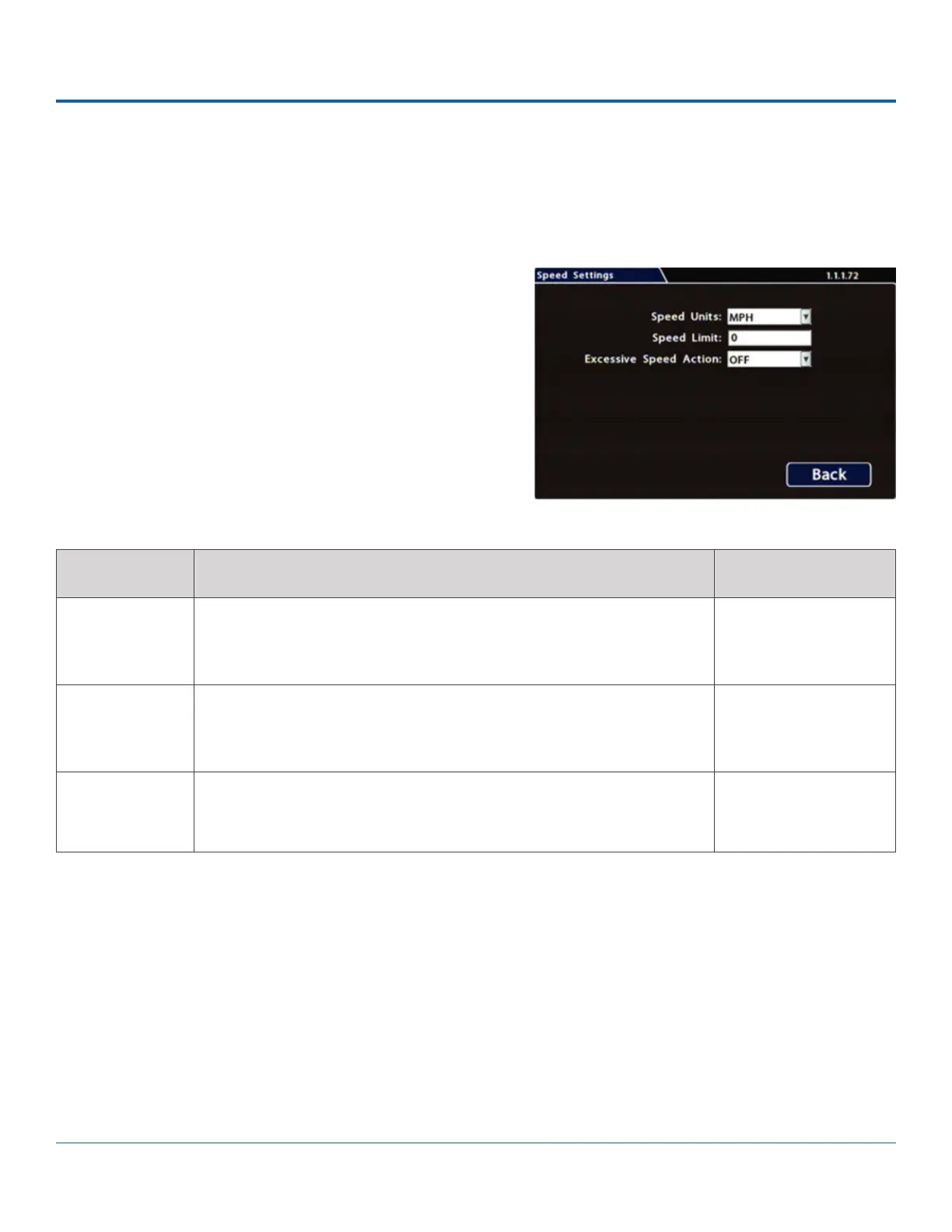
Speed Settings
Conguring Speed Settings
To congure Speed Settings:
1. Select Alarm/Signal Speed to open the tab.
2. Congure speed settings as desired. For details, see
Menu Options, below.
3. Click Back to save settings, then click Back again to
return to the Conguration menu.
ITEM DESCRIPTION VALUE [DEFAULT]
Speed Units Choose MPH in the US, or Km/h in Canada.
The speed display units; the GPS signal is converted to display speed in
the selected units.
[MPH] - Miles per hour,
KM/h - Kilometers per
hour, KTS - Knots
Speed Limit Enter a speed limit to trigger notications.
If an Excessive Speed Action is selected, this value triggers a notication
if exceeded by vehicle speed.
[0]
Excessive
Speed Action
Settings other than OFF trigger the selected action (S1-S10=Signal,
ALM1-ALM4=Alarm, Log=DVR log entry) when the vehicle exceeds the
specied Speed Limit.
[OFF], Log, S1 - S10,
ALM1 - ALM4
Menu Options



 To Next Page