© Safe Fleet | 2020 | All rights reserved | Part #: 700-1213 R1
DH4C Installation Guide
p. 8
DH4C Installation
Installing the Adapter Harness (Optional)
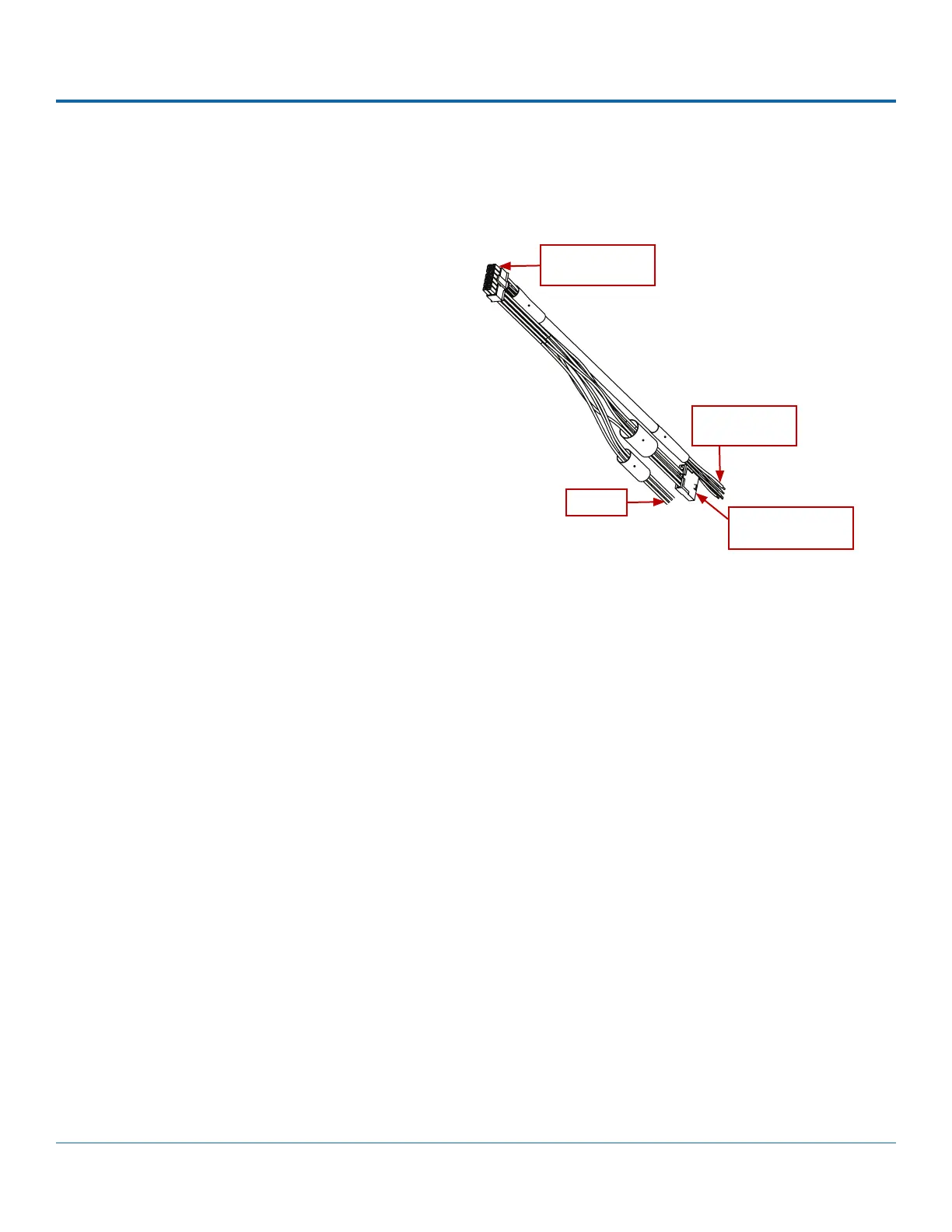
The Adapter Harness (Part # WT2) connects the DVR to Signal inputs and the optional RGY Button.
To install the Adapter Harness:
1. Connect the 2x6 Microt from the harness to
the DVR rear panel SIGNALS socket.
2. Connect the 5 signal input wires.
3. Connect the Adapter's 1x5 Microt to the RGY
button extension harness (optional).
For more information, see the "System Diagram" on
page 5.
To DVR SIGNALS
socket (2 x 6)
To Signal inputs
(5 wires)
To RGY Button
extn. harness (1 x 5)
Unused



 To Next Page