© Safe Fleet | 2020 | All rights reserved | Part #: 700-1213 R1
DH4C Installation Guide
p. 44
DH4C Advanced Conguration
Circle Center Enter latitude and longitude of the fencing center point. [000.00.00]
Radius Dene the size of the fencing area diameter, in miles or kilometers. [1 Mile]
Top Left Enter the latitude and longitude of the top left point of the fencing area. [000.00.00]
Bottom Right Enter the latitude and longitude of the bottom right point of the fencing
area.
[000.00.00]
User Levels
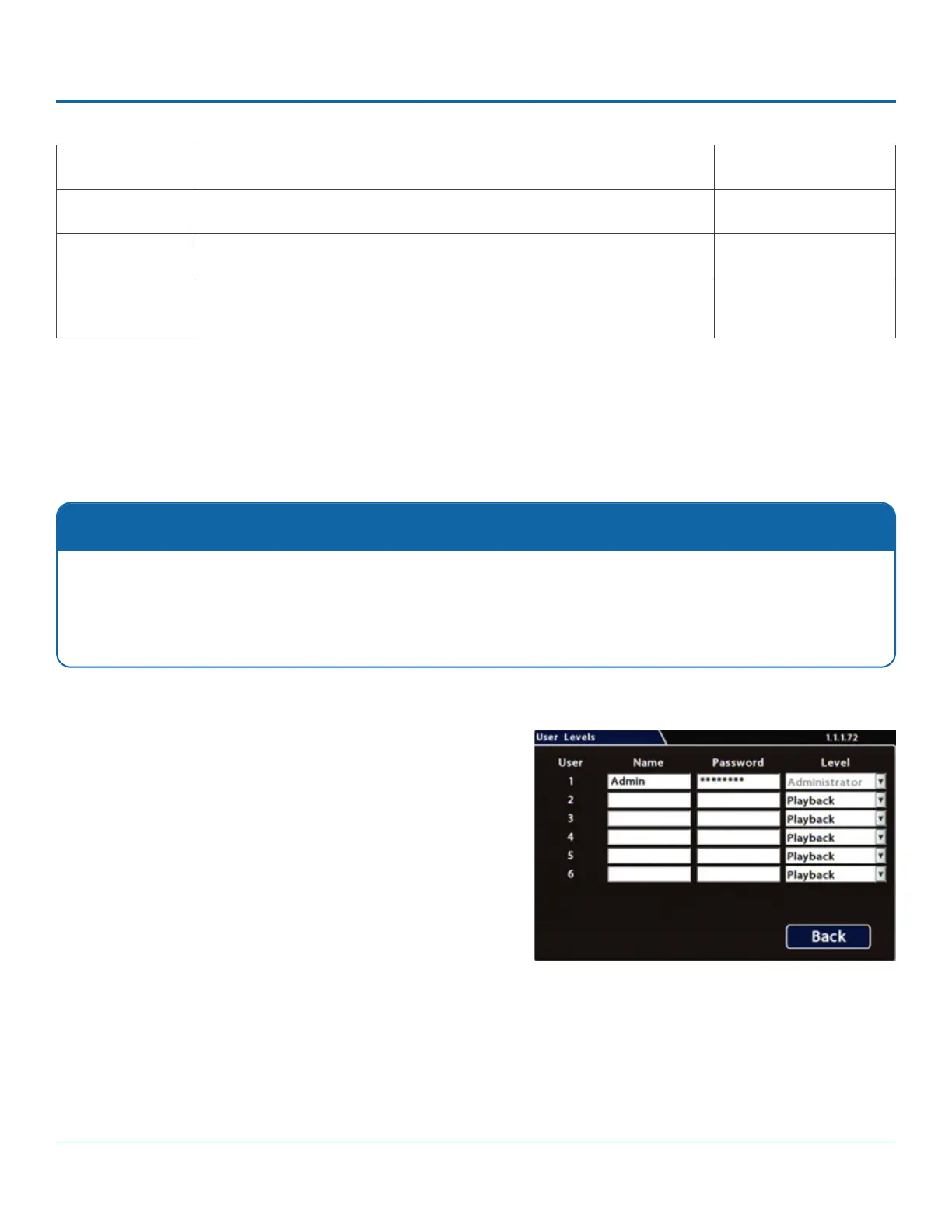
Conguring User Levels
To congure User Levels:
1. Select Network User Levels to open the tab.
2. The default "Admin" user cannot be changed. Add
other users with access levels as required.
Enter user names, passwords, and assign levels. For
details, see Menu Options, below.
3. Click Back to save changes, then click Back again to
return to the Conguration menu.
Password Control
Users logging on to the DVR should have password control to protect the DVR from being accidentally recongured. The
default password is 11111111.
For security purposes, we recommend default login and system settings passwords should be changed.
Keep a copy of your password in a secure place, in case it is lost or forgotten.



 To Next Page