Quick Start Guide
1 - 8 Hot Key Buttons & Keyboard
1
Hot Key Buttons & Keyboard
These buttons give instant access to the functions indi-
cated in the table below.
Table 1 - 3 - Hot Key Buttons
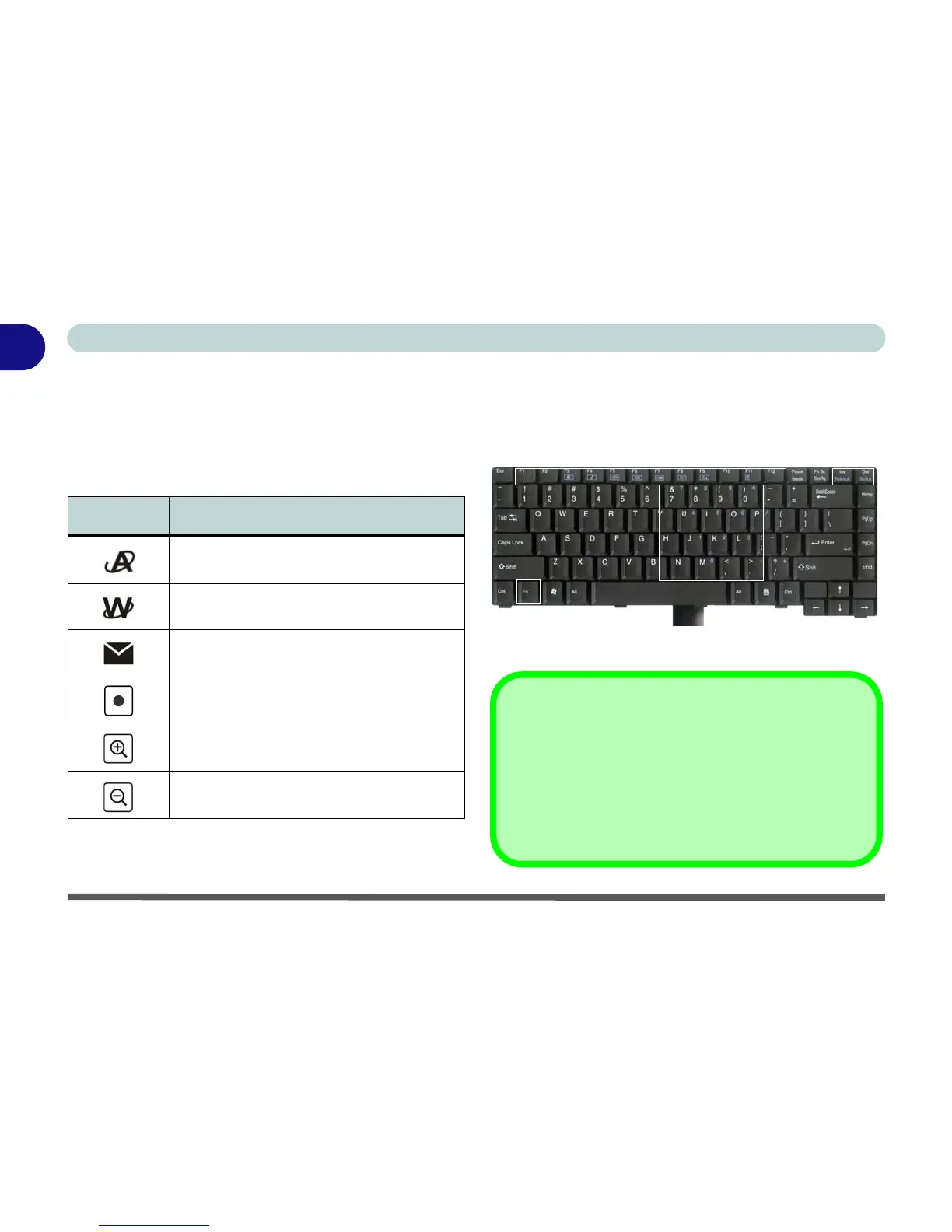
The keyboard has a numerical keypad for easy numer-
ic data input, and features function keys to allow you
to change operational features instantly (see Figure 1
- 3).
Figure 1 - 3 - Keyboard
Hot Key Function
Activate the BisonCap program/Take Still
Picture (See Page 7 - 8)
Activate the Default Internet Program
Activate the Default E-Mail Browser
Audio Record Start/Stop (See Page 2 - 10)
Camera Zoom-In (See Page 7 - 8)
Camera Zoom-Out (See Page 7 - 8)
Fn Key
Function Keys
NumLk &
ScrLk Keys
Numeric
Keypad
Other Keyboards
If your keyboard is damaged or you just want to make a
change, you can use any standard USB keyboard. The
system will detect and enable it automatically. However
special functions/hot-keys unique to the system’s regu-
lar keyboard may not work.



 To Next Page