Features & Components
ExpressCard Slot 2 - 7
2
ExpressCard Slot
The computer is equipped with an ExpressCard/34/54 slot that reads Express Card/
34 and ExpressCard/54 formats. ExpressCards are the successors to PCMCIA (PC
Cards).
ExpressCard/54 is used for applications which require a larger interface slot, e.g.
CompactFlash card reader. The number denotes the card width; 54mm for the Ex-
press Card/54 and 34mm for the ExpressCard/34. Make sure you install the Express-
Card driver (see “Card Reader/ExpressCard” on page 4 - 10).
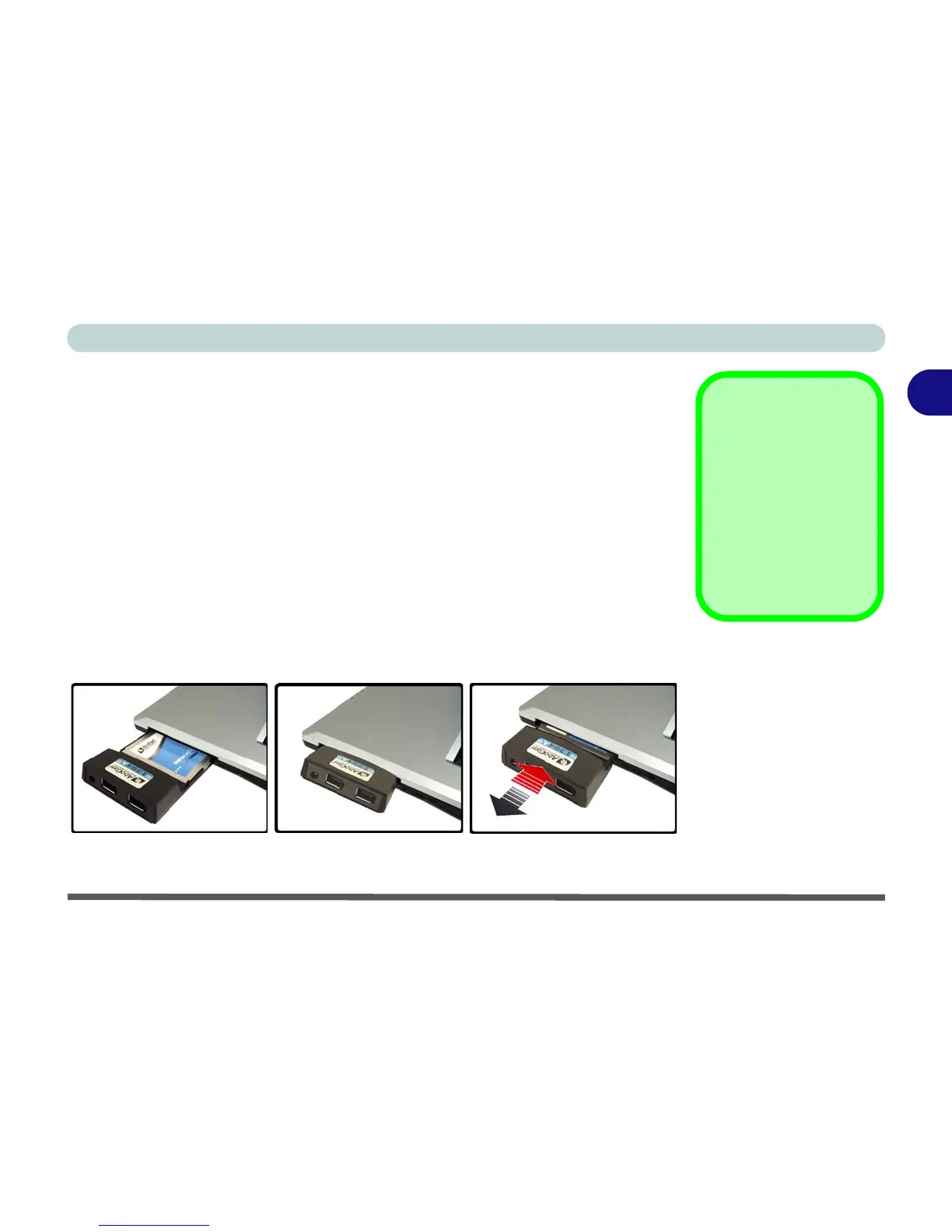
Inserting and Removing ExpressCards
• Align the ExpressCard with the slot and push it in until it locks into place.
• To remove an ExpressCard, simply press the card to eject it.
Figure 2 - 5
ExpressCard Slot
ExpressCard
Slot Cover
Make sure you keep the
cover in the Express-
Card slot when not in
use. This will help pre-
vent foreign objects and/
or dust getting in to the
ExpressCard Slot.



 To Next Page