1 - 12 System Map: Right View
Quick Start Guide
1
System Map: Right View
1
4
5
6
3
2
ExpressCard Slot
The ExpressCard Slot accepts either ExpressCard/34 or ExpressCard/54 formats.
7-in-1 Card Reader
The card reader allows you to use the most popular digital storage card formats:
MMC (MultiMedia Card) / SD (Secure Digital) / MS (Memory Stick) / MS Pro (Memory Stick Pro)
MS Duo (requires PC adapter) / Mini SD (requires PC adapter) / RS MMC (requires PC adapter)
7-Pin S-Video-Out Jack
The 7-pin S-Video Out Jack requires an adapter cable (7-pin S-Video plug to 4-pin S-Video
jack adapter) in order to connect to a standard S-Video cable.
3
7
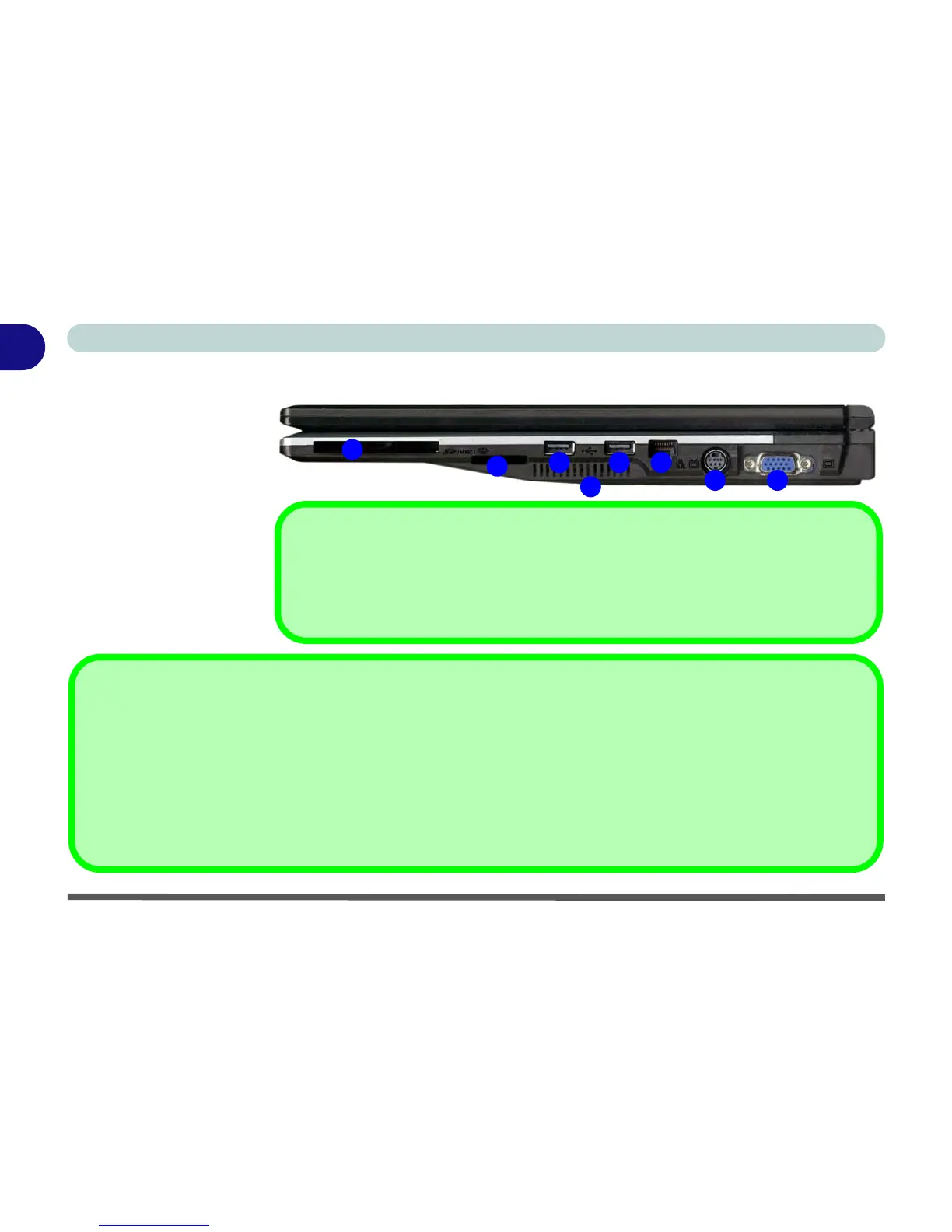
Figure 1 - 6 - Right View
1. ExpressCard Slot
(see page 2 - 7)
2. 7-in-1 Card Reader
3. 2 * USB 2.0 Ports
4. Vent/Fan Intake
5. RJ-45 LAN Jack
6. 7-Pin S-Video-Out
Jack
7. External Monitor Port



 To Next Page