Features & Components
2 - 14 Audio Features
2
8 Channel Sound Support
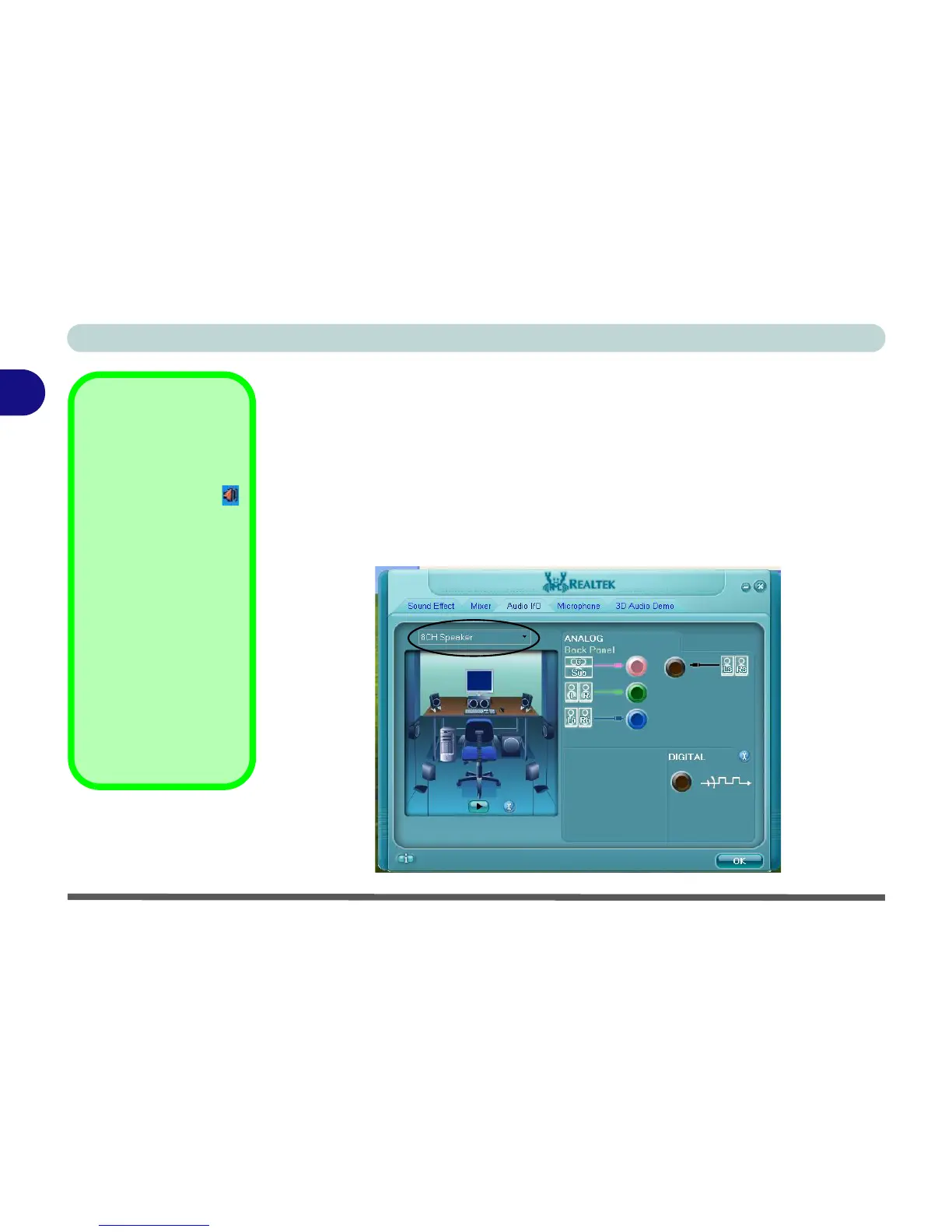
If you wish to configure your system for 8 channel sound support, then the following
ports should be used as outputs. Connect the system cables to the following audio
jacks:
• Side Speaker Out - Connect to S/PDIF Out (Black)
• Center/Subwoofer Speaker Out - Connect to Microphone In (Pink)
• Front Speaker Out - Connect to Speaker/Headphone Out (Green)
• Rear Speaker Out - Connect to Line In (Blue)
8 Channel Sound
Support
Double-click the Realtek
HD Audio Manager
icon in the taskbar to
bring up the Realtek
control panel.
Click Audio I/O (tab).
Select 8CH Speaker
from the pull-down
menu.
Click OK to save.
Connect the cables to
the audio jacks as out-
lined.
Figure 2 - 10
8 Channel Sound
Support



 To Next Page