Upgrading The Computer
6 - 6 Upgrading the Optical (CD/DVD) Device
6
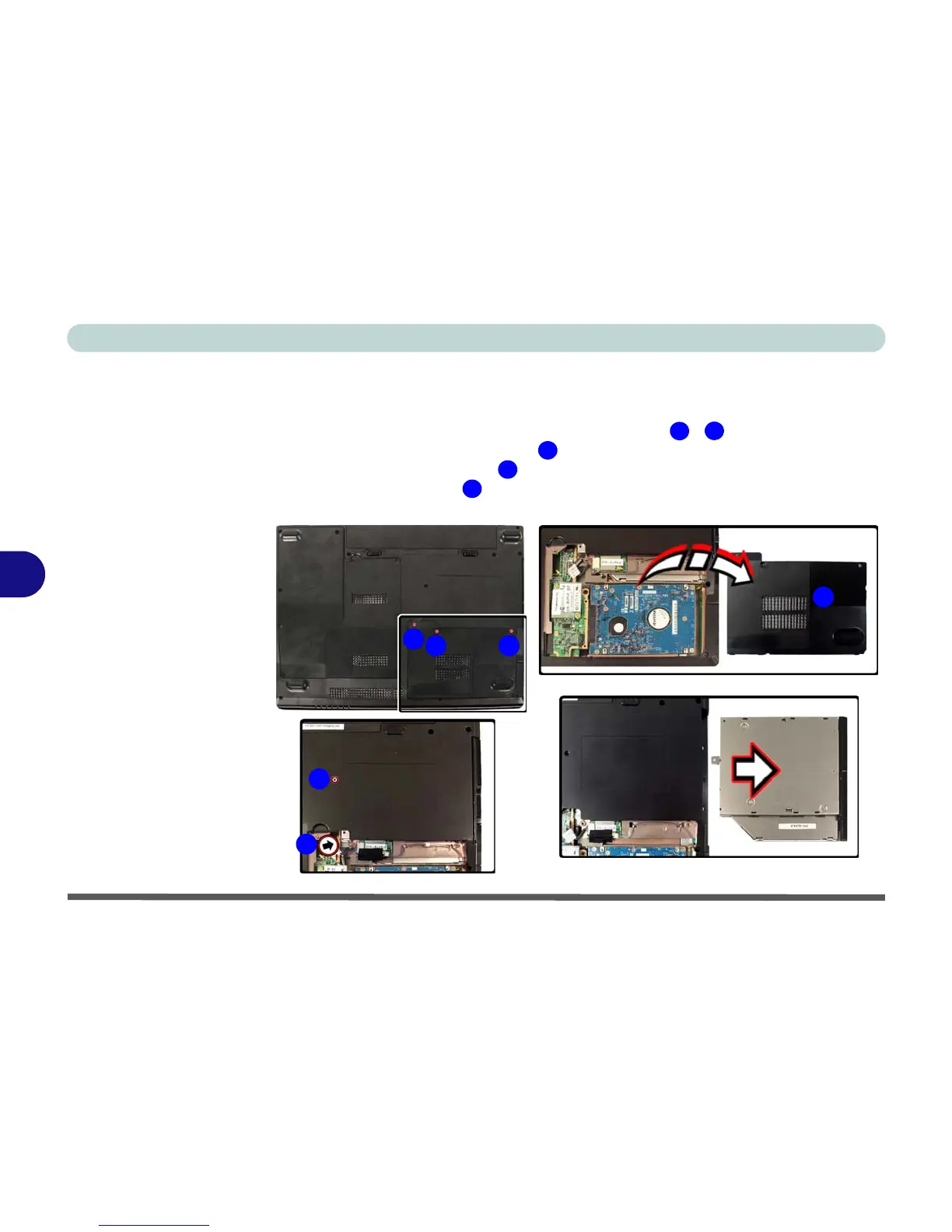
Upgrading the Optical (CD/DVD) Device
1. Turn off the computer, and turn it over and remove the battery.
2. Locate the hard disk bay cover and remove screws - .
3. Remove the hard disk bay cover
.
4. Remove the screw at point , and use a screwdriver to carefully push out the
optical device at point .
5. Reverse the process to install the new device.
Figure 6 - 4
Removing the CD/
DVD Device
1
3
4
5
6
4
5
6
32
1



 To Next Page