4-5
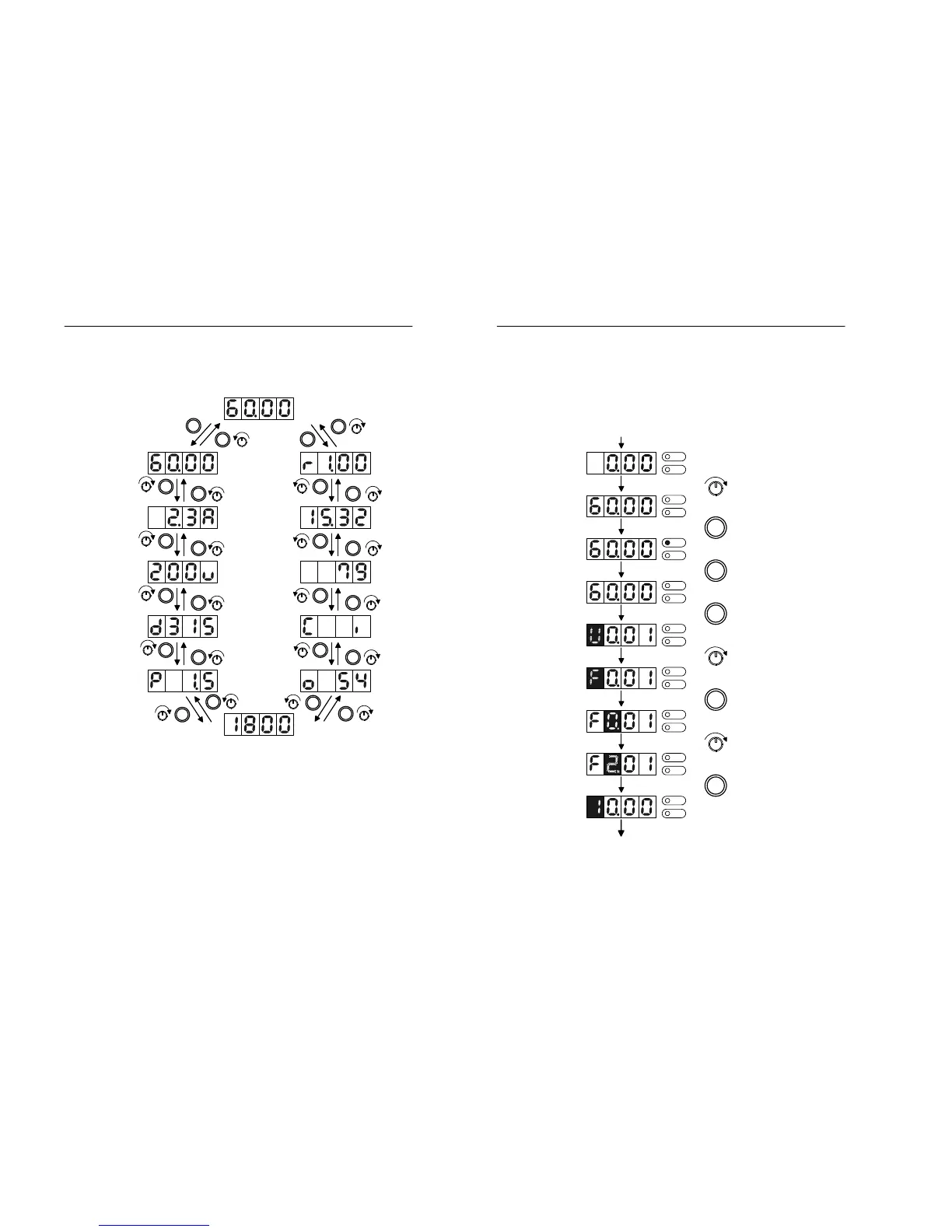
4.2 Monitoring functions of digital operator
Figure 4.1 Monitoring functions of digital operator
>
<
>
<
>
<
>
<
>
<
>
<
>
<
>
<
>
<
>
<
>
<
>
<
U0.01
U0.02
U0.03
U0.04
U0.05
U0.06
U0.07
U0.08
U0.09
U0.10
U0.11
U0.12
Command Frequency
Output Frequency
Output Current
Output Voltage
DC-link Voltage
Output Power
Output Torque
[%]
Motor Speed [RPM]
I/O Status
Accumulated
Run Time [Hr]
Run Time
[min.sec]
S/W version
Estimated Motor Speed [RPM]
4-6 MOSCON-E7 User’s Manual
4.3 Test run
FWD
REV
FWD
REV
FWD
REV
RUN
FWD
REV
STOP
RST
Power On
Set Command
Frequency
Run
Stop
DATA
SET
Go to upper
level
FWD
REV
Go to different
parameter group
FWD
REV
Go to digit
to be changed
FWD
REV
>
Increase parameter
subgroup number
FWD
REV
DATA
SET
Parameter
modification
FWD
REV
In order to increase the value,
rotate the digital volume in CW
direction.
Press RUN key.
Press STOP key.
Press DATA/SET key.
Rotate the digital volume clock-
wise for 2 click.
Press Right Shift Key
Rotate the digital volume clock-
wise for 2 click.
Press DATA/SET key.
(Switched to DATA mode)


 To Next Page