OfficeServ 7400 INSTALLATION
TECHNICAL MANUAL PART 7 MAY 2010
7.18
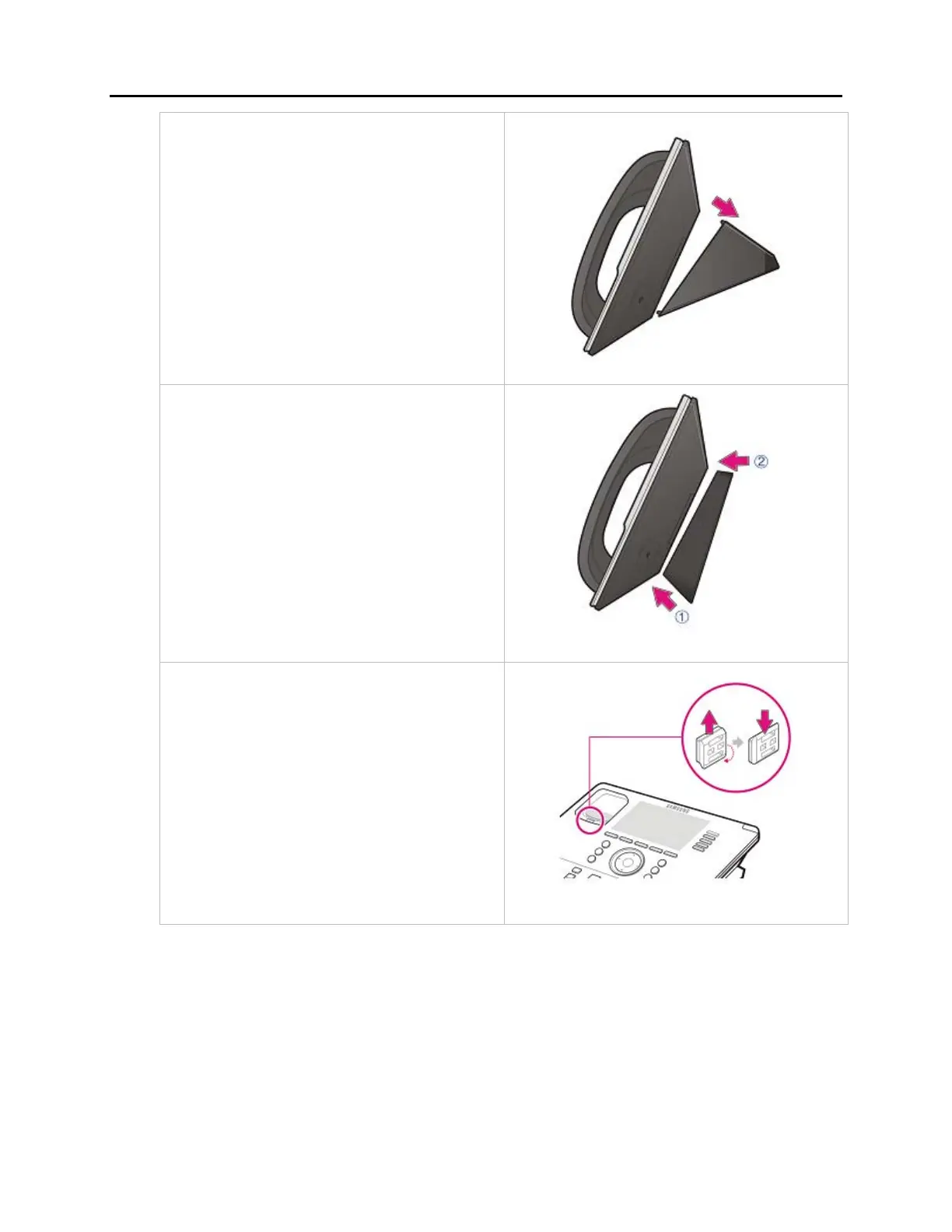
2. Remove the desk cradle of the phone.
a. Fix one latch of the cradle to the
top or bottom groove of the
phone.
b. Push the remaining latch into
the remaining groove on the
opposite side.
3. Insert the wall-mount bracket as shown
in the figure.
4. Pull out the handset rack, and then insert
it in the opposite direction, as shown in
the figure.
Only the up-down direction changes.
The front-back remains unchanged.
5. Install the phone on the wall.















 To Next Page