OfficeServ 7400 INSTALLATION
TECHNICAL MANUAL PART 7 MAY 2010
7.19
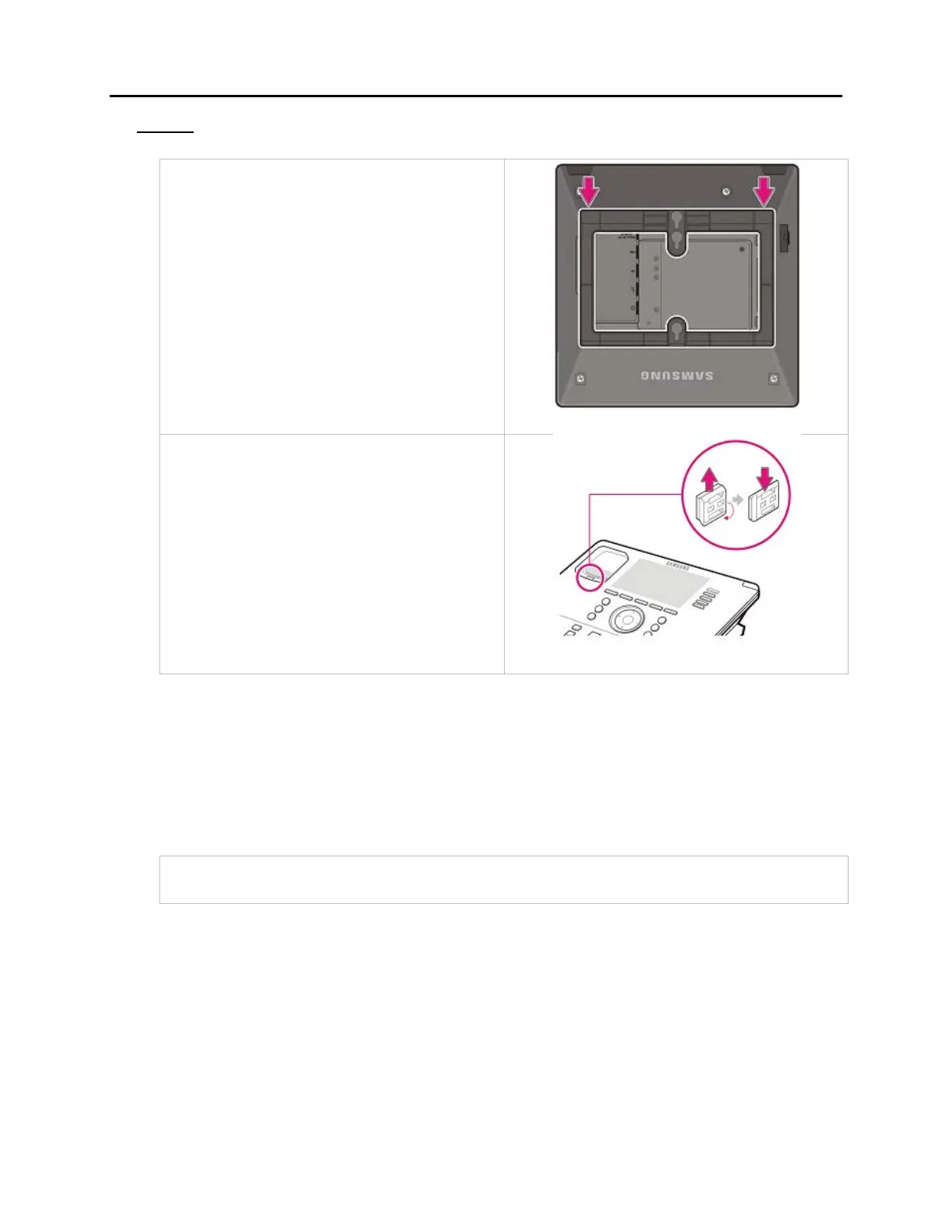
To detach the wall-mounting bracket follow the steps below:
1. You can detach the phone from the
bracket by pressing the [Push] section at
the bottom of the bracket.
Detach the phone more easily by pulling
the entire bottom of the bracket instead
of only the [Push] section.
2. Pull out the handset rack, change the
direction and then insert it again.
WALL-MOUNTING SMT-i3105 KEYSETS
The SMT-i3105 keysets do not require an optional wall-mounting bracket.
To wall-mount the SMT-i3105 follow the steps below:
1. First, choose the location where you want to install the phone, and then determine the
positions of the screws by placing the phone at the target location on the wall.















 To Next Page