OfficeServ 7400 INSTALLATION
TECHNICAL MANUAL PART 7 MAY 2010
7.20
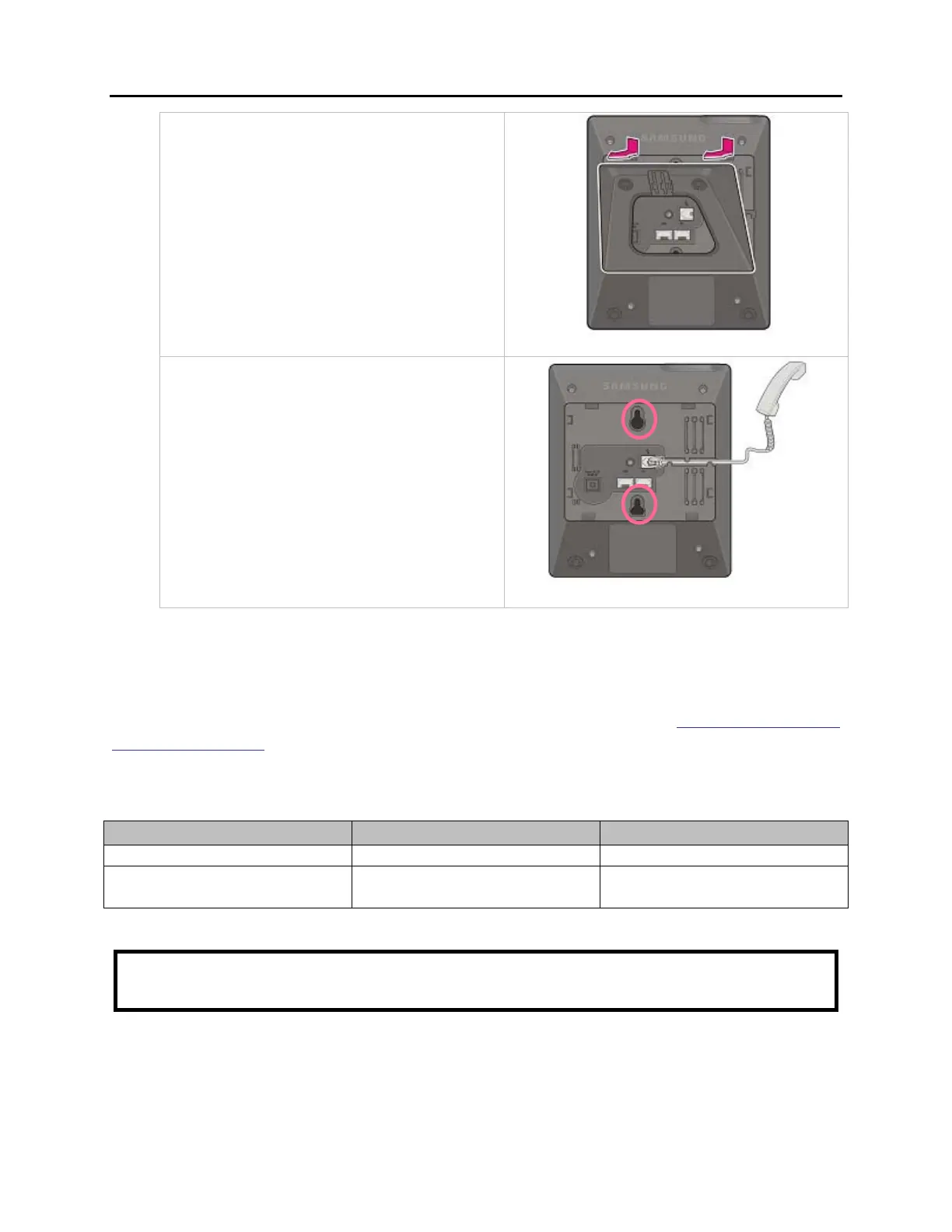
2. Remove the cradle of the phone by
pressing the [Push] mark on the top of
the cradle to push it out
3. Use screw holes 1 and 2 to attach the
base wedge to a standard electrical
outlet box.
64 BUTTON MODULES
Using one pair twisted #24 AWG or #26 AWG jumper wire, cross-connect each 64 Button
Module (64 BM) to the DLI port or plug into the KDB-DLI of your choice (see part 7.1.8 of this
installation section). The 64 BM can be assigned to any keyset telephone. It must be assigned
to that station in MMC 209.
MAXIMUM AOM CAPACITIES
Maximum per Station Maximum per System
TDM 64 Button AOM 4 Limited by available DLI ports
IP 64 Button AOM 4
Limited by available
IP/Virtual Ports
CAUTION: To reduce the risk of fire, use only #26 AWG or larger telecommunication line
cord.















 To Next Page