TEMI 880
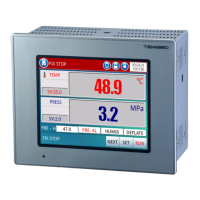
6. Main Screen
Main screen is center of the other screen transfer; other screens can be entered
through it. Click on this pattern in any screen to return to the main screen.
Main screen
Figure 11
1 OPER. SCR: click on the “OPER. SCR.” button to enter the Operation Screen.
See 7. Operation Screen
2 Func. Set: click on the “FUNC. SET” button to enter the Function Set
Screen. See 8. Function Set Screen
3 Graph: click on the “GRAPH” button to enter the Graph Screen.
See 9. Graph Screen
4 Assistant: click on the “ASSISTANT” button to enter the Assiatant Screen.
See 10. Assistant Screen
5 PROG Set: click on the “PROG SET” button to enter the Program Set Screen.
See 11. Program Set Screen


 To Next Page